Idea Statica
  • Steel
  • Concrete
  • Support & Learning
  • Pricing
  • Company
  • Steel overview
  • Connection design
  • Member design
  • Parametric design
  • Steel case studies
  • Concrete overview
  • Walls and D-regions
  • Anchoring design
  • Concrete case studies
  • BIM Overview
  • Supported integrations
  • Checkbot
  • Viewer
  • APIs
  • Support Center
  • E-learning & certification
  • Blog
  • Downloads & Licensing
  • Plans
  • Free community tool
  • Enterprise customers
  • Students & educators
  • How much will you save?
  • About us
  • Contact
  • Research & development
  • Authorized resellers
  • Meet our customers
  • Career
  • Steel
    Steel overviewConnection designMember designParametric designSteel case studies
  • Concrete
    Concrete overviewWalls and D-regionsAnchoring designConcrete case studies
  • BIM OverviewSupported integrationsCheckbotViewerAPIs
  • Support & Learning
    Support CenterE-learning & certificationBlogDownloads & Licensing
  • Pricing
    PlansFree community toolEnterprise customersStudents & educatorsHow much will you save?
  • Company
    About usContactResearch & developmentAuthorized resellersMeet our customersCareer
14-Day Trial
14-Day Trial

Subscribe to our newsletter

Company

  • About us
  • Partners
  • Careers
  • Patent

Resources

  • Customer projects
  • Case studies
  • Connection Library
  • Verification books

Legal

  • EULA
  • Privacy policy
  • California Privacy
  • TOS Viewer
  • Licensing

Help

  • Contact
  • Quote request
  • Resellers
  • Downloads
FacebookInstagramLinkedInYouTube

© IDEA StatiCa 2009-2026

Trusted and used worldwide by engineers, fabricators & consultants.

Support CenterKnowledge Base ArticlesBlack rectangles in report
How to create and export a report to MS Word, PDF or DXF files
Detailed model and loads reporting
Change just the language of the report
Improvements in report readability
Black rectangles in report
Exporting an IFC file from IDEA StatiCa
Black rectangles in report
SteelKnowledge baseReport

Black rectangles in report

This article is also available in
ENCZDEESFRITPTNLHUROKRPLTHTRVIZH

Some users encounter an error in the report showing a black rectangle or a black stripe when generating the report or in the exported PDF, usually over images. The following steps may help resolve the problem in the report connected to the graphic card. 

The black rectangles may appear in the generated Report or later in the printed or exported PDF version.
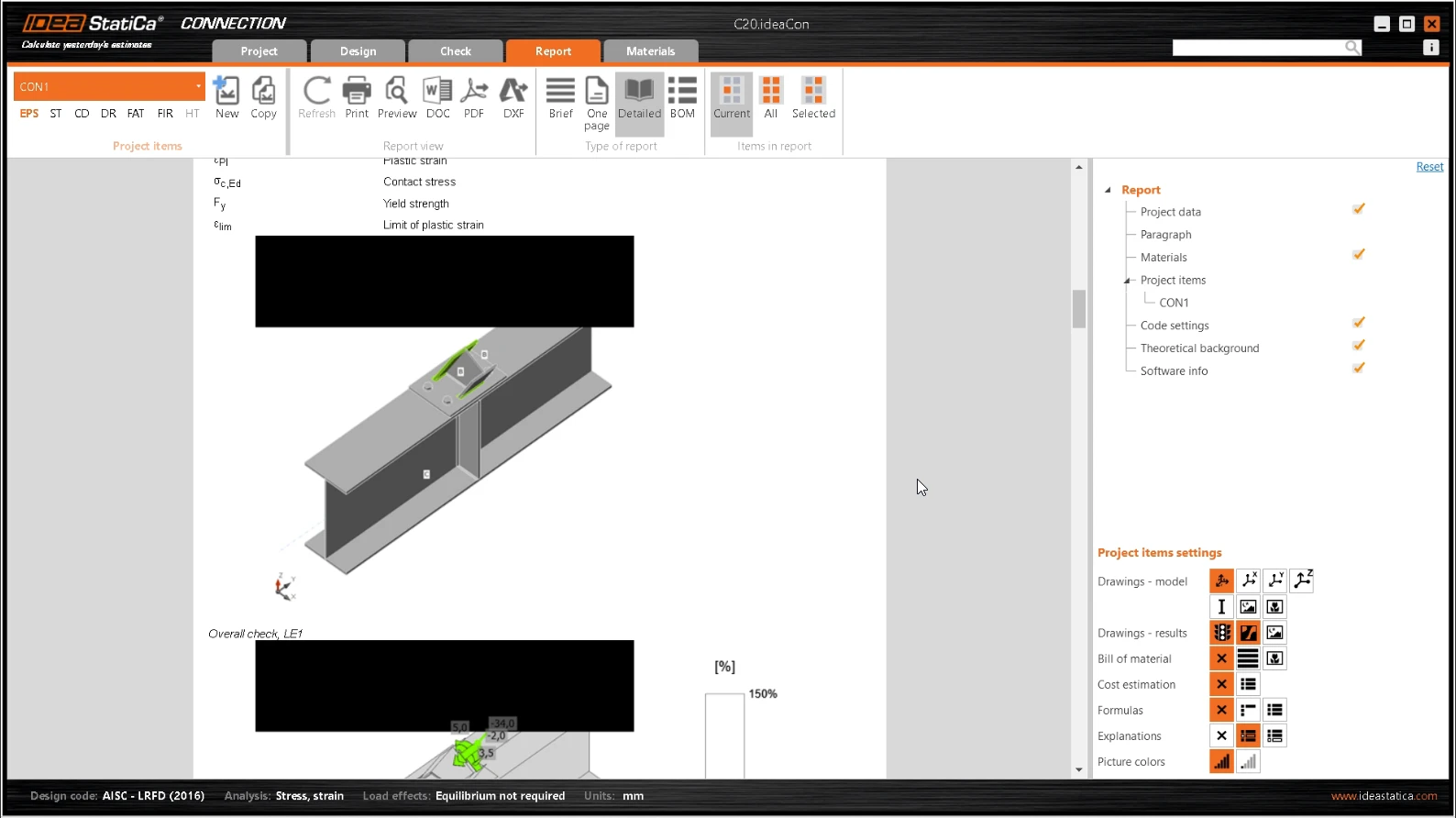
Report with black rectangles

Changing the preferences

To resolve the problem, try these two options under Project - Preferences - 3D scene:

  1. Turn on/off the Use hardware acceleration setting
  2. Turn on the Mode for incompatible graphics adapters setting
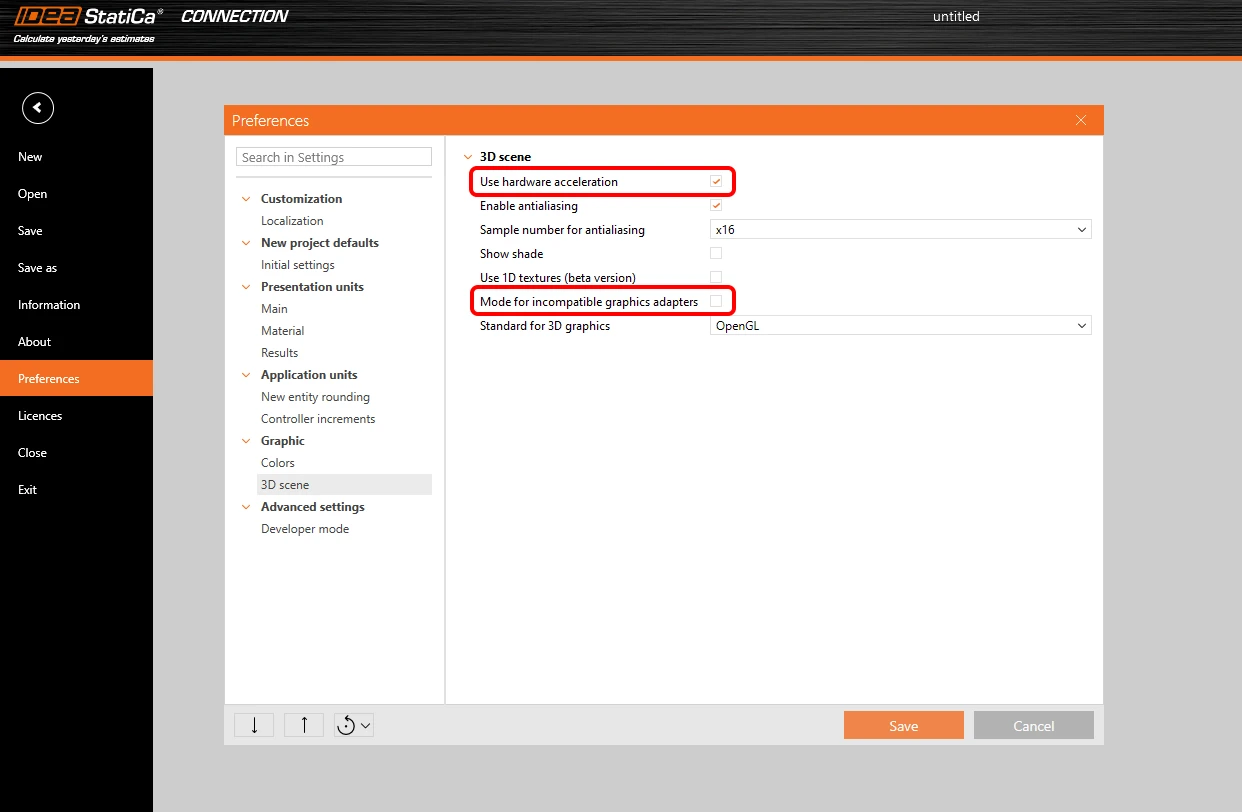
Set the preferences of 3D presentation

Apply the changes in preferences and try to regenerate the report.

Other solutions

Please check that you use the latest patch of IDEA StatiCa and that your hardware meets the System requirements for IDEA StatiCa.

Another solution is to check the drivers of your graphic card and update them to the latest version.

If this doesn't help, you can create a support case in the User Portal. Always attach the project file and a description of the reported issue. We will also need detailed info about the software and hardware you are using - you can, e.g., follow the steps described in the Use the System Information App for Hardware and Software Environment Details part of the How to Get Detailed Information About Your PC. 

Related articles

System requirements for IDEA StatiCa
  • Licensing
  • +1
  • Licensing

Knowledge base

System requirements for IDEA StatiCa

Read more
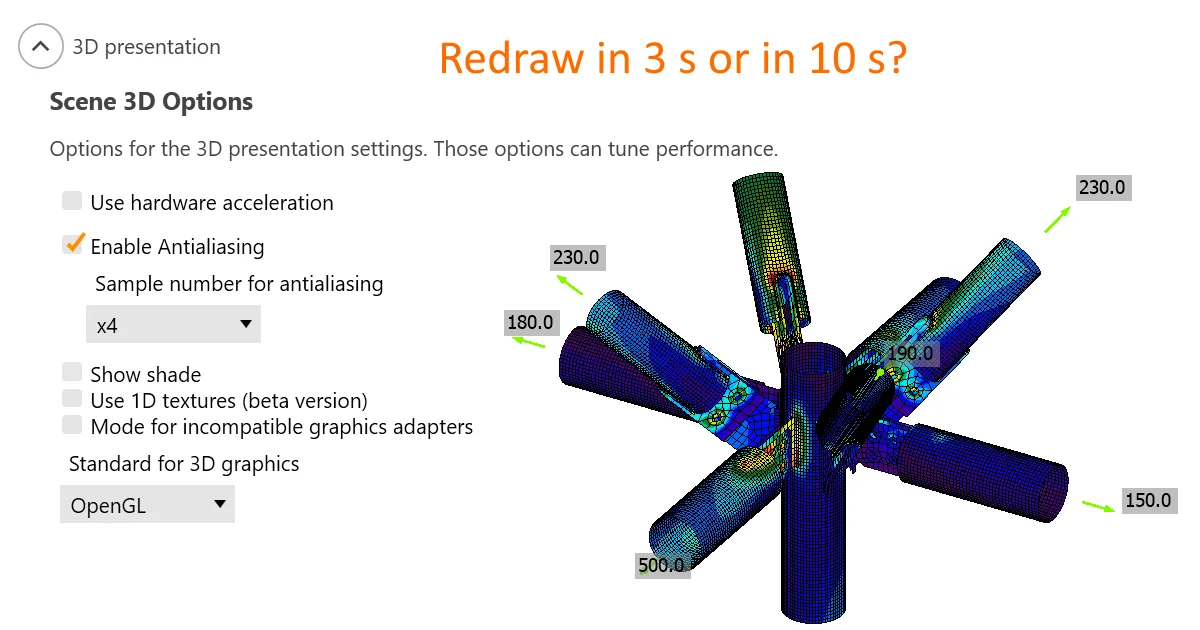
3D presentation: Scene options
  • Steel
  • Connection
  • Member
  • Report
  • Limitations
  • v23.0
  • +6
  • Steel
  • Connection
  • Member
  • Report
  • Limitations
  • v23.0

Knowledge base

3D presentation: Scene options

Read more