Idea Statica
  • Steel
  • Concrete
  • Support & Learning
  • Pricing
  • Company
  • Steel overview
  • Connection design
  • Member design
  • Parametric design
  • Steel case studies
  • Concrete overview
  • Walls and D-regions
  • Anchoring design
  • Concrete case studies
  • BIM Overview
  • Supported integrations
  • Checkbot
  • Viewer
  • APIs
  • Support Center
  • E-learning & certification
  • Blog
  • Downloads & Licensing
  • Plans
  • Free community tool
  • Enterprise customers
  • Students & educators
  • How much will you save?
  • About us
  • Contact
  • Research & development
  • Authorized resellers
  • Meet our customers
  • Career
  • Steel
    Steel overviewConnection designMember designParametric designSteel case studies
  • Concrete
    Concrete overviewWalls and D-regionsAnchoring designConcrete case studies
  • BIM OverviewSupported integrationsCheckbotViewerAPIs
  • Support & Learning
    Support CenterE-learning & certificationBlogDownloads & Licensing
  • Pricing
    PlansFree community toolEnterprise customersStudents & educatorsHow much will you save?
  • Company
    About usContactResearch & developmentAuthorized resellersMeet our customersCareer
14-Day Trial
14-Day Trial

Subscribe to our newsletter

Company

  • About us
  • Partners
  • Careers
  • Patent

Resources

  • Customer projects
  • Case studies
  • Connection Library
  • Verification books

Legal

  • EULA
  • Privacy policy
  • California Privacy
  • TOS Viewer
  • Licensing

Help

  • Contact
  • Quote request
  • Resellers
  • Downloads
FacebookInstagramLinkedInYouTube

© IDEA StatiCa 2009-2026

Trusted and used worldwide by engineers, fabricators & consultants.

Support CenterKnowledge Base ArticlesHow to create a new support case
Licensing
What licensing system does IDEA StatiCa use?
IDEA StatiCa User portal
How to create a new support case
User Portal – last time active, version tracking
Enhanced User Portal
License usage analytics in the User Portal
License usage analytics
License check interval (1-1000 hours)
How to create a new support case
LicensingKnowledge baseLicensing

How to create a new support case

This article is also available in
ENCZDEESFRITPTNLHUROKRPLTHTRVIZH

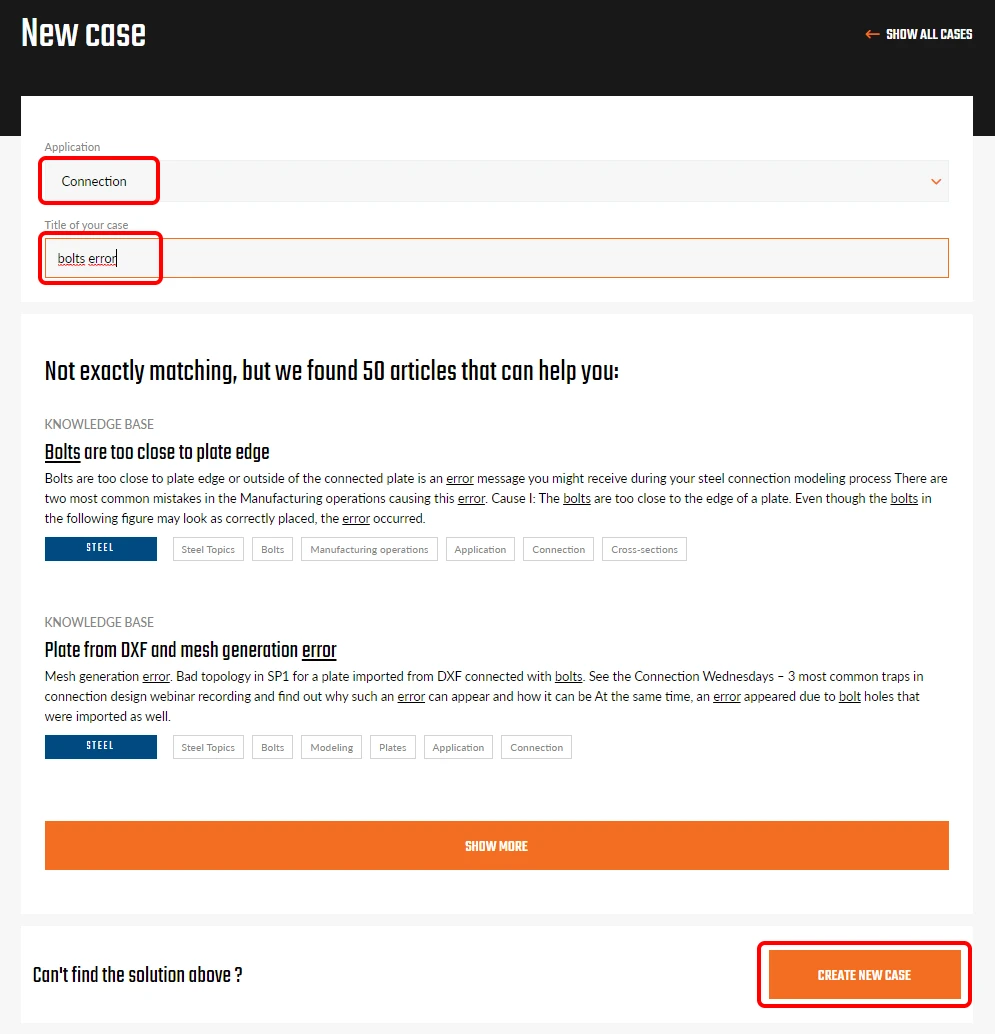
All users can submit a question to technical support. To submit a new support case, please sign in to the User portal. To enter the portal, click on the login icon, sign in with your IDEA StatiCa credentials, and navigate to the tab Cases.

Click Create a new case. By selecting the application and typing the case title, the system first offers you related articles from the Support Center.
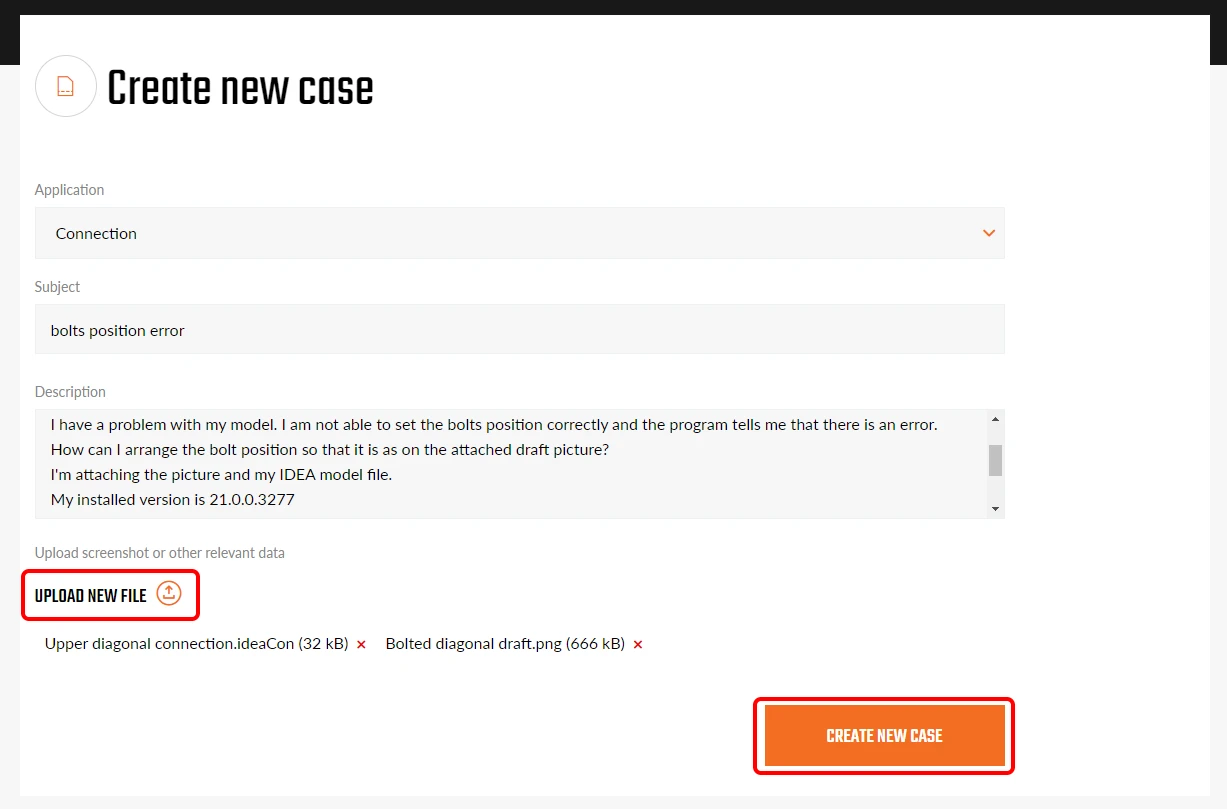
If you don't find the answer instantly in the provided articles, you can continue creating the case. In order to speed up the support process, please always provide full information, such as:

  • An exact description of the problem
  • Screenshots and pictures describing the problem
  • Project files (IDEA StatiCa file and other software files in case of BIM workflow)
  • The version of IDEA StatiCa and other software in case of BIM workflow
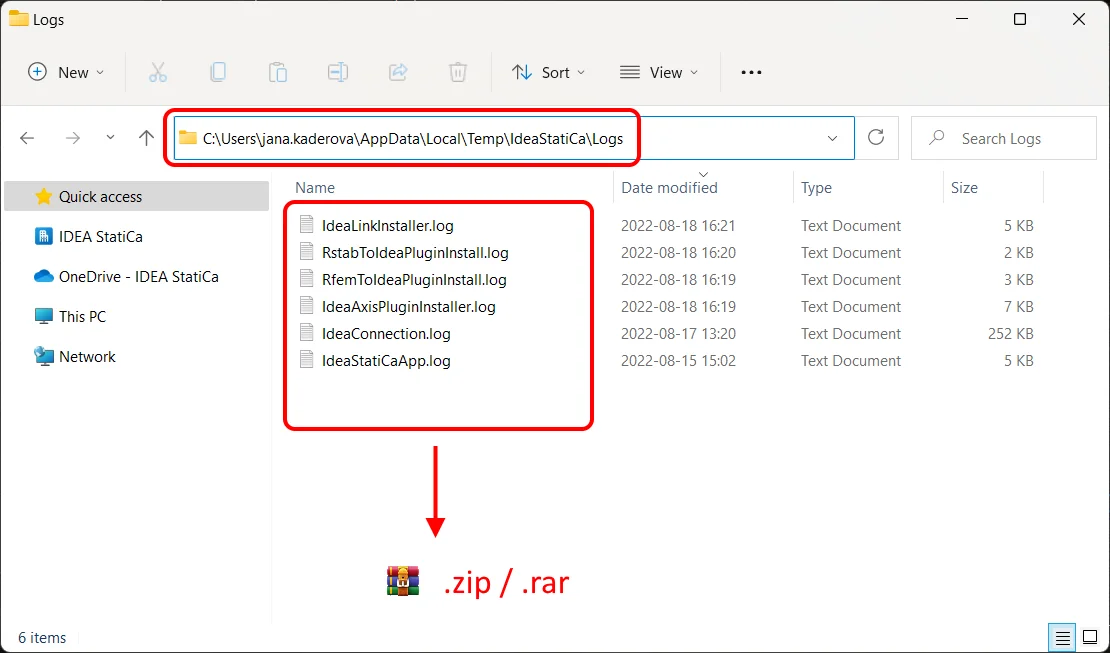
  • Log files saved automatically on your computer
All submitted cases are visible to all users within the account. You and your colleagues can browse the cases, view and download their content, and add more comments.
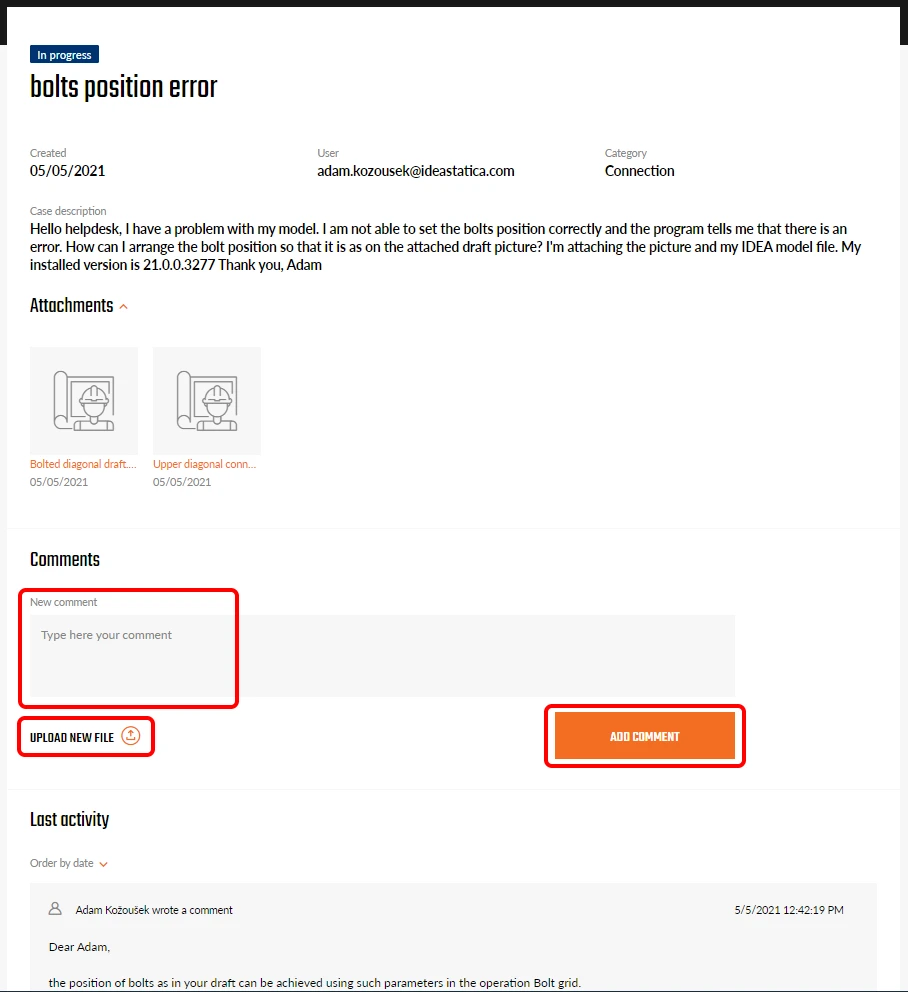
The status of a case is set automatically. New for the newly submitted cases and In progress for cases being processed or where we are waiting for your response. Resolved cases are set as Closed and archived.
Related articles

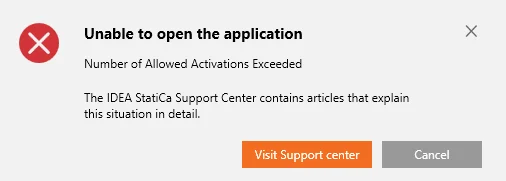
Error message – Number of Allowed Activations Exceeded
  • Licensing
  • License Seat Not Available
  • +2
  • Licensing
  • License Seat Not Available

Knowledge base

Error message – Number of Allowed Activations Exceeded

Read more
How to send the diagnostic (log) files
  • Steel
  • Concrete
  • Support
  • +3
  • Steel
  • Concrete
  • Support

Knowledge base

How to send the diagnostic (log) files

Read more
Checkbot (BIM link) does not start
  • Steel
  • Checkbot
  • BIM link
  • Advance Steel
  • Tekla Structures
  • Revit
  • SAP2000
  • Robot Structural Analysis
  • AxisVM
  • ETABS
  • RFEM
  • RSTAB
  • SCIA Engineer
  • Advance Design
  • STAAD.Pro
  • midas Civil + Gen
  • SDS2
  • RAM Structural System
  • +18
  • Steel
  • Checkbot
  • BIM link
  • Advance Steel
  • Tekla Structures
  • Revit
  • SAP2000
  • Robot Structural Analysis
  • AxisVM
  • ETABS
  • RFEM
  • RSTAB
  • SCIA Engineer
  • Advance Design
  • STAAD.Pro
  • midas Civil + Gen
  • SDS2
  • RAM Structural System

Knowledge base

Checkbot (BIM link) does not start

Read more