In IDEA StatiCa Connection, users have the possibility to create connection models using parameters (relations defined between individual entities). The parametric design allows users to design standardized connections efficiently – read about how to work with parameters in this article.
The integration of parametric templates into the Connection Library offers a transformational approach to connection designer workflows. It allows users to create and use a universal collection of templates that can be effortlessly customized and deployed in different design contexts.
How does it work?
The user can upload the created connection to their company or personal set as with any design, and it can even be done with the defined parameters. Once there is the same geometry in the project and the solution can be repeated, the user can apply this pre-prepared design (template) with all the parameters.
In addition, after proposing the template, it is possible to change the parameters directly in the main design window and there is no need to go into developer mode. This user-friendly environment allows less-experienced users to work with predefined parameters safely according to the presets of the senior designers.
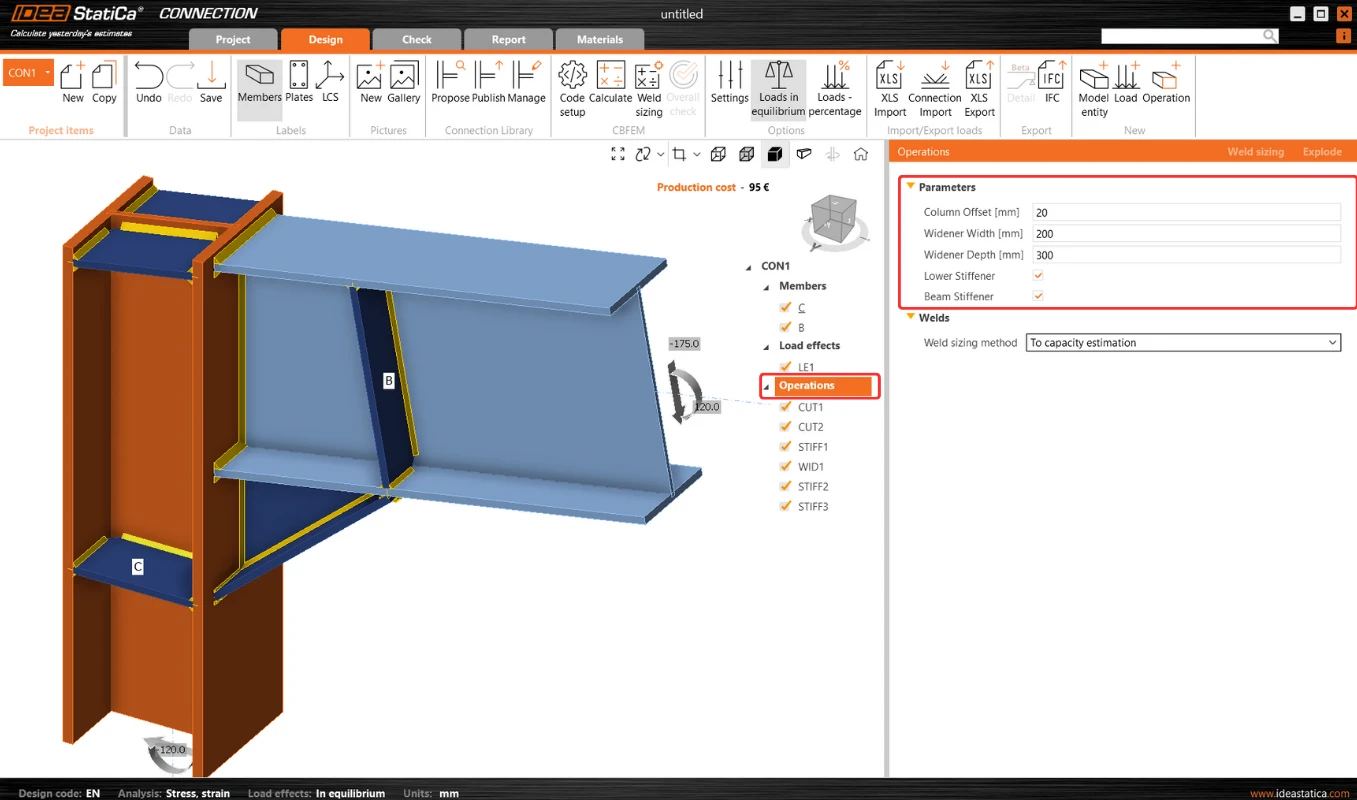
This makes further optimization very simple as there is the possibility of avoiding changing each entity one by one when using operations.
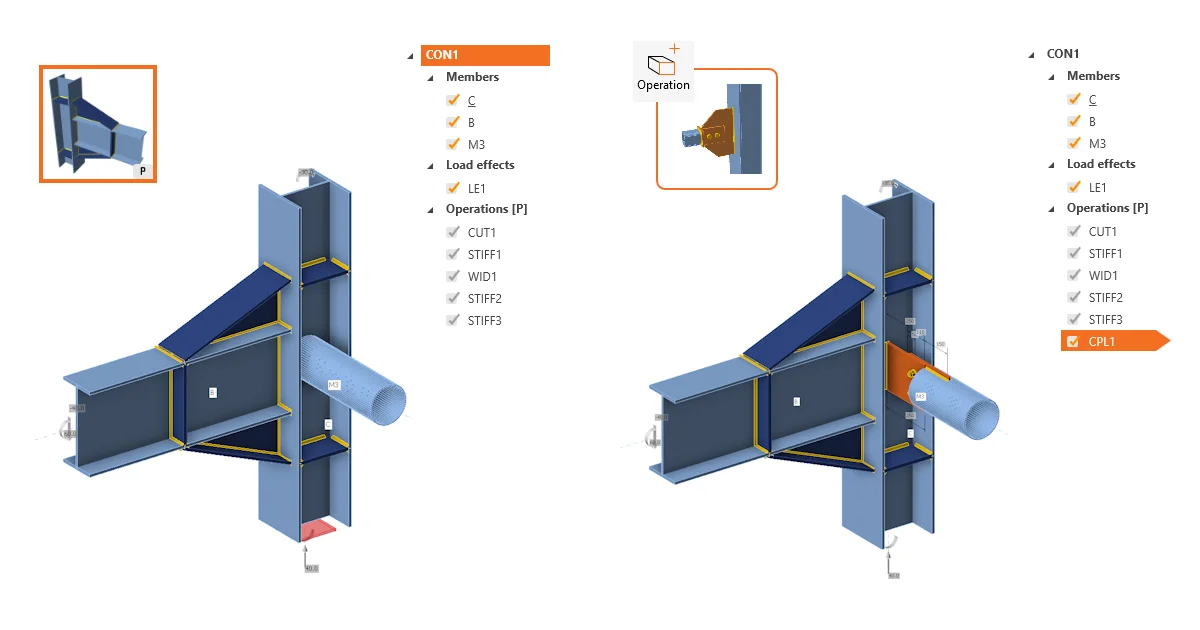
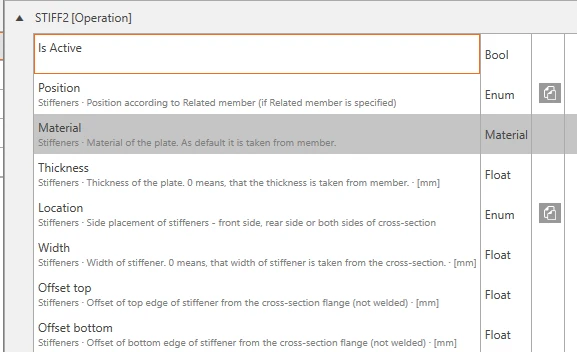
By changing one parameter, multiple steps can be performed at once. For example, when changing the widener width, not only the widener itself, but also all the related welds and the location of the stiffener are affected:
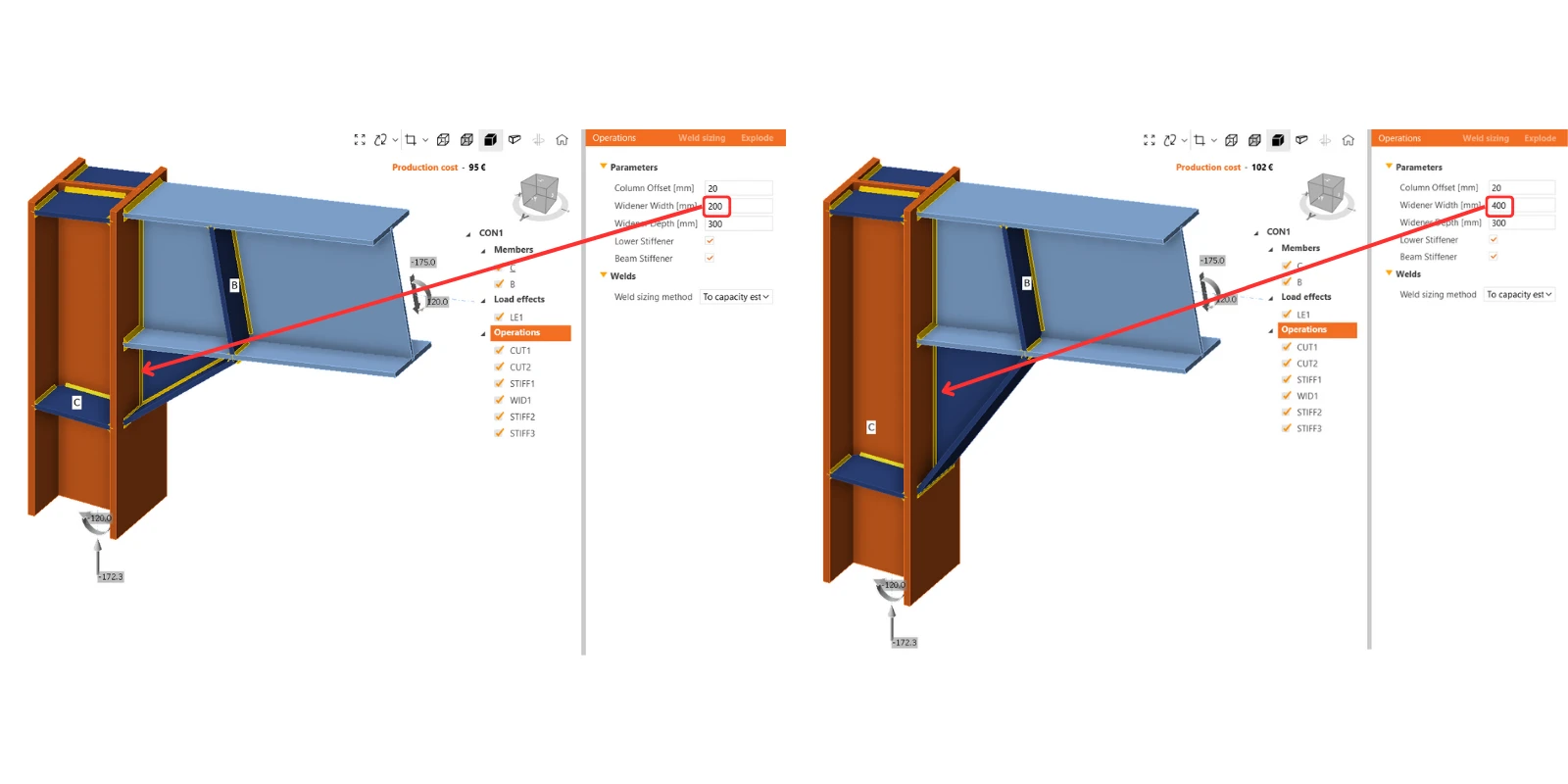
The locked modifications in the property list of some manufacturing operations are disabled in such cases. However, if the user wishes, they can break the parameters using the "explode" button, and continue with modifying operations.
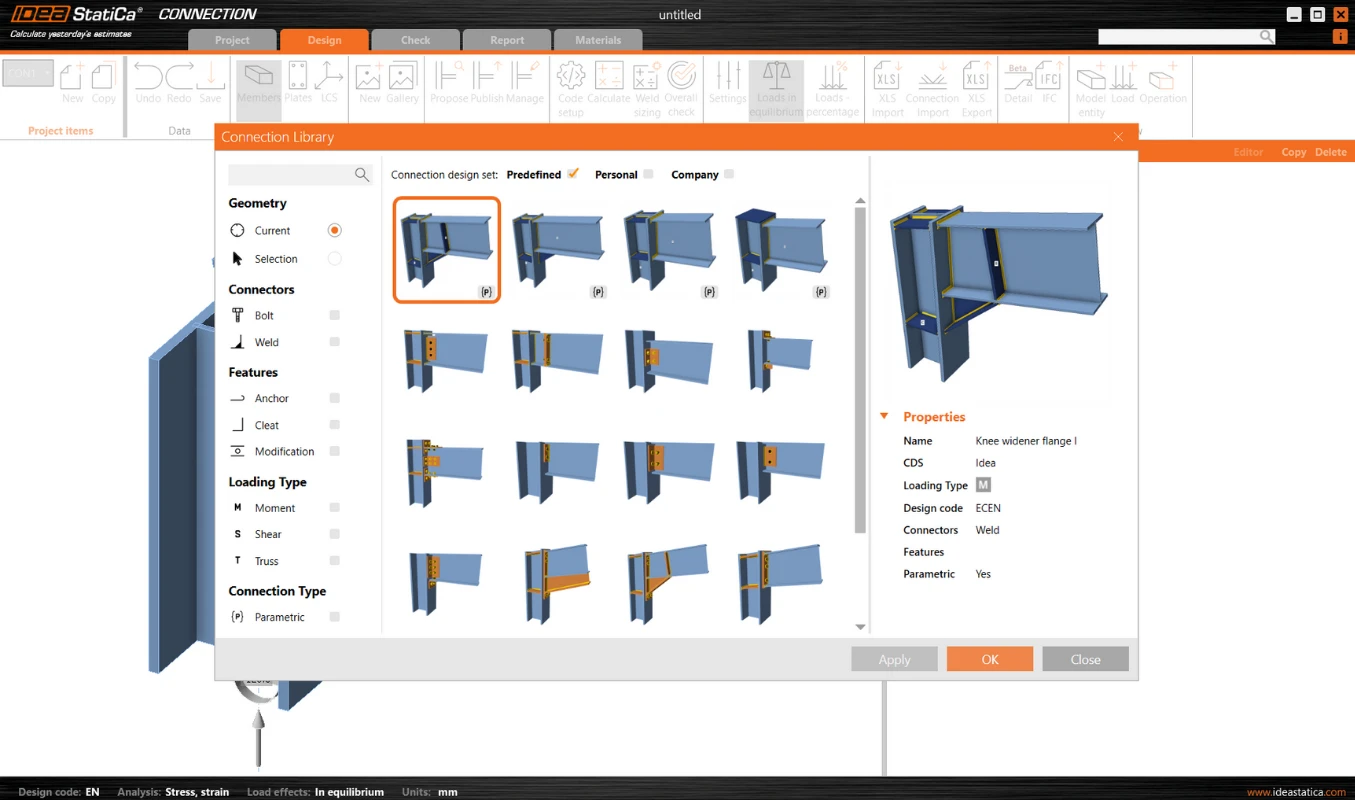
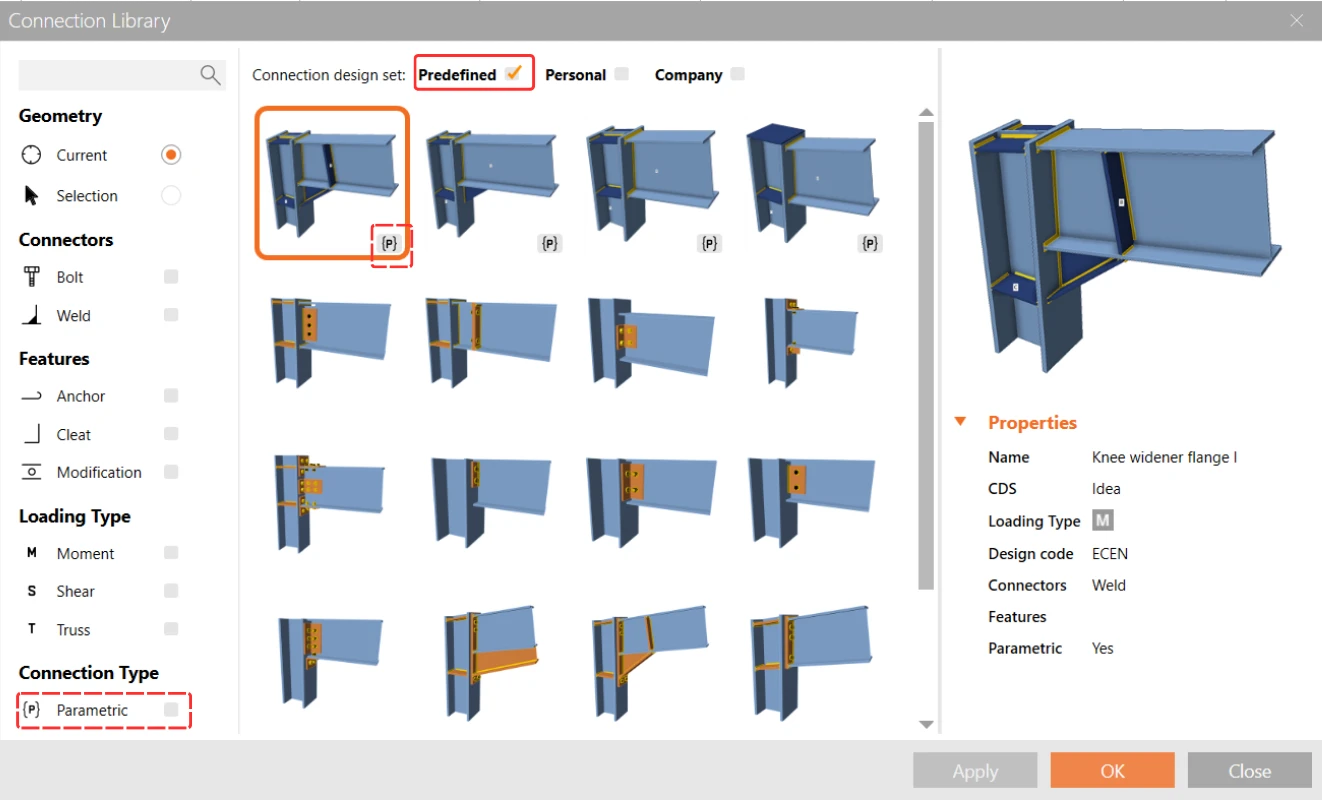
The templates to which the parameters are linked are marked with a lowercase {p}. Several parametric templates have already been prepared and made available in the predefined design set by the IDEA StatiCa team.
What are the benefits of parametric templates?
- Universal templates: Designers can access a broad collection of parametric templates from the Connection Library. These templates are designed to be universally applicable, providing a solid foundation for a wide range of projects.
- Parametric customization: Through the Developer tab, users can define specific parameters for each template, allowing for a high degree of customization and flexibility in design.
- Template identification: Parametric templates are easily identifiable by the symbol {p}, ensuring that users can quickly recognize and select them for their projects.
- Enhanced library filtering: The filter in the Propose window of the Connection Library enables users to efficiently find parametric templates among the library's extensive offering.
- Publication control: When a connection contains parameters, designers have the option to publish these parametric templates to the Connection Library. This feature offers flexibility in sharing customized templates with the broader user community or keeping them private for individual or internal use.
Impact on workflow
The inclusion of parametric templates in the Connection Library represents a significant advancement in the design process for connection designers. This functionality simplifies the design process by providing:
- Efficiency: The use of templates speeds up the design phase, allowing for quicker iterations and modifications.
- Consistency: Parametric templates ensure design consistency across projects, which is crucial for maintaining standards and quality.
- Collaboration: The ability to share customized templates enhances collaboration among teams and with the wider design community.
- Customization: Designers can tailor templates to specific project requirements, enhancing design accuracy and effectiveness.
Released in IDEA StatiCa patch 23.1.5.
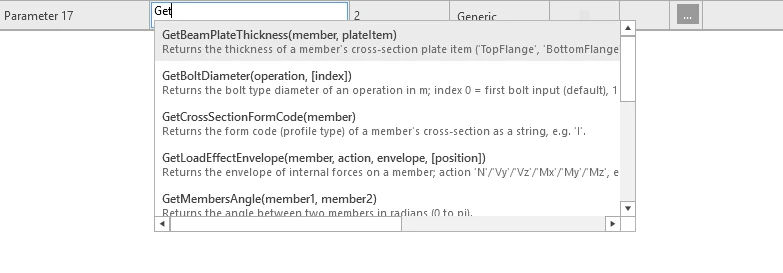
- Developer tab expression editor: code completion and signature hints while typing.
- Add model property link dialog: each property shows a dimmed context subtitle; duplicates get ordinals.
- Bolt Assembly parameter value type: combo + "+" button (MPRL picker) in the Design tab.

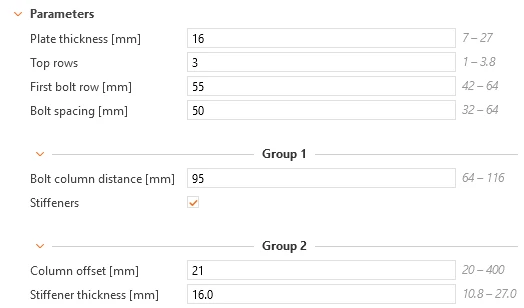
- Parameter groups: authored in the Developer tab (add, rename, reorder, delete), rendered in the Design tab as named separators that can collapse; transparent to evaluation, the REST API and templates without groups.
Default control sets in the Operations
The design of a connection by parameters consists of the setting of very unique parameters specific for every single connection type on one hand. On the other hand, there are parameters that are used almost always due to common engineering practices, such as a set of welds, fasteners, and materials.
To simplify the creation of parametric templates and to reach this setting anytime, we include these controls as default sets in the operation root.
When you select Operations, there are, by default, the following settings:
- Weld setting: Weld sizing method and weld Material (24.0.5)
- Bolt setting: Type, Shear plane in thread, and Shear force transfer (24.1.0)
- Plates setting: Material (24.1.0)
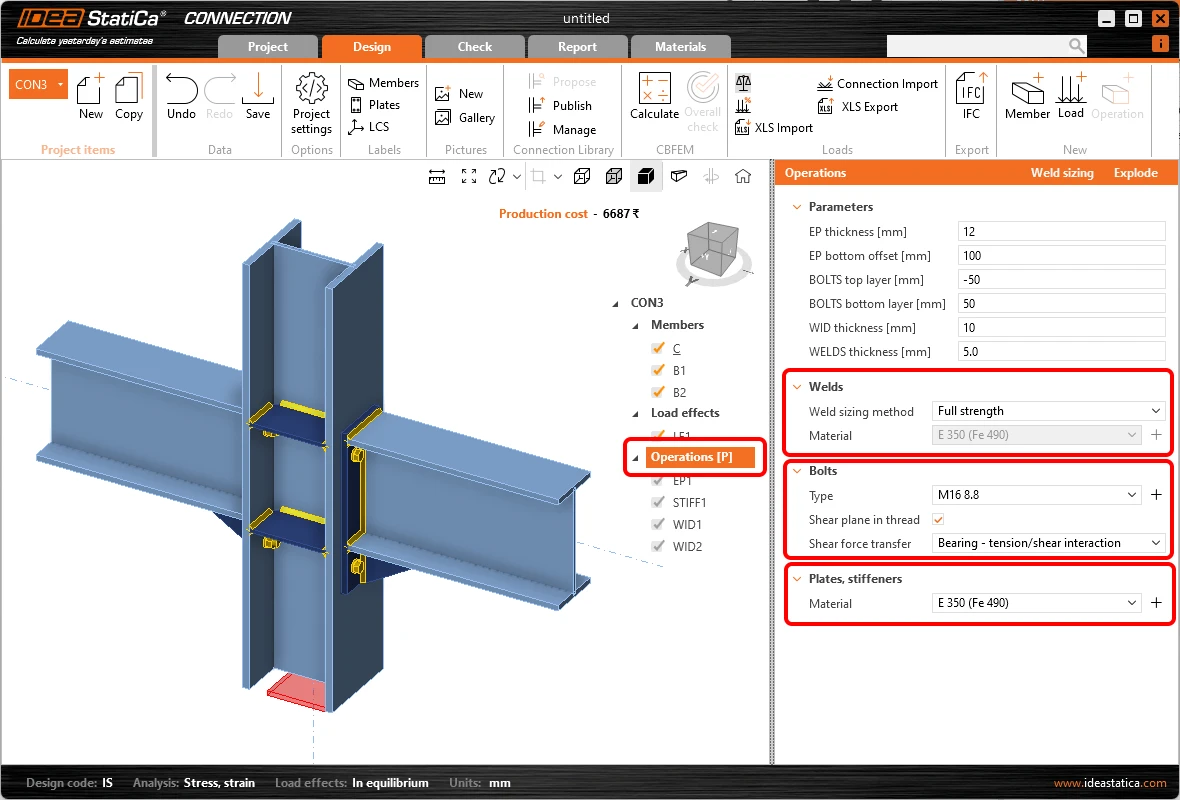
These controls set the specific property for the whole connection model to all operations and are shown in the Operations root by default. They do not change the properties of the structural members, only the manufacturing operations.
In case any of the properties related to the control is used in any parameter of the parametric template, the control is automatically disabled. By this behavior, we prevent the possibility of influencing the same property from two places and, thus, ruining the connection detail by loops in parameters.
As a benefit, these controls are also shown without a parametric template, enabling quick changes and unifying properties of any connection model.
What are the benefits?
- For the parametric template user (e.g., junior user), all operations are disabled (read-only). However, changing the material, bolt class, or plate material is still a commonly expected action. Although, if there is a single parameter missing in the parametric template, it makes the template unusable. Common properties such as welds, bolts, and material can now be controlled in each parametric template using the default controls shown under the parameters.
- Adding these controls simplifies the work of the template creator (e.g., senior user) in preparing the parametric templates. Now, it is not necessary to manually create special parameters for modifying common properties such as welds, bolts, and materials.
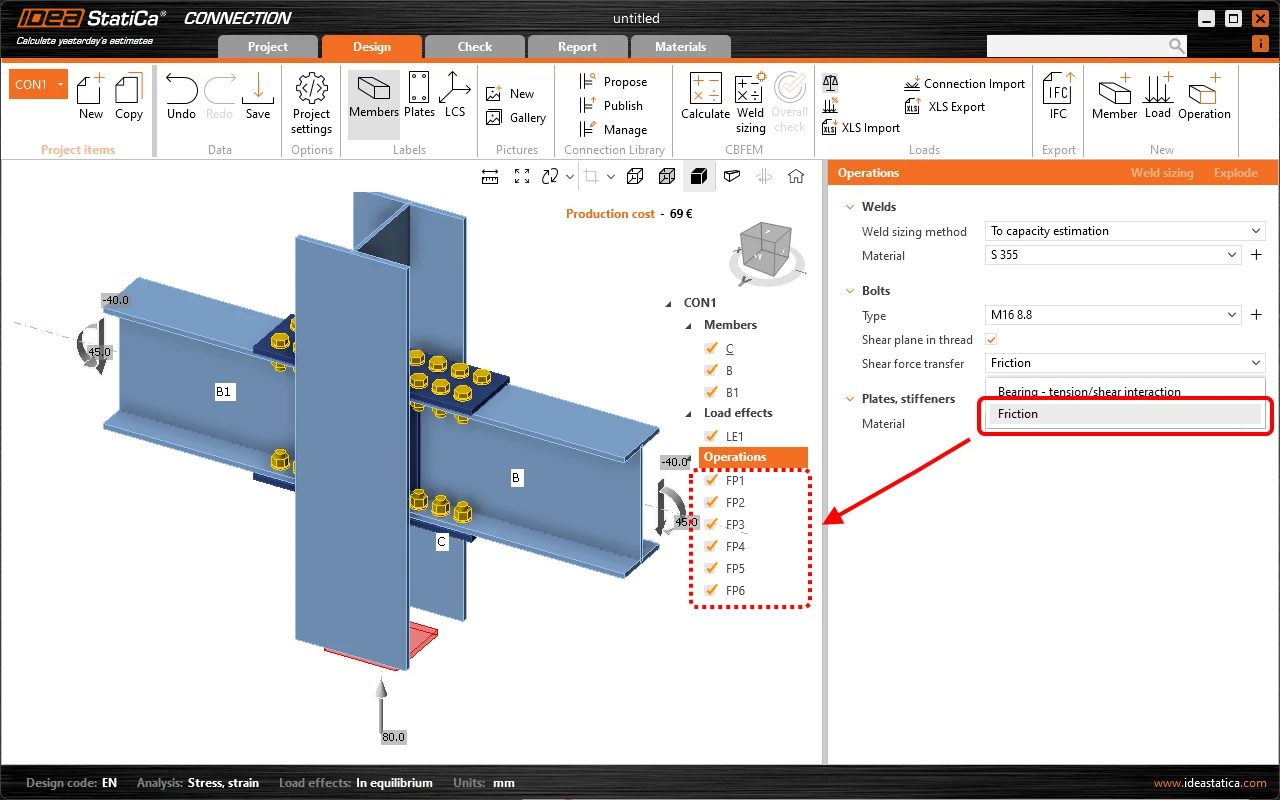
- Sometimes, you want to unify bolt grades or plates and weld material in the whole connection detail even when the parametric template is not used. It can be easily done either by multi-selecting in the tree and editing operations of the same type (nevertheless, in this case, it has to be done multiple times for each group of operations separately), or it is now possible to change the requested property or just check if the same property is used in one click.
Released in IDEA StatiCa version 24.1.
Improvements of the predefined set
Several enhancements have been made to parametric templates created via the Wizard to improve usability, clarity, and model consistency.
- Validation messages have been refined, only functional and relevant messages are now displayed, such as incorrect member type, cross-section compatibility, or load definition issues.
- Message texts have also been rewritten for better readability and technical accuracy.

- Templates now correctly retain cross-section data for cleats and stiffening members, ensuring accurate geometry generation.
- Custom cross-sections (CSS) stored in the MPRL are included in templates and automatically applied to new models.
- A new Workplane operation method, Intersection, allows templates to be used for members ending in both X+ and X– directions within Checkbot, with adjustable offset and positioning on the near or far edge of the related member.
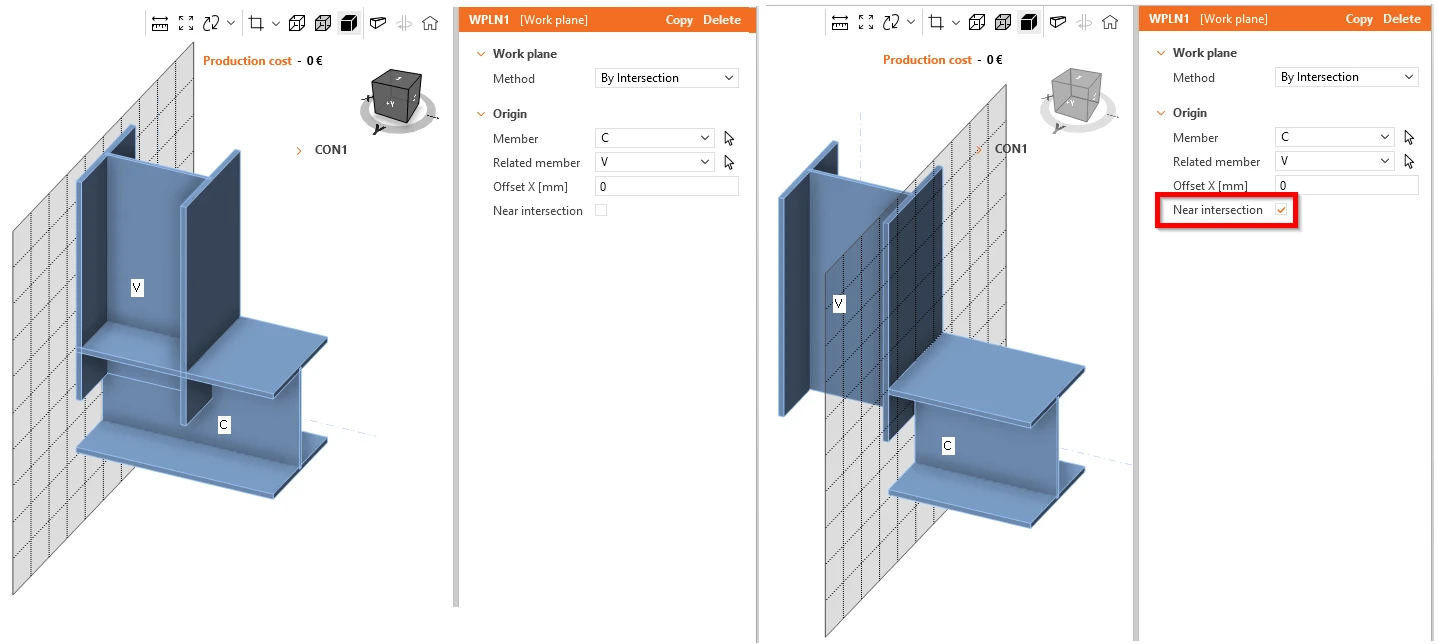
Thanks to this new function, templates are applicable at both ends in the Checkkbot.
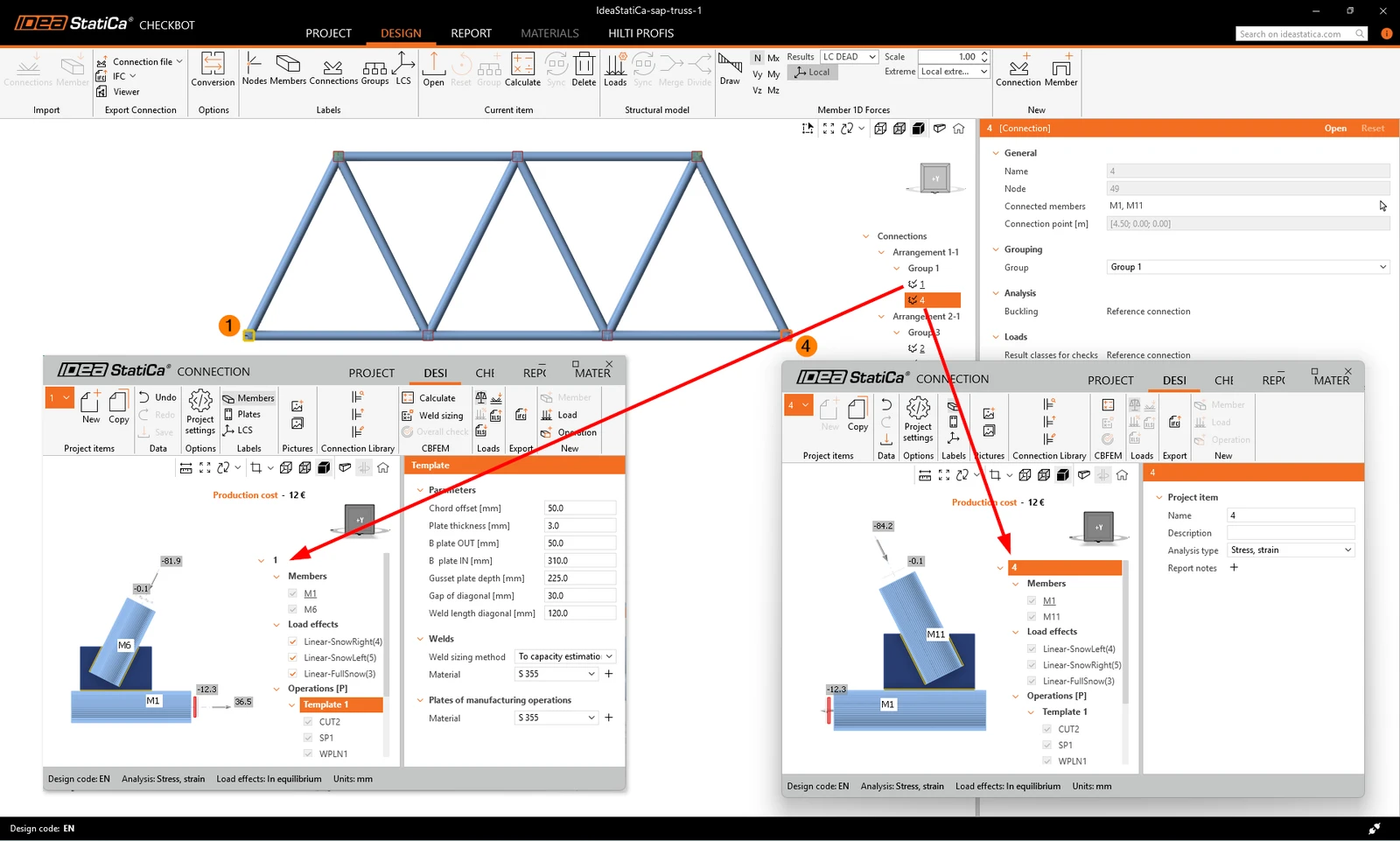
Parametric templates can also be combined with each other or with standard manufacturing operations.
Released in IDEA StatiCa version 25.1.