Idea Statica
  • Steel
  • Concrete
  • BIM & Workflows
  • Support & Learning
  • Pricing
  • Company
  • Steel overview
  • Connection design
  • Member design
  • Parametric design
  • Steel case studies
  • Concrete overview
  • Walls and D-regions
  • Anchoring design
  • Concrete case studies
  • BIM Overview
  • Supported integrations
  • Checkbot
  • Viewer
  • APIs
  • Support Center
  • E-learning & certification
  • Blog
  • Downloads & Licensing
  • Plans
  • Free community tool
  • Enterprise customers
  • Students & educators
  • How much will you save?
  • About us
  • Contact
  • Research & development
  • Authorized resellers
  • Meet our customers
  • Career
  • Steel
    Steel overviewConnection designMember designParametric designSteel case studies
  • Concrete
    Concrete overviewWalls and D-regionsAnchoring designConcrete case studies
  • BIM & Workflows
    BIM OverviewSupported integrationsCheckbotViewerAPIs
  • Support & Learning
    Support CenterE-learning & certificationBlogDownloads & Licensing
  • Pricing
    PlansFree community toolEnterprise customersStudents & educatorsHow much will you save?
  • Company
    About usContactResearch & developmentAuthorized resellersMeet our customersCareer
14-Day Trial
14-Day Trial
  • Steel
  • Concrete
  • BIM & Workflows
  • Support & Learning
  • Pricing
  • Company

Subscribe to our newsletter

Company

  • About us
  • Partners
  • Careers
  • Patent

Resources

  • Customer projects
  • Case studies
  • Connection Library
  • Verification books

Legal

  • EULA
  • Privacy policy
  • California Privacy
  • TOS Viewer
  • Licensing

Help

  • Contact
  • Quote request
  • Resellers
  • Downloads
FacebookInstagramLinkedInYouTube

ยฉ IDEA StatiCa 2009-2026

Trusted and used worldwide by engineers, fabricators & consultants.

Support CenterKnowledge Base ArticlesParametric design for steel connections
Parametric design for steel connections
Parametric design in Connection - all documentation
Parameters are useful for everyone
Setting up parametric design with Developer Tab
UX features in parametric design
Parametric templates in Connection Library
Parametric design options for IDEA StatiCa Connection
Parametric design for steel connections
SteelConnection designKnowledge baseConnectionParametric design

Parametric design for steel connections

This article is also available in
ENCZDEESFRITPTNLHUROKRPLTHTRVIZH

For engineering offices, it's a common approach to prepare a set of standardized steel connections for a specific project, region, or contractor. Designers look for ways to do it as efficiently as possible. To parametrize seems to be the best option to go for.

Thanks to the basic concept of modeling in the IDEA StatiCa Connection application, it's very easy to build quite complex 3D models with several connected members. In case the user also wants to create some dependencies between different model properties, there is a way to do that directly in the Connection app.ย 

With these dependencies, a whole new modeling workflow is introduced and opens wider possibilities for working with the Connection app.

How does parametric design work?

What the user needs to start working with parameters is to make the Developer Tab accessible. How to turn the Developer Tab on and work with it is described in this article.

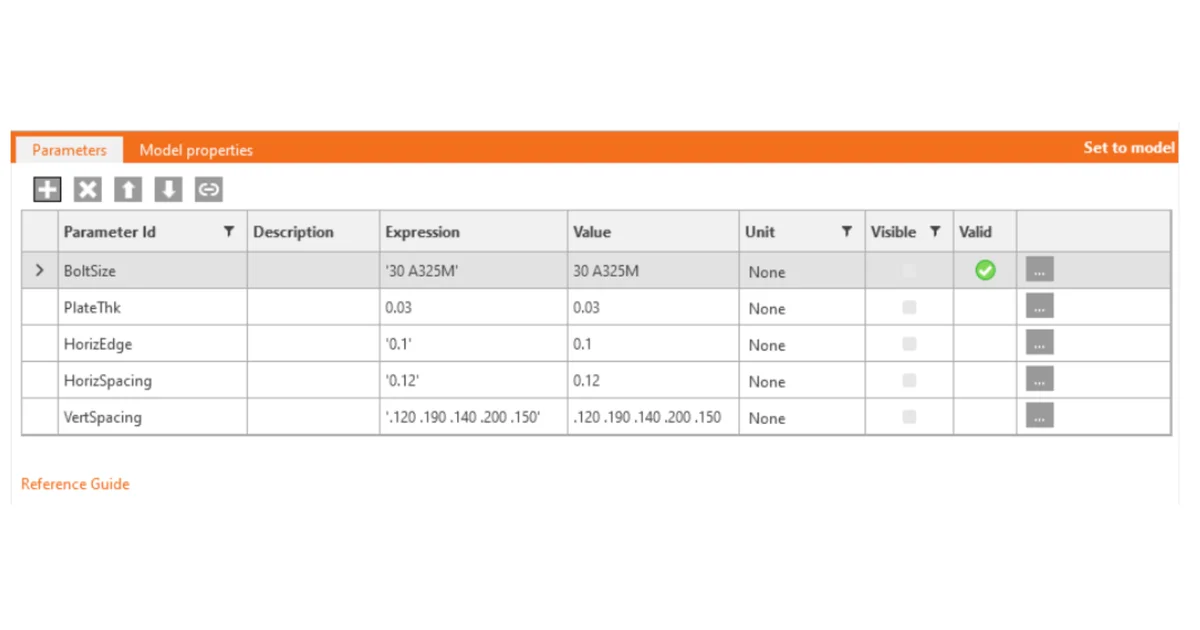
Once the Tab is displayed, all the preparation work will be done in the setting table. For a quick orientation in the options, it's good to go through this explanatory guide where the background is described.

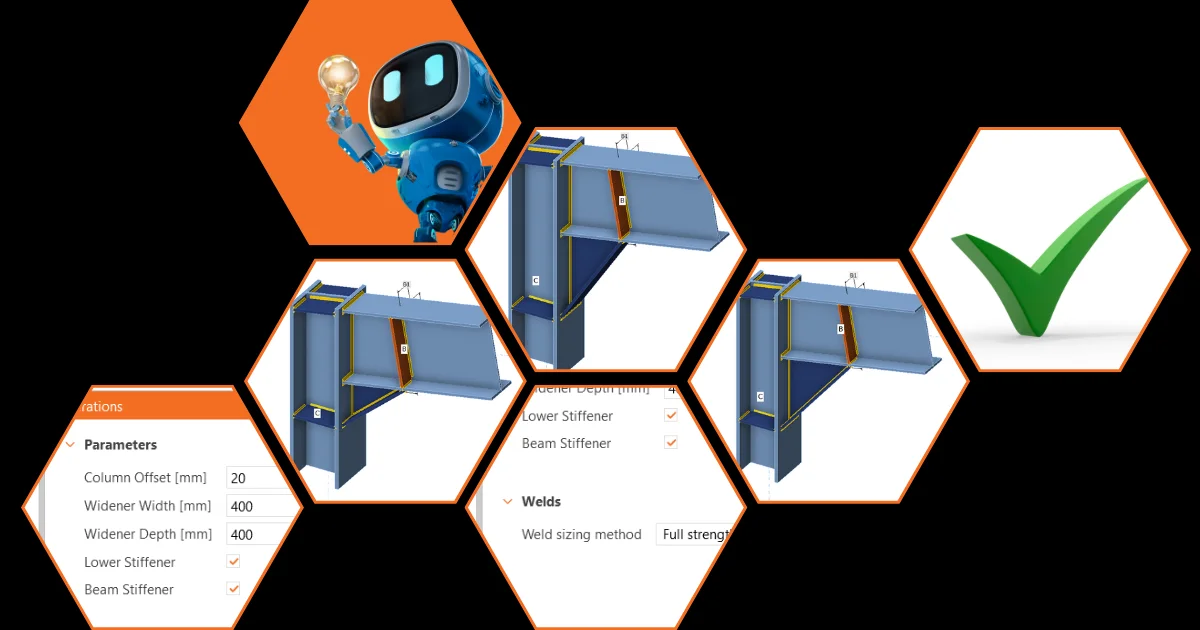
The initial benefit is that the need for setting or checking tens of properties can be avoided. With a proper parameter setup, the number of design steps can be reduced to a few because, by changing one parameter, multiple steps can be performed at once. For example, when changing the widener width, not only the widener itself but also all the related welds and the location of the stiffener are affected:
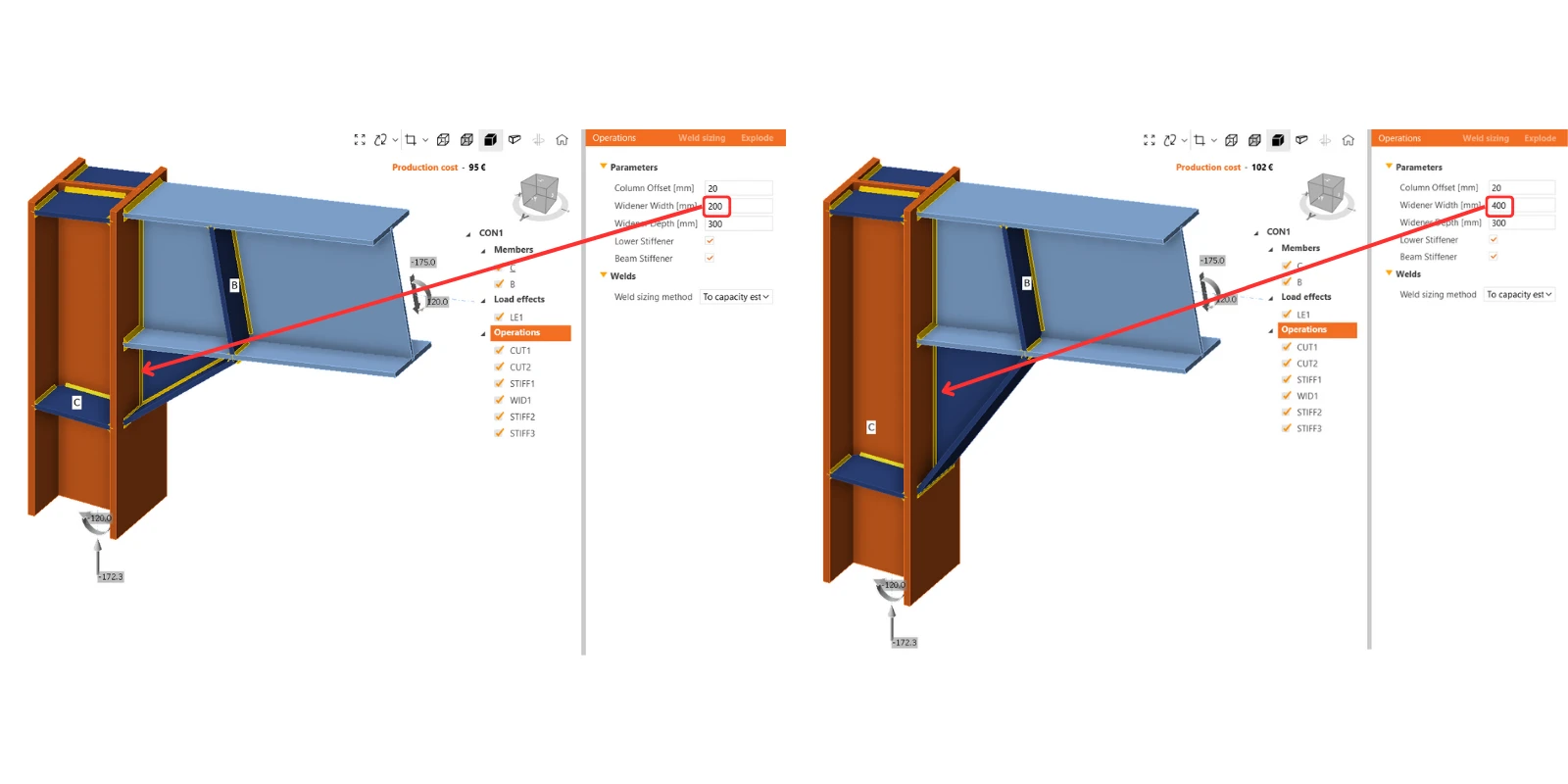
In this Connection model example, there is one typical stiffened plate-to-plate connection with two separate model items. It's prepared as a comparison between the 'standard' approach through manufacturing operations and the 'parametric' approach.

The number of necessary preferences to update is greatly reduced in parametric workflows, easily by 80%.

You can compare the sets of properties in both models:

To figure out more about how to control the parameters, there is a separate article prepared to bring other insights about parametric design options.

Senior vs junior connection designers

After preparation of the template by a senior designer, accessible parameters are changed directly in the main design window, and there is no need to go into developer mode. This user-friendly environment allows less-experienced users to work with predefined parameters safely according to the presets of the senior designers.
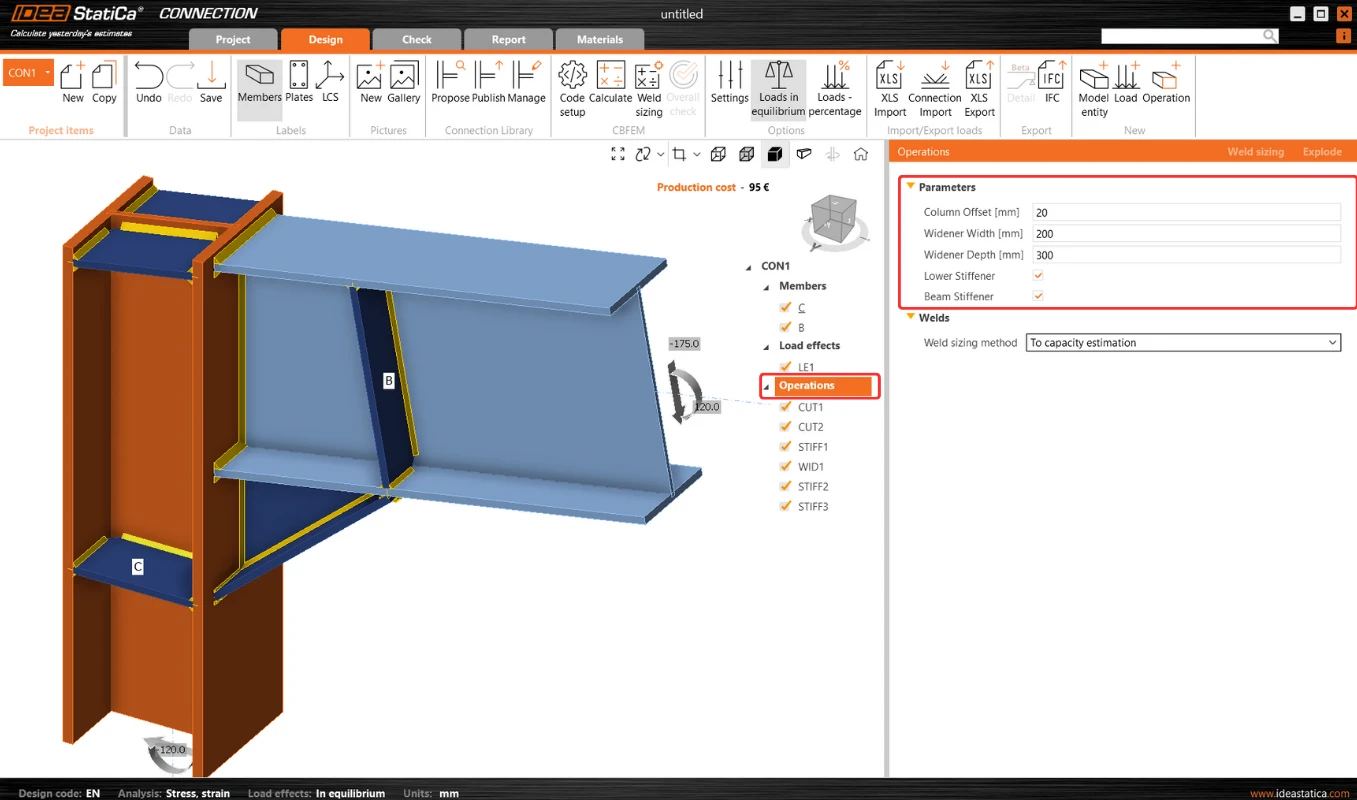
This makes further optimization very simple as there is the possibility of avoiding changing each entity one by one, as when using operations.

The locked modifications in the property list of some manufacturing operations are disabled in such cases. However, if the user wishes, they can break the parameters using the "explode" button. And continue with modifying operations.

Where to find ready-made templates?

The integration of parametric templates into the Connection Library offers a transformational approach to connection designer workflows. It allows users to create and use a universal collection of templates that can be effortlessly customized and deployed in different design contexts.
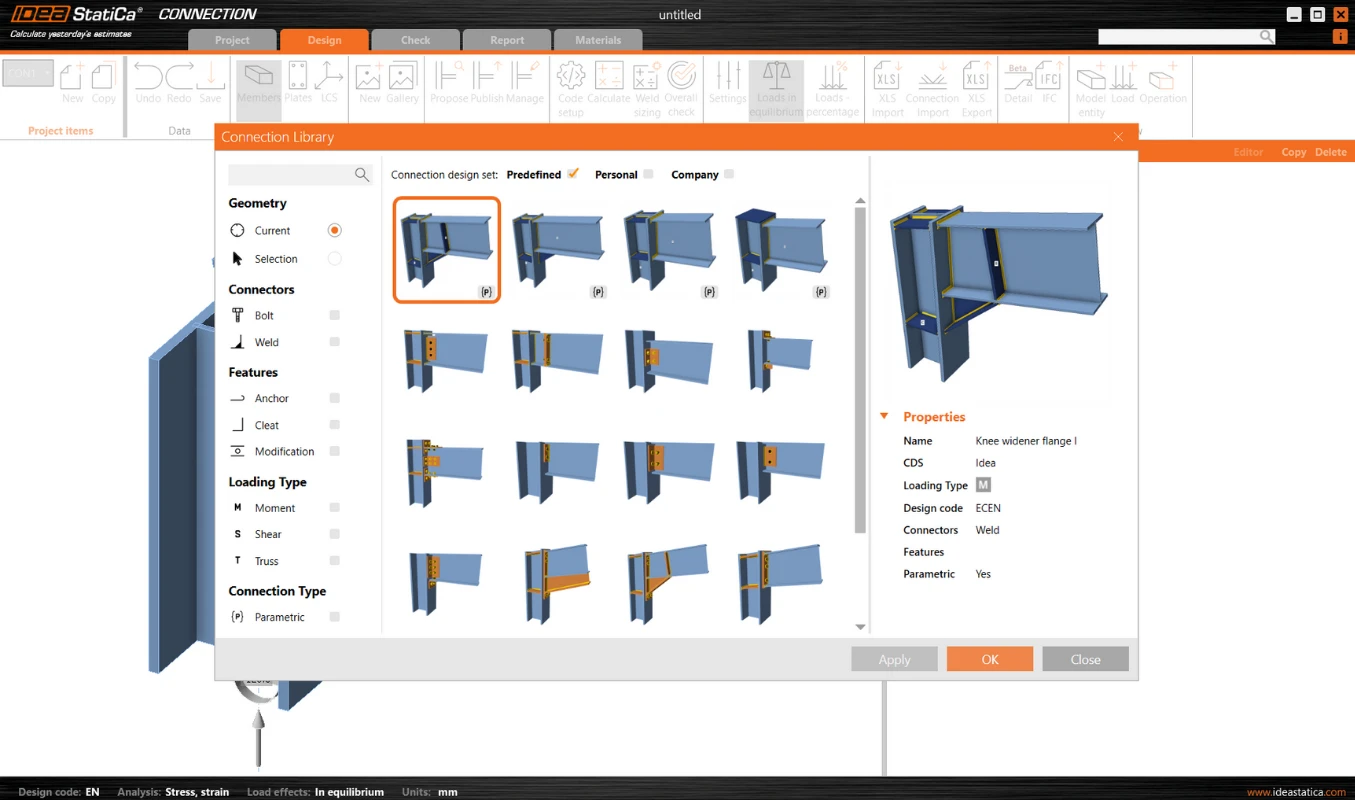
The templates to which the parameters are linked are marked with a lowercase {p}. Several parametric templates have already been prepared and made available in the predefined design set by the IDEA StatiCa team.
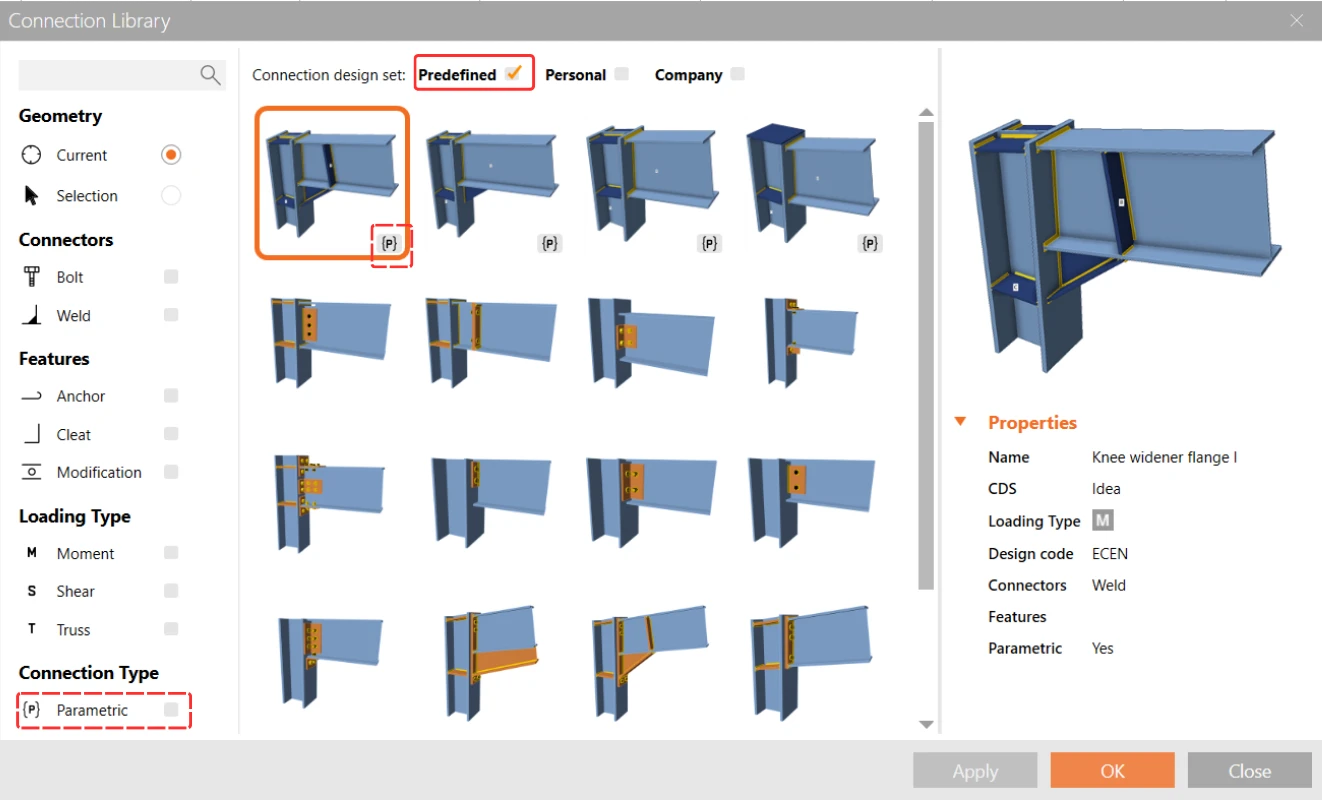
You can find a more comprehensive description of the Connection Libraryย parametric templates in this article.

Take the latest version of IDEA StatiCa for a test drive today

Get 14 days of full access, completely free.

Check out IDEA StatiCa for free
Related articles

Release notes IDEA StatiCa 24.0
  • Steel
  • Concrete
  • v24.0
  • +3
  • Steel
  • Concrete
  • v24.0

Release notes

Release notes IDEA StatiCa 24.0

Read more
Design connection in just few clicks!
  • Steel
  • Connection
  • Parametric design
  • +3
  • Steel
  • Connection
  • Parametric design

Blog post

Design connections in just a few clicks!

Read more
Parametric design options for IDEA StatiCa Connection
  • Steel
  • IDEA Open Model (API)
  • Checkbot
  • Grasshopper
  • Modeling
  • +5
  • Steel
  • IDEA Open Model (API)
  • Checkbot
  • Grasshopper
  • Modeling

Knowledge base

Parametric design options for IDEA StatiCa Connection

Read more
UX features in parametric design
  • Steel
  • IDEA Open Model (API)
  • Connection
  • v23.1
  • v23.0
  • v26.1
  • +6
  • Steel
  • IDEA Open Model (API)
  • Connection
  • v23.1
  • v23.0
  • v26.1

Knowledge base

UX features in parametric design

Read more