Idea Statica
  • Steel
  • Concrete
  • BIM & Workflows
  • Support & Learning
  • Pricing
  • Company
  • Steel overview
  • Connection design
  • Member design
  • Parametric design
  • Steel case studies
  • Concrete overview
  • Walls and D-regions
  • Anchoring design
  • Concrete case studies
  • BIM Overview
  • Supported integrations
  • Checkbot
  • Viewer
  • APIs
  • Support Center
  • E-learning & certification
  • Blog
  • Downloads & Licensing
  • Plans
  • Free community tool
  • Enterprise customers
  • Students & educators
  • How much will you save?
  • About us
  • Contact
  • Research & development
  • Authorized resellers
  • Meet our customers
  • Career
  • Steel
    Steel overviewConnection designMember designParametric designSteel case studies
  • Concrete
    Concrete overviewWalls and D-regionsAnchoring designConcrete case studies
  • BIM & Workflows
    BIM OverviewSupported integrationsCheckbotViewerAPIs
  • Support & Learning
    Support CenterE-learning & certificationBlogDownloads & Licensing
  • Pricing
    PlansFree community toolEnterprise customersStudents & educatorsHow much will you save?
  • Company
    About usContactResearch & developmentAuthorized resellersMeet our customersCareer
14-Day Trial
14-Day Trial
  • Steel
  • Concrete
  • BIM & Workflows
  • Support & Learning
  • Pricing
  • Company

Subscribe to our newsletter

Company

  • About us
  • Partners
  • Careers
  • Patent

Resources

  • Customer projects
  • Case studies
  • Connection Library
  • Verification books

Legal

  • EULA
  • Privacy policy
  • California Privacy
  • TOS Viewer
  • Licensing

Help

  • Contact
  • Quote request
  • Resellers
  • Downloads
FacebookInstagramLinkedInYouTube

ยฉ IDEA StatiCa 2009-2026

Trusted and used worldwide by engineers, fabricators & consultants.

Support CenterKnowledge Base ArticlesParametric design options for IDEA StatiCa Connection
Parametric design for steel connections
Parametric design in Connection - all documentation
Parameters are useful for everyone
Setting up parametric design with Developer Tab
UX features in parametric design
Parametric templates in Connection Library
Parametric design options for IDEA StatiCa Connection
SteelConnection designKnowledge baseIDEA Open Model (API)Checkbot

Parametric design options for IDEA StatiCa Connection

This article is also available in
ENCZDEESFRITPTNLHUROKRPLTHTRVIZH

Parametric design is an approach to design that uses parameters and algorithms to create and manipulate design elements. In parametric design, the relationships between different elements are defined by mathematical equations or rules, allowing for the creation of complex and dynamic forms.

In IDEA StatiCa, there are three possible areas to work with parametric design effectively.

Parameters in IDEA StatiCa Connection

The first usage of parametric design is the simplest. Each element, like a member, plate, bolt, or weld, can be defined by its shape, position, and material.ย 

For this purpose, you'll need to enable the Developer mode in Project / Preferences / Advanced Settings.ย 

In the tab Parameters, you can add Numbers (decimal sign is dot), Text (please use simple quotes), and even Equation.ย 

To link this parameter to the items defined by the Operations, just click on the Link icon.ย 

The button Set to model allows you to overwrite initial values to the Parameter values.

To get acquainted with all possibilities about the parameters, please look at the Reference guide.

More about this theme can be found also in the articles UX features in parametric design and Setting up parametric design with Developer Tab.

Plugin for Rhino/Grasshopper

Grasshopper3d is a visual programming package attached to the powerful modeling CAD softwareย Rhino3d.

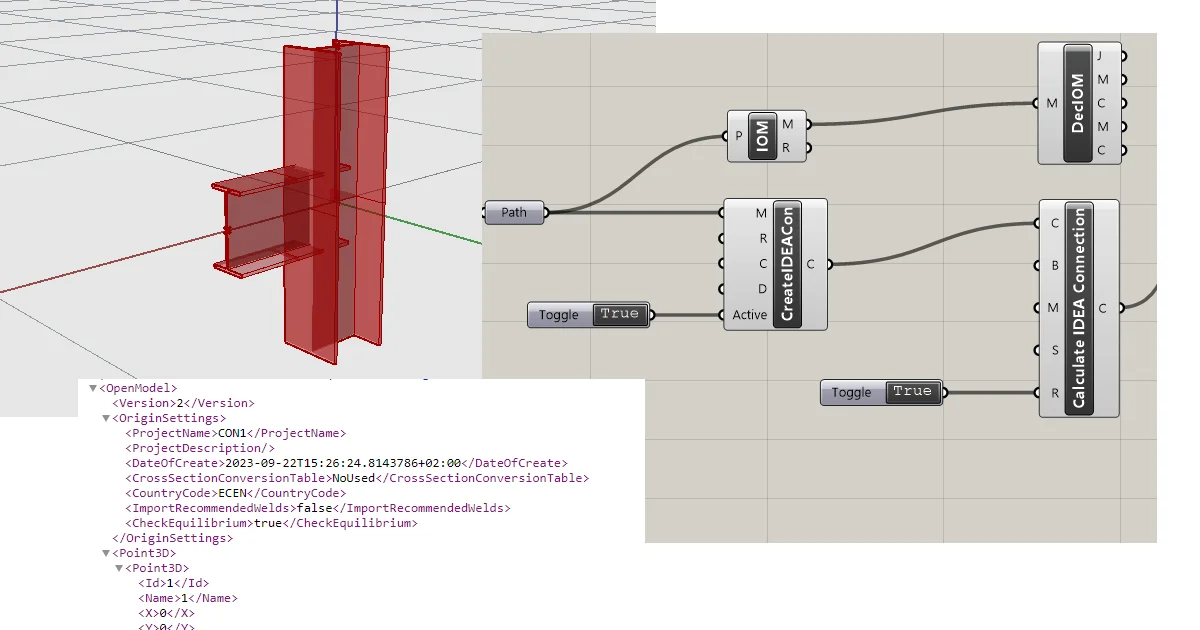
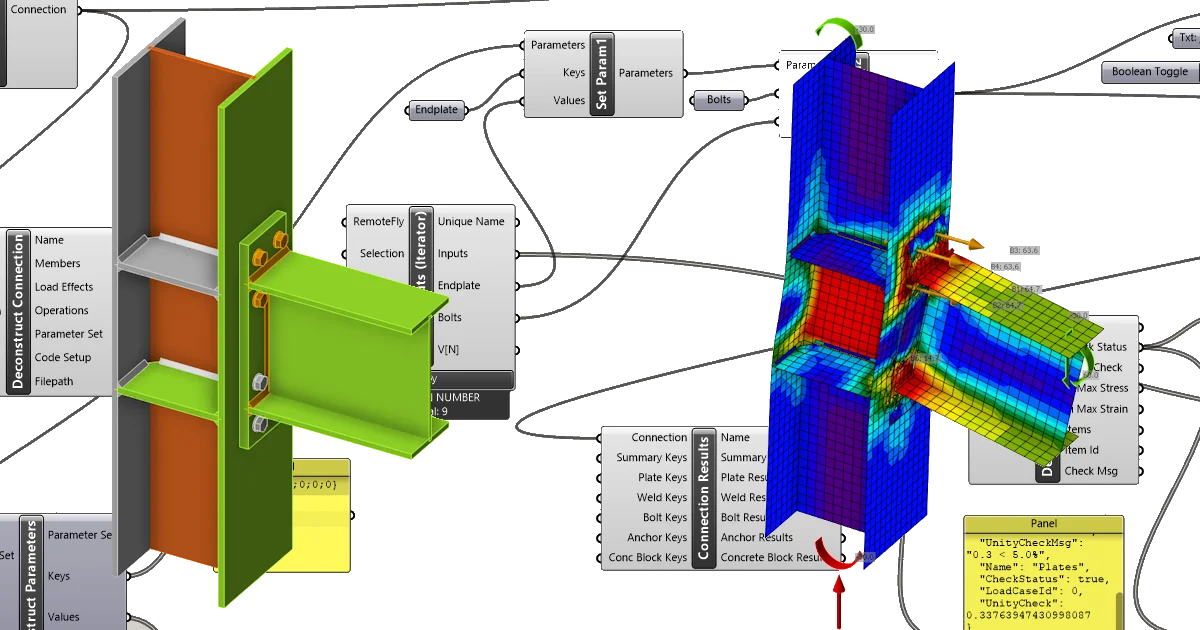
Combining Grasshopper with IDEA StatiCa's Open Model and APIs creates an extremely powerful platform for the parametric definition of complex connection geometry plus the automation and optimization of connections.

The plugin can be used in several ways:

  • it enables the creation of complex joints, even without an IDEA Connection license
  • import of a structure (SAF model, IOM model) and a bulk calculation of specified joints
  • optimizing joints in terms of shape, material, etc., using parameters ย ย ย ย ย 

For more, please visit Rhino to IDEA StatiCa workflow.

Design API's

IDEA StatiCa provides several general API's for the different apps and services that we provide. This is an excellent place to start if you are a computational designer or software developer looking to perform automated structural design and optimization tasks. Design API's are targeted toward both Python and C#/.Net users.ย 

You can start here or visit the IDEA StatiCa GitHub. ย ย 

Related articles

Description of Grasshopper plugin components
  • Steel
  • Connection
  • IDEA Open Model (API)
  • Grasshopper
  • +4
  • Steel
  • Connection
  • IDEA Open Model (API)
  • Grasshopper

Knowledge base

Description of Grasshopper plugin components

Read more
Grasshopper - Example1
  • Steel
  • Connection
  • IDEA Open Model (API)
  • Grasshopper
  • +4
  • Steel
  • Connection
  • IDEA Open Model (API)
  • Grasshopper

Tutorials

Grasshopper API link - how to create an IDEA StatiCa IOM file for imports (01) version 24

Read more
In this tutorial, you will learn how to play with parametrized connections and how to change and evaluate them in Grasshopper.
  • Steel
  • Connection
  • IDEA Open Model (API)
  • Grasshopper
  • +4
  • Steel
  • Connection
  • IDEA Open Model (API)
  • Grasshopper

Tutorials

Grasshopper API link - how to import and calculate parametric connection model (02)

Read more