
Idea Statica
Steel
Concrete
BIM & Workflows
Support & Learning
Pricing
Company
14-Day Trial
Support CenterKnowledge BaseShared Preferences across the whole tool range
Codes supported in IDEA StatiCa Concrete
Project settings
Shared Preferences across the whole tool range
How to change units in IDEA StatiCa
All applications: Search box
Keyboard shortcuts (hotkeys) in IDEA StatiCa apps
IDEA StatiCa BIM interoperability for steel
IDEA StatiCa BIM interoperability for concrete
Checkbot – bulk BIM workflows
Bulk workflows and critical load filter in Checkbot
Export of editable connections from Checkbot
How to merge the joint from CAD and FEA software
Add or merge nodes of connections and members in Checkbot
Import of recommended welds
Checkbot ready for big projects
Checkbot Free – the structural design hub for FEA and CAD data
Checkbot (BIM link) does not start
Shared Preferences across the whole tool range
How to change units in IDEA StatiCa
Multi-management tools in Checkbot
Project settings
Shared Preferences across the whole tool range
Project settings
How to change units in IDEA StatiCa
How to change the design code of Connection project
Keyboard shortcuts (hotkeys) in IDEA StatiCa apps
3D presentation: Scene options
Setting up parametric design with Developer Tab
The coherent icons and ribbon of IDEA StatiCa Connection
Codes and standards supported in IDEA StatiCa Steel
Decimal separator and date format according to Windows Regional Settings
IDEA StatiCa Member for steel
Shared Preferences across the whole tool range
Decimal separator and date format according to Windows Regional Settings
All applications: Search box
Project settings
Keyboard shortcuts (hotkeys) in IDEA StatiCa apps
Shared Preferences across the whole tool range
LicensingKnowledge baseUser actionsSupportv24.0

Shared Preferences across the whole tool range

This article is also available in
ENCSDEFRITNL

Ensuring consistently shared preferences across Connection, Checkbot, Detail, and Member applications significantly enhances the user experience and prevents the time spent on general settings.

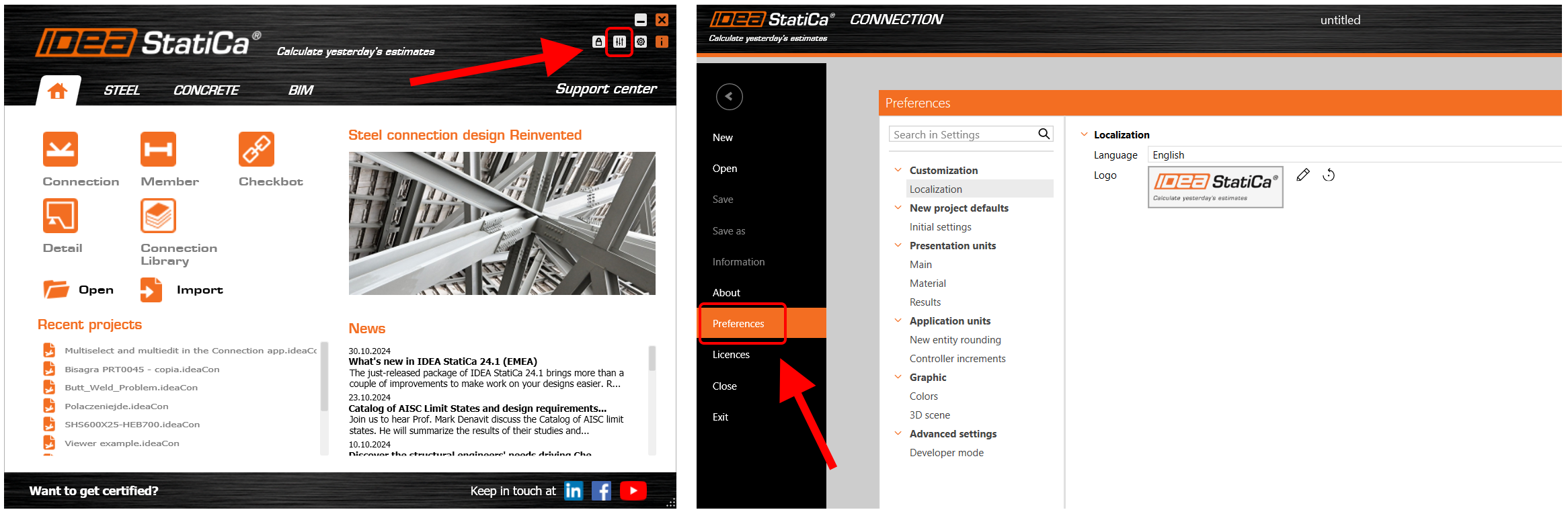
The Preferences dialogue can be accessed from the starting IDEA StatiCa app or in a backstage menu of each listed app. Once the changes in preferences are saved, they will be applied to all other apps.

Embedding this feature ensures the following experience:

  • Consistent settings across all the apps
  • Simplification of users' workflows
  • Ability to set all the shared preferences in one place for all the tools at once
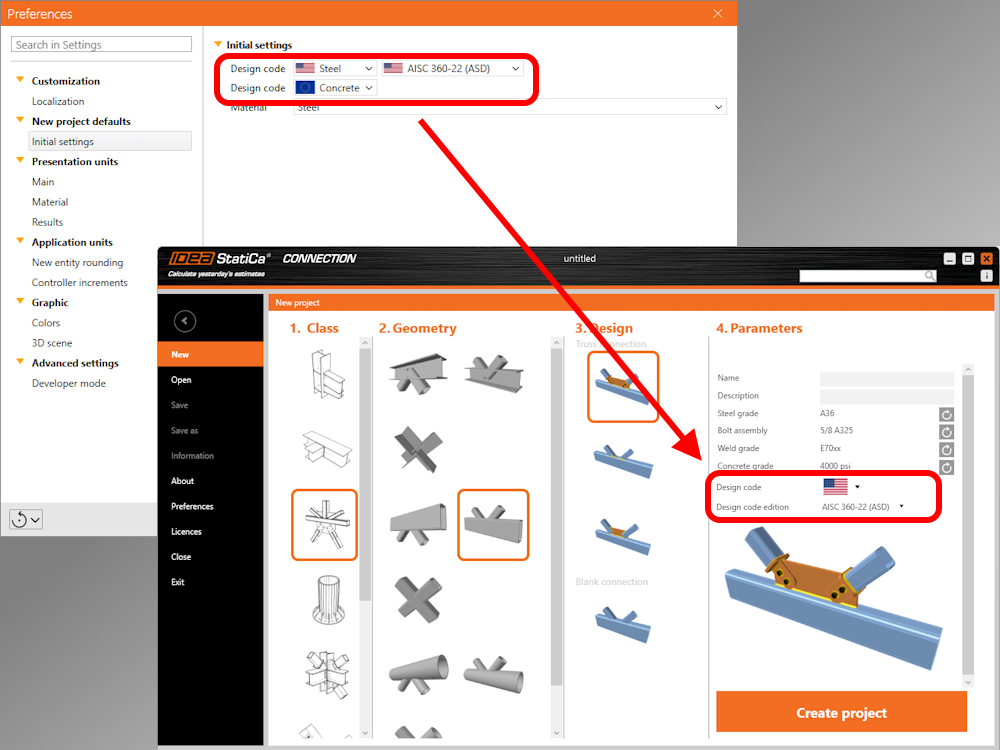
An example of usage is defining the default Design code and subcode in the Preferences dialog, causing these parameters to be predefined for all new projects.
More about material defaults for the current project in the Connection app in the article Project item and material management.

How to set the Default state

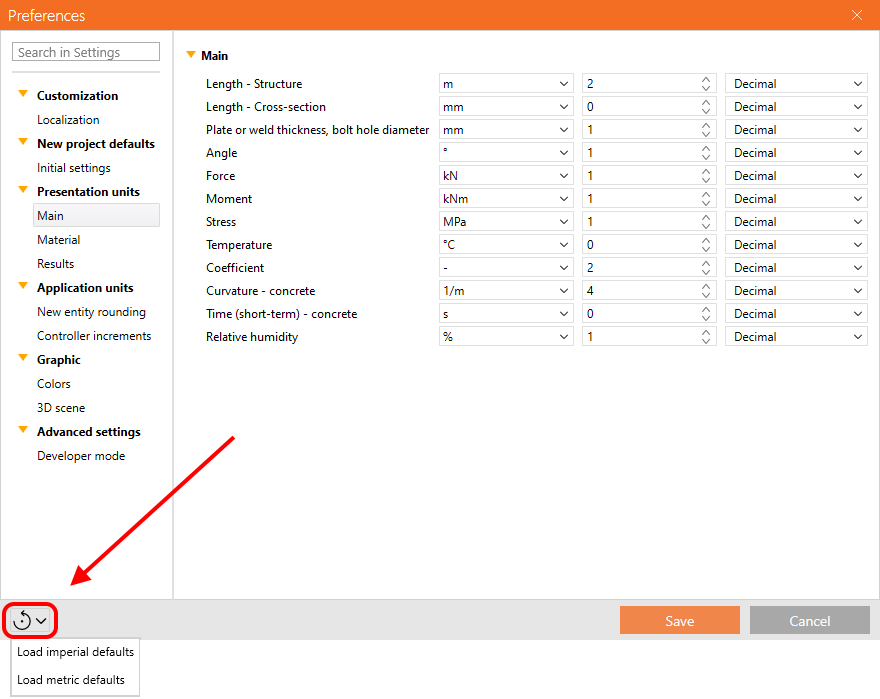
There are two ways to restore the parameters to their default settings. The default values are prepared in two versions: Imperial and Metric.

 1) Reset the whole list of preferences
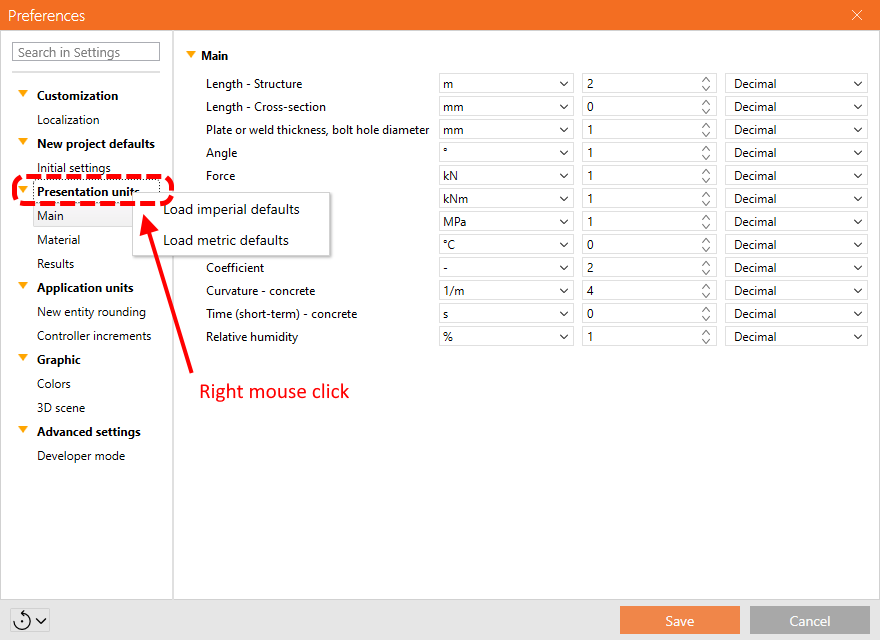
 2) Reset just the specific category
When starting in Checkbot

This integration ensures that settings defined in Checkbot are automatically applied and recognized in the Connection, Detail, and Member items opened within the same Checkbot project, promoting efficiency and reducing the need for manual reconfiguration.

The advantages of shared preferences are currently available for Connection, Member, Detail, and Checkbot applications. The set of preferences available in the dialogue is continuously extended.

Released in IDEA StatiCa version 24.0.

Sharing of preferences via Export/Import

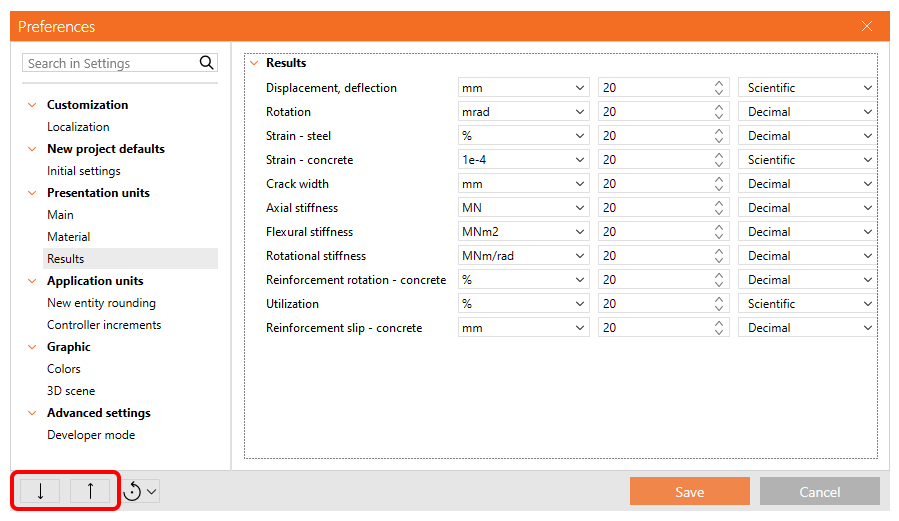
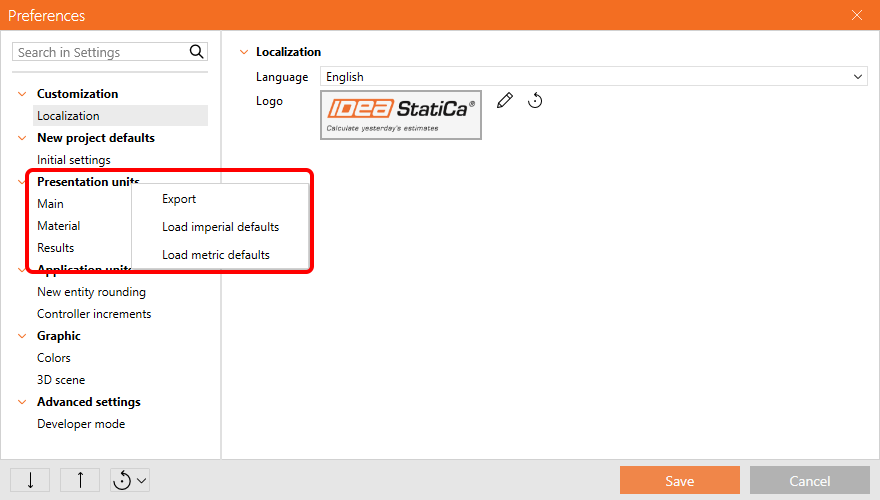
Users can Export and Import the whole preferences set or just a part of it via a .json file and share it with colleagues.

To export and import all preferences, select the appropriate icons in the bottom left corner of the dialog.
To export and import only one chapter of the preferences, a context menu is available when you right-click the chapter in the menu.
Released in IDEA StatiCa version 24.1.

Download the latest version for free

Subscribe to our newsletter

Company

  • About us
  • Partnerships
  • Job openings
  • Patented technology for structural engineers

Resources

  • Customer projects
  • Case studies
  • IDEA StatiCa Connection Library
  • Concrete verifications

Legal

  • IDEA StatiCa END USER LICENSE AGREEMENT
  • Privacy policy
  • Terms of Services – IDEA StatiCa Viewer
  • Licensing

Help

  • Contact
  • Get price quote
  • IDEA StatiCa Specialists
  • Download the latest version
FacebookInstagramLinkedInYouTube

© IDEA StatiCa 2009-2026

Trusted and used worldwide by engineers, fabricators & consultants.