
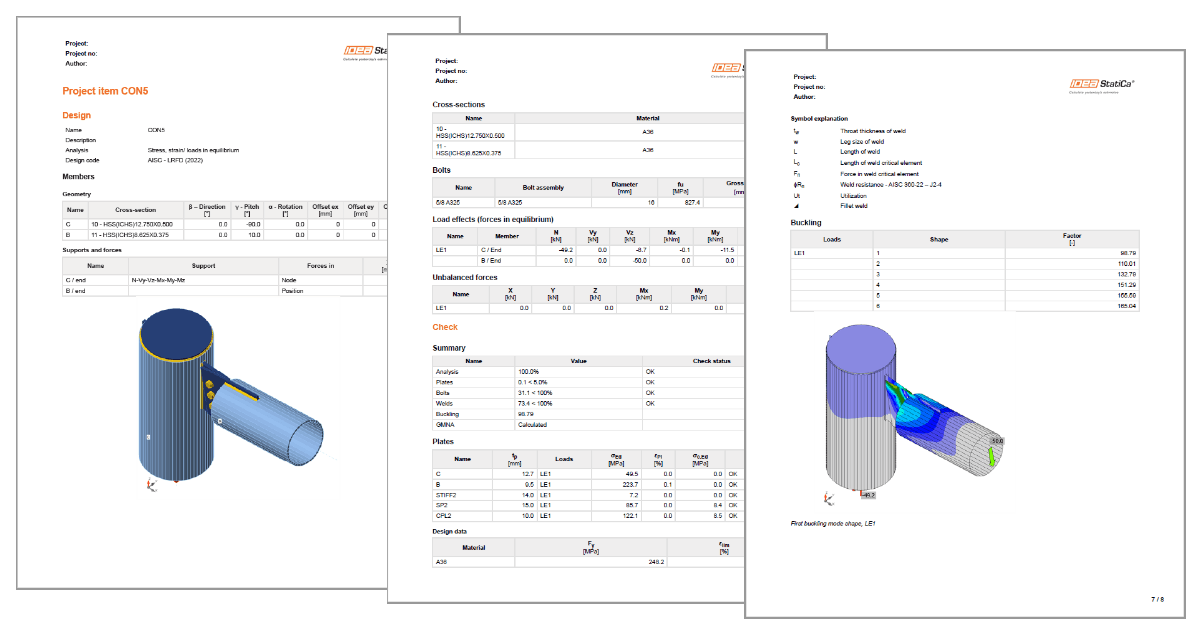


You are able to generate a more detailed report with the following information:
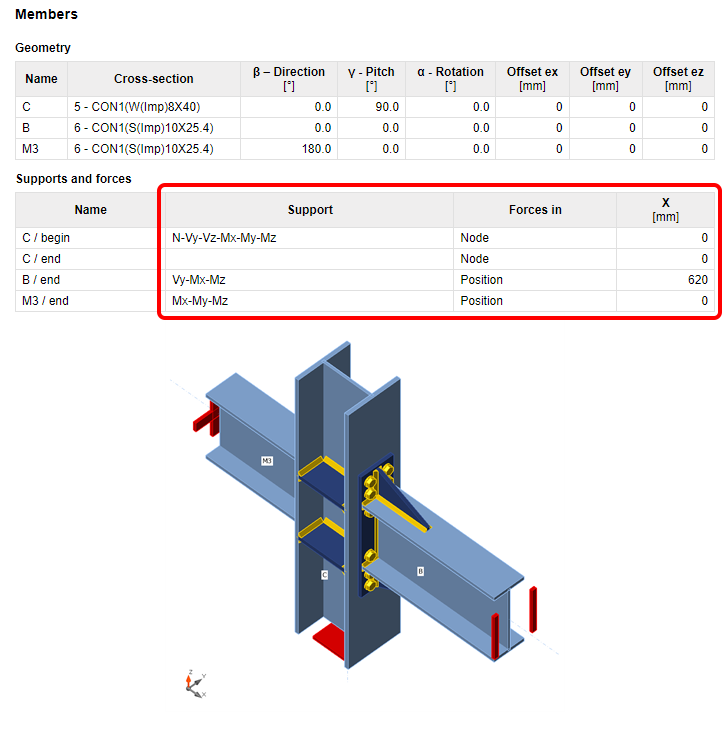
Supports and forces
The chosen model type (the applied supports, respectively) are presented in the table and in the figure below. For example, the supported end of the bearing member will have all six reactions listed, while the free end will have none of them. For the N-Vy-Vz model type, the complementary forces, i.e., Mx-My-Mz, will be presented. The calculation report also includes boundary conditions.
The table also presents the position of the applied forces.
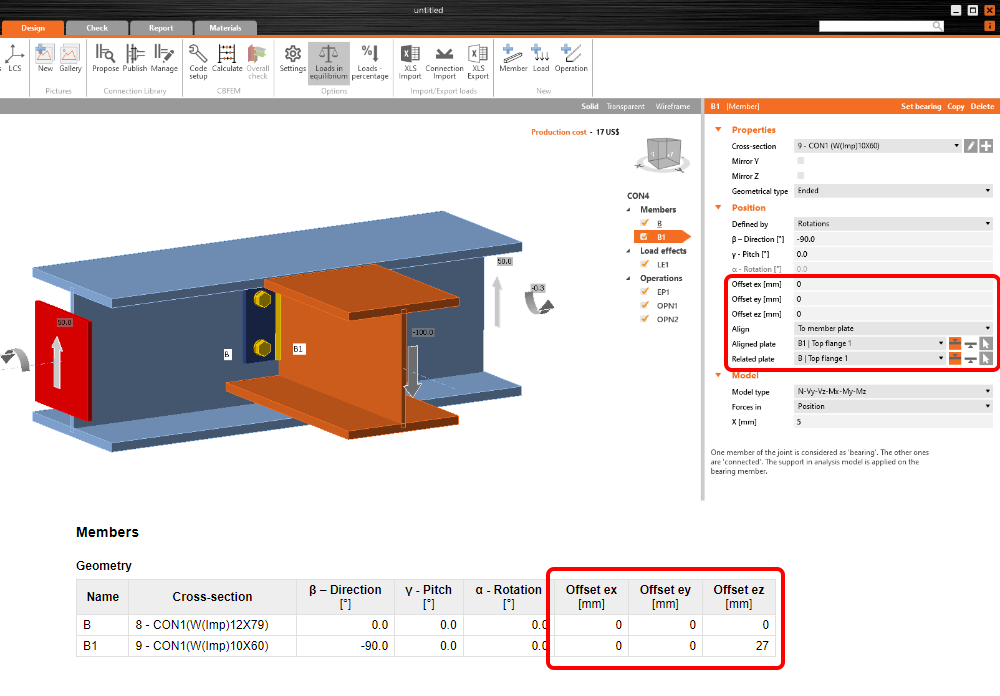
Alignment added to eccentricities
The chosen alignment type is now taken into account when displaying the table of members' offsets. The geometry table in the report calculates the total offset in the global coordinates.
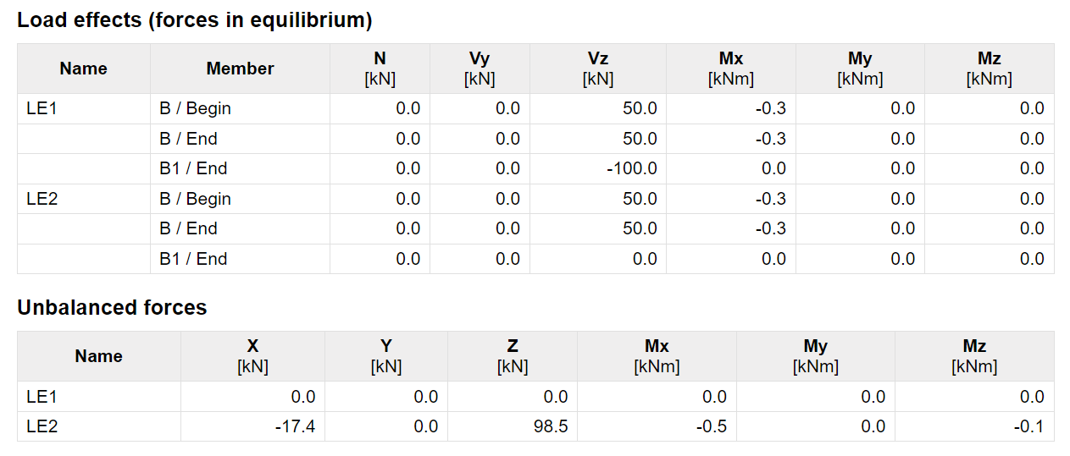
Load effects
The loaded part of members (Begin/End), as well as the table of unbalanced forces, has been added to the table of applied load effects.
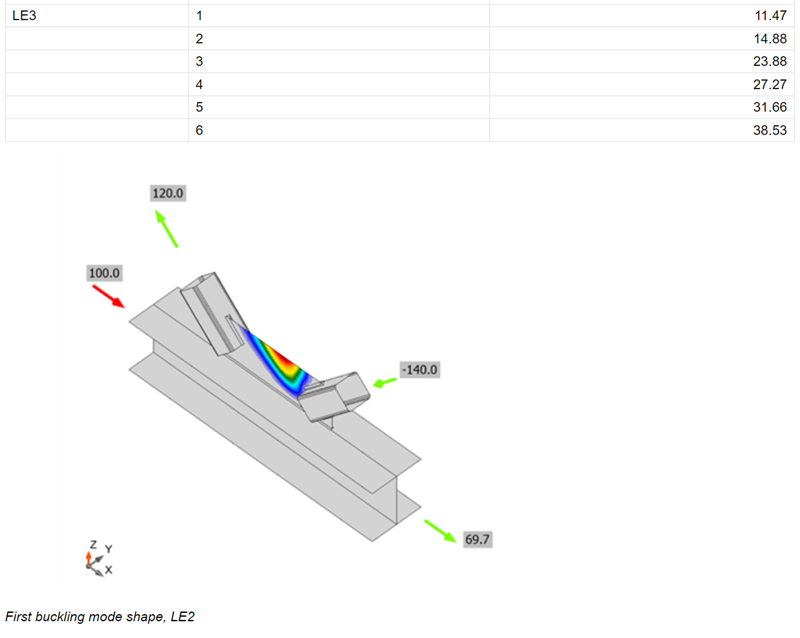
Buckling shape
A figure with the most probable buckling shape (lowest factor) has been added to the report for when the buckling analysis is performed.
Report not generated automatically
Generating the report may take some time, and it is not always needed. From now on, the report is generated manually by pressing the Generate button.
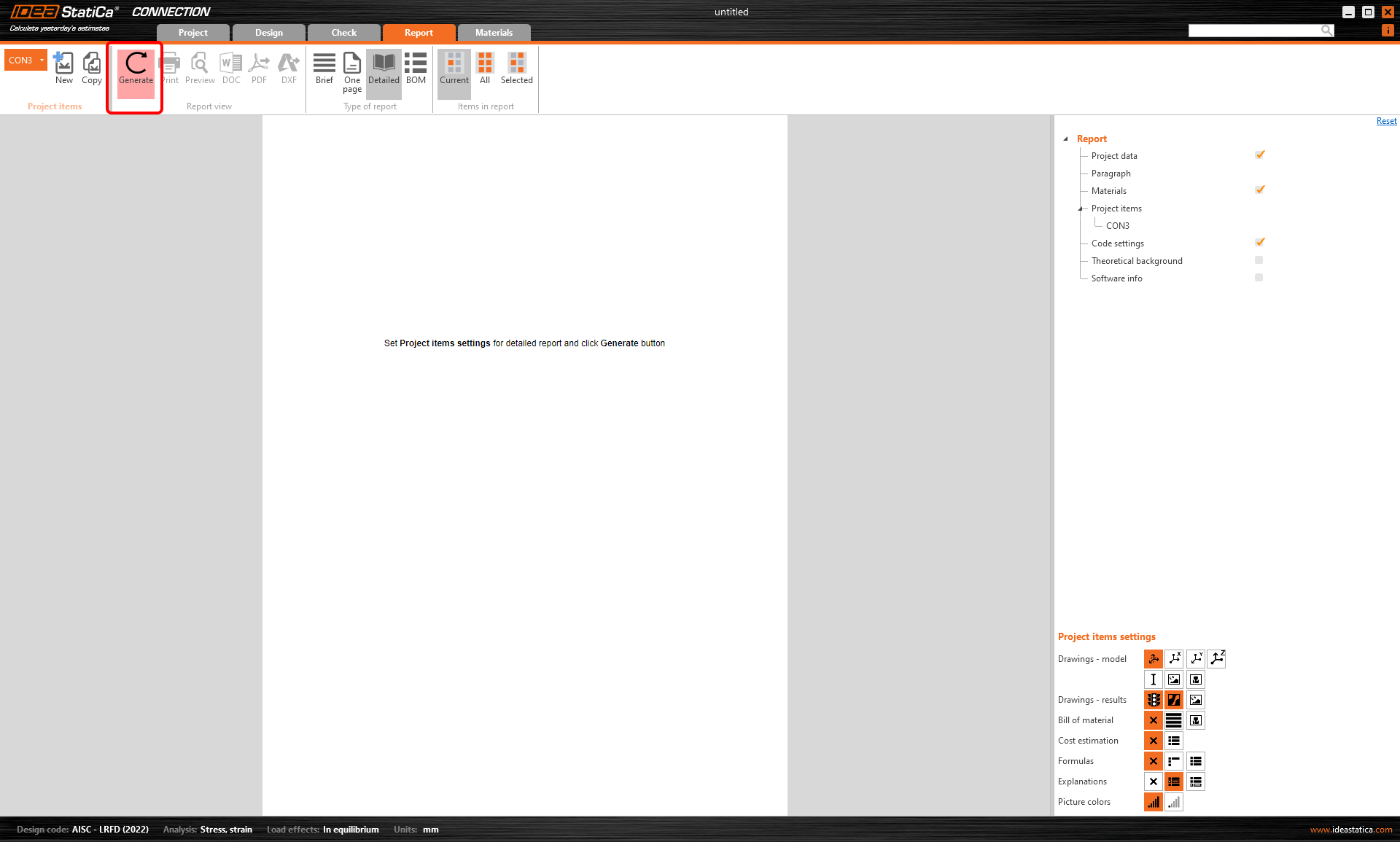
Currently, this functionality works properly just the first time the Report tab is opened. The next time, the report is automatically regenerated. This may be a part of future development.
Available in both Expert and Enhanced editions of IDEA StatiCa Steel.