Idea Statica
  • Steel
  • Concrete
  • Support & Learning
  • Pricing
  • Company
  • Steel overview
  • Connection design
  • Member design
  • Parametric design
  • Steel case studies
  • Concrete overview
  • Walls and D-regions
  • Anchoring design
  • Concrete case studies
  • BIM Overview
  • Supported integrations
  • Checkbot
  • Viewer
  • APIs
  • Support Center
  • E-learning & certification
  • Blog
  • Downloads & Licensing
  • Plans
  • Free community tool
  • Enterprise customers
  • Students & educators
  • How much will you save?
  • About us
  • Contact
  • Research & development
  • Authorized resellers
  • Meet our customers
  • Career
  • Steel
    Steel overviewConnection designMember designParametric designSteel case studies
  • Concrete
    Concrete overviewWalls and D-regionsAnchoring designConcrete case studies
  • BIM OverviewSupported integrationsCheckbotViewerAPIs
  • Support & Learning
    Support CenterE-learning & certificationBlogDownloads & Licensing
  • Pricing
    PlansFree community toolEnterprise customersStudents & educatorsHow much will you save?
  • Company
    About usContactResearch & developmentAuthorized resellersMeet our customersCareer
14-Day Trial
14-Day Trial

Subscribe to our newsletter

Company

  • About us
  • Partners
  • Careers
  • Patent

Resources

  • Customer projects
  • Case studies
  • Connection Library
  • Verification books

Legal

  • EULA
  • Privacy policy
  • California Privacy
  • TOS Viewer
  • Licensing

Help

  • Contact
  • Quote request
  • Resellers
  • Downloads
FacebookInstagramLinkedInYouTube

ยฉ IDEA StatiCa 2009-2026

Trusted and used worldwide by engineers, fabricators & consultants.

Support CenterKnowledge Base ArticlesUsing Checkbot with RAM Structural System: Batch and Grouping Design
IDEA StatiCa BIM interoperability for steel
IDEA StatiCa BIM interoperability for concrete
BIM links: Supported versions of 3rd party applications
How to run old versions of BIM links
RAM Structural Systems BIM link for steel connection design (AISC)
Using Checkbot with RAM Structural System: Batch and Grouping Design
Checkbot and RAM Grouping
Connection designKnowledge baseCheckbot

Using Checkbot with RAM Structural System: Batch and Grouping Design

This article is also available in
ENCZDEESFRITPTNLHUROKRPLTHTRVIZH

Checkbot is the IDEA StatiCa application that allows users to collaborate with over 25 other applications. The top five most used applications integrated with Checkbot are SAP 2000, RAM Structural System, STAAD.Pro, Tekla Structures, and ETABS.

This is a tutorial to learn how to import a RAM Structural System model and use the grouping and batch design tools that IDEA StatiCa Checkbot offers: ย 

1. Go to the IDEA StatiCa main application and click on the BIM links icon
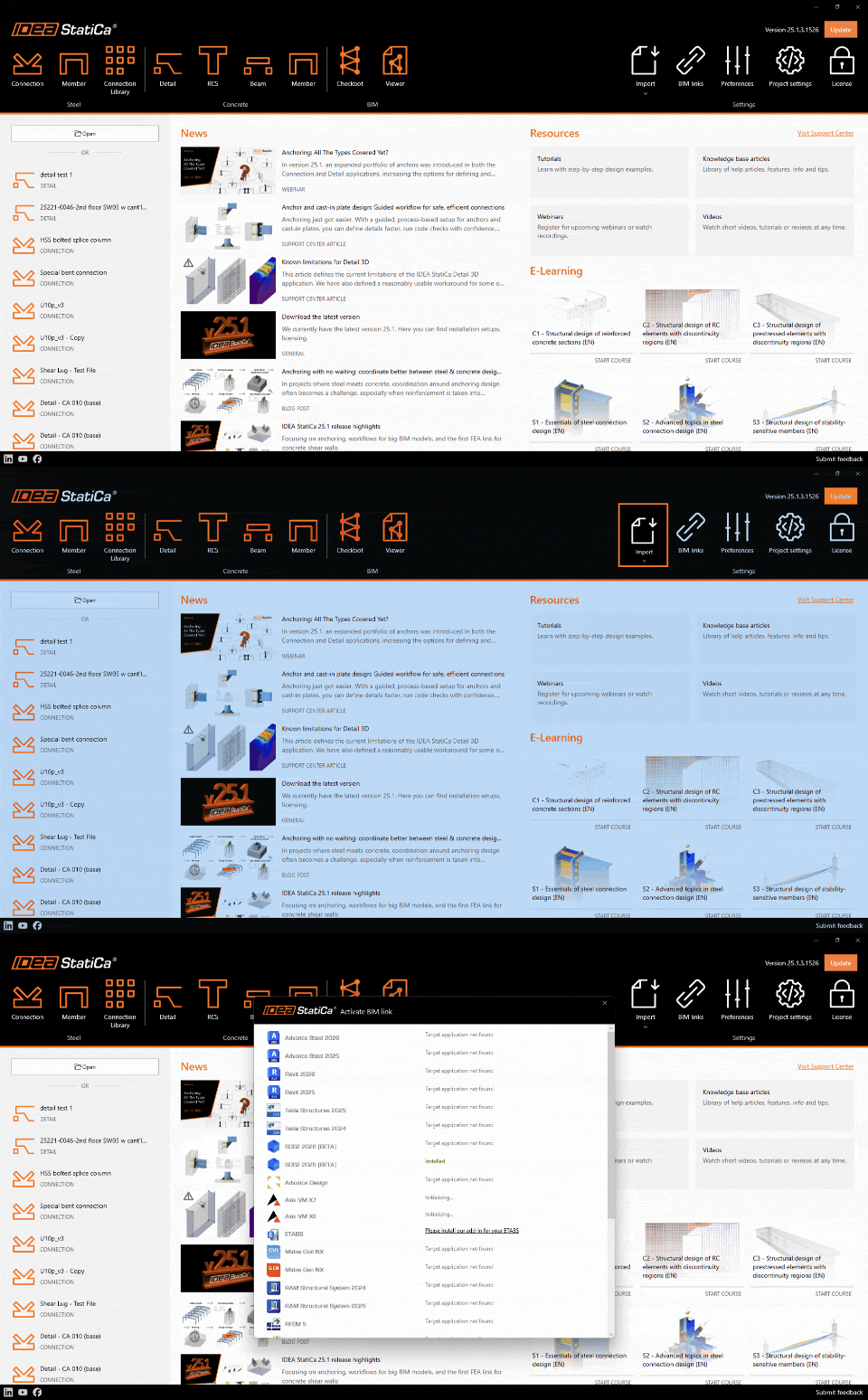
BIM link icon for integration with global software

2. The Activate BIM link window will pop up, scroll down to RAM Structural system, and click on Install. Note: RAM Structural System should be installed on the computer.ย 

Click on install icon to install RAM integration

3. The Installation will create a desktop shortcut "RAM to IDEA StatiCa". Double-click the "RAM to IDEA StatiCa" icon, browse to the *.rss file location, and select it.
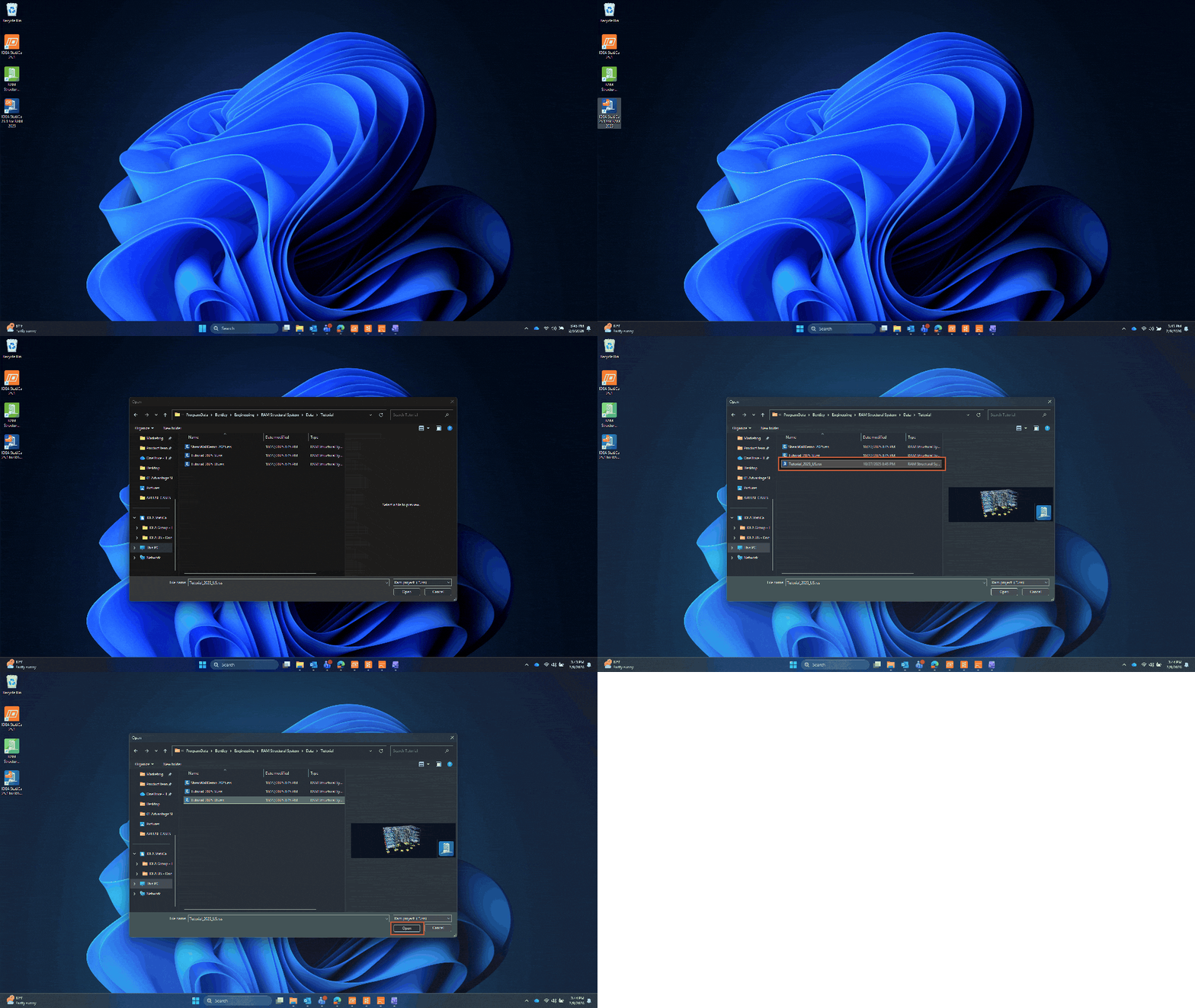
Desktop icon for RAM integration

4. Create the project in the Checkbot app.ย The Checkbot project folder will be saved in the same location as the RAM file.
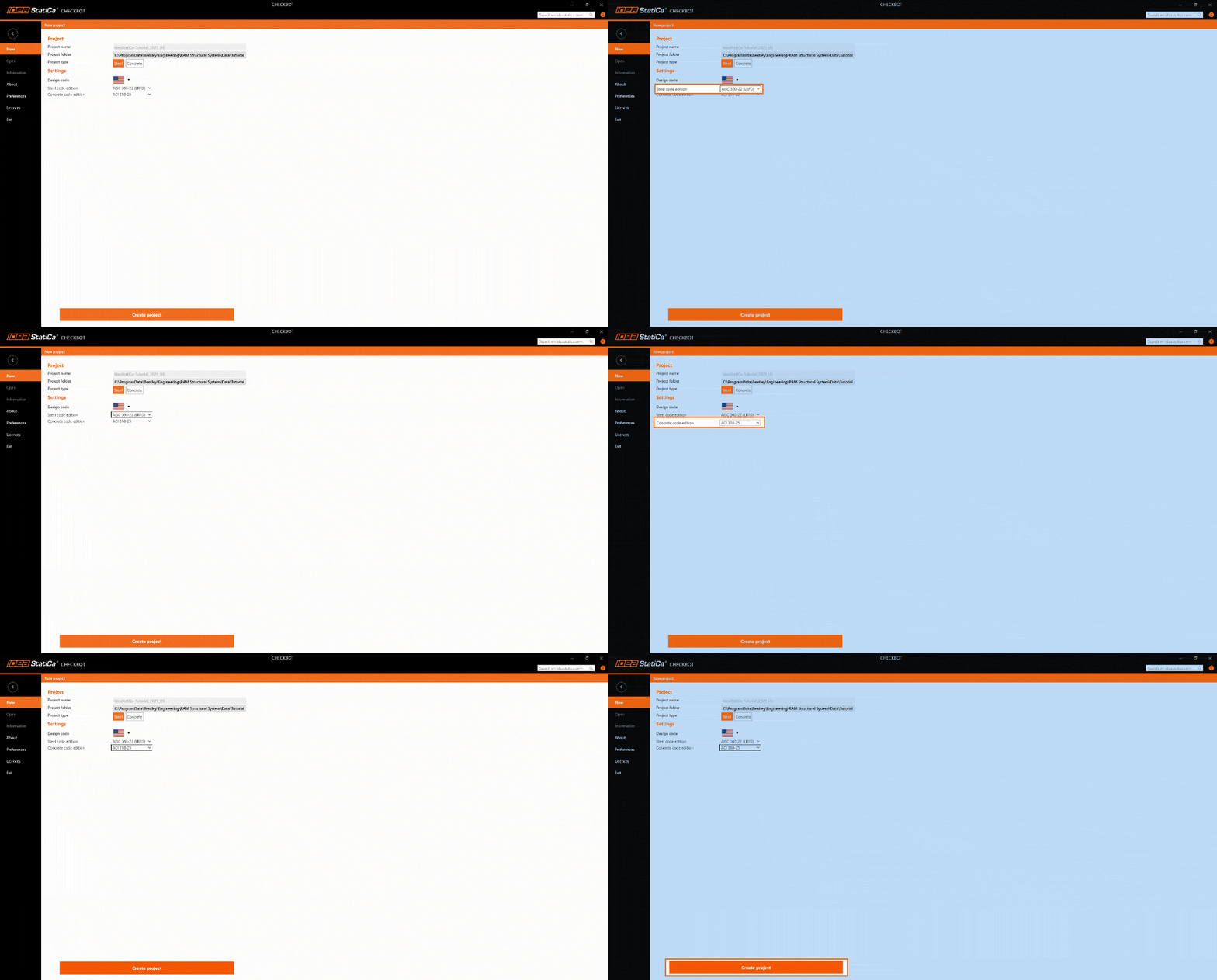
Checkbot name, location. Add different code edition for steel and concrete.

5. Once the Checkbot file is open, click on Connection to import the model. The RAM Structural File is imported to Checkbot, and you can start working on the joints.
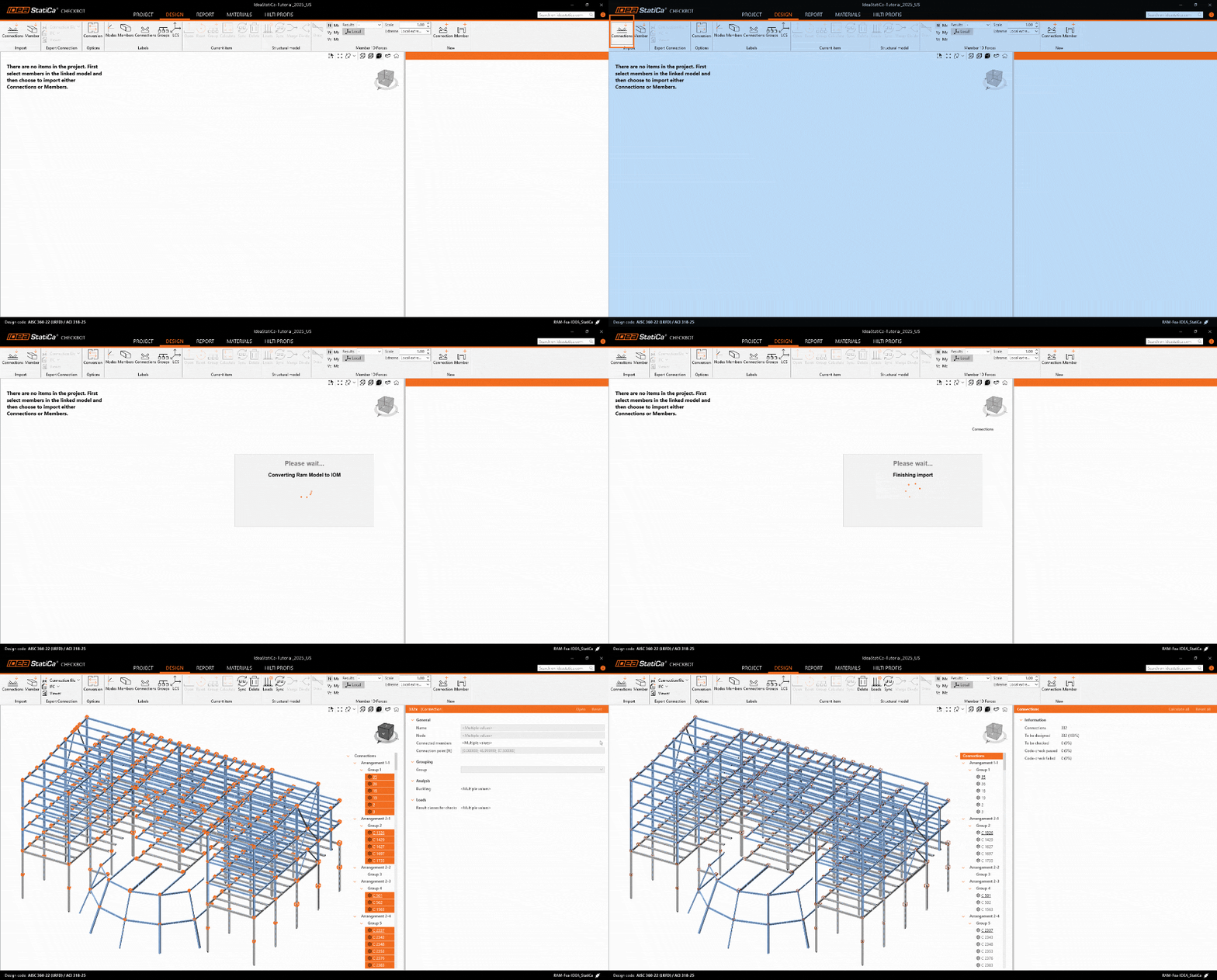
Press connections to import the RAM file to Checkbot

This workflow helps you move from the global model to connection design without re-creating data, while keeping control over loads, geometry, and results. You now have a RAM model inside IDEA StatiCa Checkbot, ready for grouping, batch design, and detailed connection checks.

If you would like to learn more about grouping and batch design in Checkbot, you can refer to the following article:

  • Multi-management tools in Checkbot

Try out the new features of IDEA StatiCa today

Download the latest version for free