Idea Statica
  • Steel
  • Concrete
  • Support & Learning
  • Pricing
  • Company
  • Steel overview
  • Connection design
  • Member design
  • Parametric design
  • Steel case studies
  • Concrete overview
  • Walls and D-regions
  • Anchoring design
  • Concrete case studies
  • BIM Overview
  • Supported integrations
  • Checkbot
  • Viewer
  • APIs
  • Support Center
  • E-learning & certification
  • Blog
  • Downloads & Licensing
  • Plans
  • Free community tool
  • Enterprise customers
  • Students & educators
  • How much will you save?
  • About us
  • Contact
  • Research & development
  • Authorized resellers
  • Meet our customers
  • Career
  • Steel
    Steel overviewConnection designMember designParametric designSteel case studies
  • Concrete
    Concrete overviewWalls and D-regionsAnchoring designConcrete case studies
  • BIM OverviewSupported integrationsCheckbotViewerAPIs
  • Support & Learning
    Support CenterE-learning & certificationBlogDownloads & Licensing
  • Pricing
    PlansFree community toolEnterprise customersStudents & educatorsHow much will you save?
  • Company
    About usContactResearch & developmentAuthorized resellersMeet our customersCareer
14-Day Trial
14-Day Trial

Subscribe to our newsletter

Company

  • About us
  • Partners
  • Careers
  • Patent

Resources

  • Customer projects
  • Case studies
  • Connection Library
  • Verification books

Legal

  • EULA
  • Privacy policy
  • California Privacy
  • TOS Viewer
  • Licensing

Help

  • Contact
  • Quote request
  • Resellers
  • Downloads
FacebookInstagramLinkedInYouTube

© IDEA StatiCa 2009-2026

Trusted and used worldwide by engineers, fabricators & consultants.

Support CenterKnowledge Base ArticlesIDEA StatiCa BIM interoperability for concrete
IDEA StatiCa applications for concrete
IDEA StatiCa BIM interoperability for concrete
Australian code for Detail
IDEA StatiCa BIM interoperability for steel
IDEA StatiCa BIM interoperability for concrete
ConcreteReinforced concretePrestressed concreteKnowledge baseBIM link

IDEA StatiCa BIM interoperability for concrete

This article is also available in
ENCZDEESFRITPTNLHUROKRPLTHTRVIZH

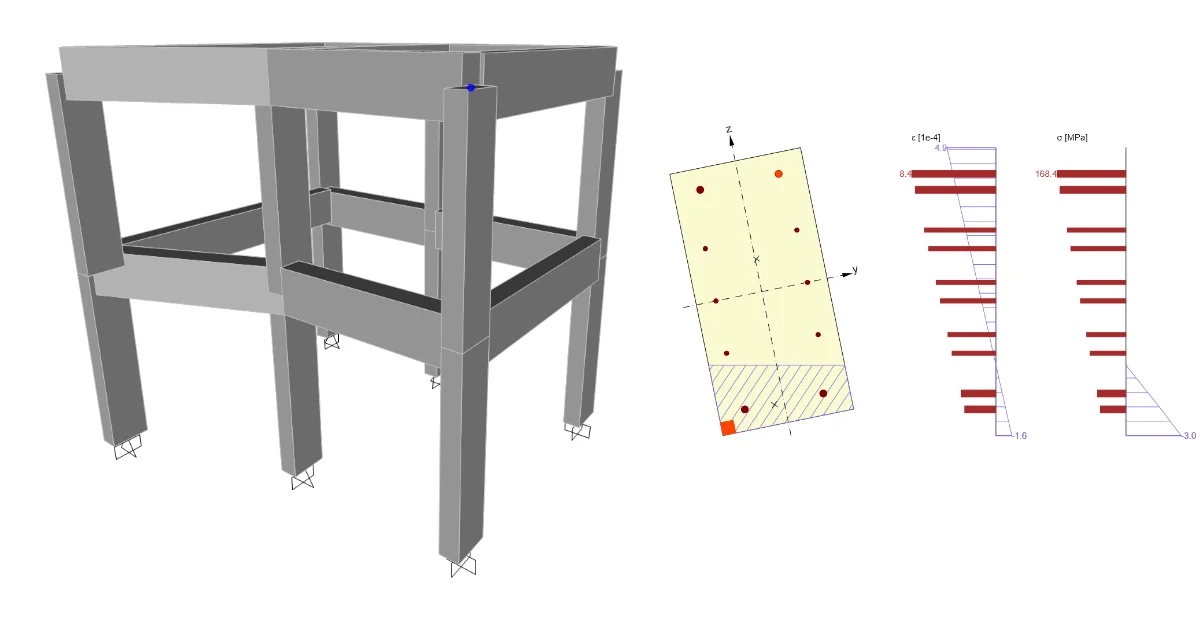
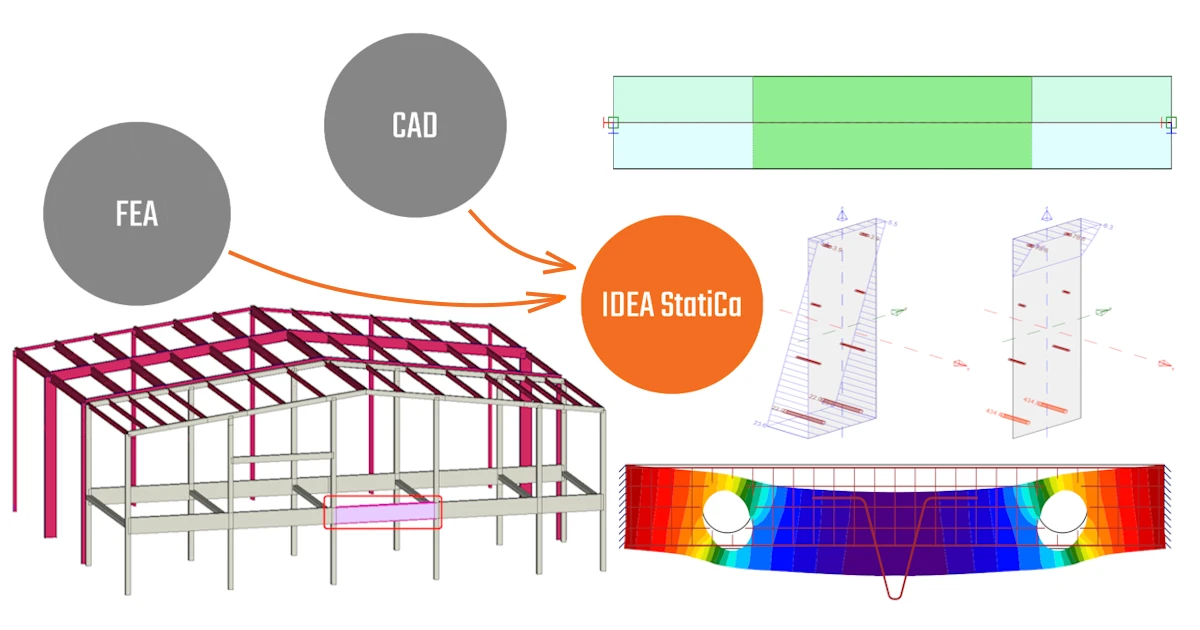
BIM links enable data import from your CAD or FEA software, simplifying the design of members and details. They also reduce errors and eliminate repetitive tasks, allowing you to save time and concentrate on accurate analysis, efficient design, and code compliance.

Leverage the power of BIM links for your concrete project

The IDEA StatiCa Concrete applications integrate with various FEA and CAD software.

These BIM links enable users to effortlessly and efficiently import structures from third-party software, including boundary conditions, cross-sections, materials, load effects, combinations, and more.

Complete code-checks of your concrete structures

Once imported, users can further analyze their structures in IDEA StatiCa, add reinforcement, define discontinuity regions, and perform code checks.
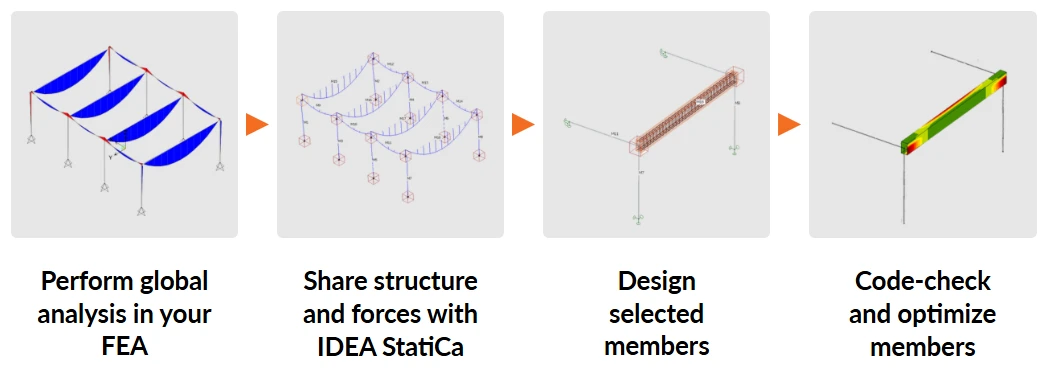
Check out how the BIM link for concrete works between SAP2000 and IDEA StatiCa:

To set up the BIM link for your project, find the FEA application you use in the list of supported integrations and follow the tutorial in the article. Here you can find the most popular BIM tutorials for concrete: 

  • SAP2000
  • Robot Structural Analysis
  • AxisVM
  • RFEM/RSTAB
  • SCIA Engineer
  • Advance Design
  • Midas Civil

From the listed third-party software, you get your critical member into IDEA StatiCa BIM or Beam (depending on the software you use). You can perform detailed analysis, reinforce the member, and do the code checks directly in that environment. Critical sections are code-checked with the RCS application, and defined discontinuity regions can be exported to the Detail application for further analysis. 

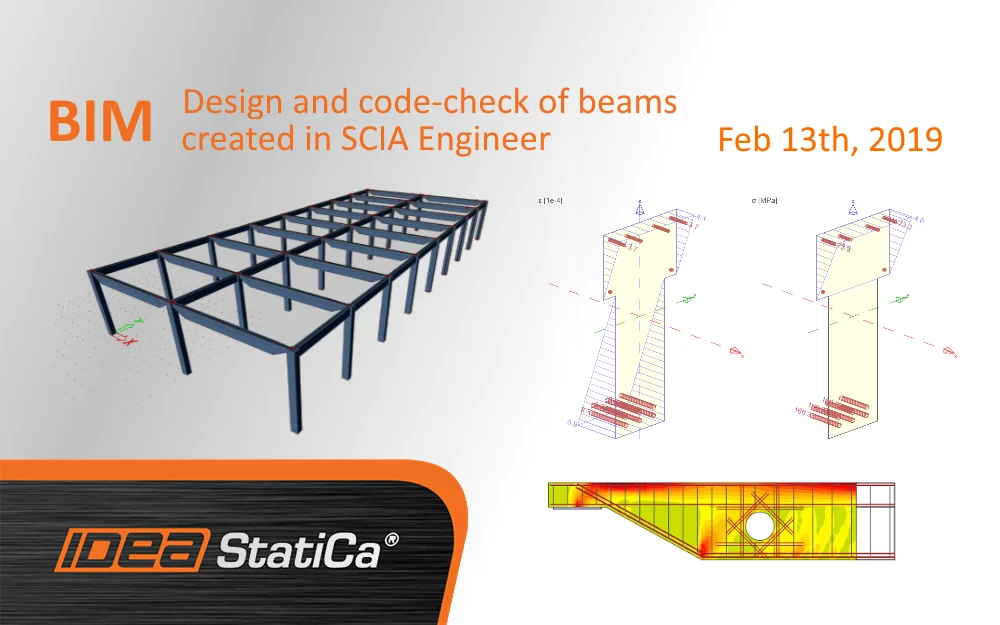
In our Support Center, you can find many webinars regarding BIM integrations for concrete, like these ones regarding the import from AxisVM, or SCIA Engineer. 
Quote request

Do you like to work with IDEA StatiCa? Ask for commercial license.

Get an offer

Related articles

BIM links: Supported versions of 3rd party applications
  • Steel
  • Concrete
  • Checkbot
  • ACI (USA)
  • AISC (USA)
  • EN (Eurocode)
  • SIA (Switzerland)
  • BIM link
  • Advance Steel
  • Tekla Structures
  • SAP2000
  • SCIA Engineer
  • STAAD.Pro
  • Revit
  • Robot Structural Analysis
  • Advance Design
  • AxisVM
  • ETABS
  • midas Civil + Gen
  • RFEM
  • RSTAB
  • +21
  • Steel
  • Concrete
  • Checkbot
  • ACI (USA)
  • AISC (USA)
  • EN (Eurocode)
  • SIA (Switzerland)
  • BIM link
  • Advance Steel
  • Tekla Structures
  • SAP2000
  • SCIA Engineer
  • STAAD.Pro
  • Revit
  • Robot Structural Analysis
  • Advance Design
  • AxisVM
  • ETABS
  • midas Civil + Gen
  • RFEM
  • RSTAB

Knowledge base

BIM links: Supported versions of 3rd party applications

Read more
BIM – Design and code-check of beams created in SCIA Engineer
  • Concrete
  • BIM link
  • SCIA Engineer
  • Detail 2D
  • Beam
  • RCS
  • CSFM
  • +7
  • Concrete
  • BIM link
  • SCIA Engineer
  • Detail 2D
  • Beam
  • RCS
  • CSFM

Webinar

BIM – Design and code-check of beams created in SCIA Engineer

Read more
Summer Series – Design and chek of RC beam from AxisVM
  • Concrete
  • SLS
  • ULS
  • AxisVM
  • Detail 2D
  • Openings
  • +6
  • Concrete
  • SLS
  • ULS
  • AxisVM
  • Detail 2D
  • Openings

Webinar

Summer Series – Design and check of RC beam from AxisVM

Read more
IDEA StatiCa step-by-step tutorial for the concrete structural design using the BIM link between SAP2000 and IDEA StatiCa Beam. Concrete design software for easy and reliable code-checking and structure analysis.
  • Concrete
  • EN (Eurocode)
  • BIM link
  • SAP2000
  • Beam
  • +5
  • Concrete
  • EN (Eurocode)
  • BIM link
  • SAP2000
  • Beam

Tutorials

SAP2000 BIM link for the structural concrete design (EN)

Read more