Idea Statica
  • Steel
  • Concrete
  • Support & Learning
  • Pricing
  • Company
  • Steel overview
  • Connection design
  • Member design
  • Parametric design
  • Steel case studies
  • Concrete overview
  • Walls and D-regions
  • Anchoring design
  • Concrete case studies
  • BIM Overview
  • Supported integrations
  • Checkbot
  • Viewer
  • APIs
  • Support Center
  • E-learning & certification
  • Blog
  • Downloads & Licensing
  • Plans
  • Free community tool
  • Enterprise customers
  • Students & educators
  • How much will you save?
  • About us
  • Contact
  • Research & development
  • Authorized resellers
  • Meet our customers
  • Career
  • Steel
    Steel overviewConnection designMember designParametric designSteel case studies
  • Concrete
    Concrete overviewWalls and D-regionsAnchoring designConcrete case studies
  • BIM OverviewSupported integrationsCheckbotViewerAPIs
  • Support & Learning
    Support CenterE-learning & certificationBlogDownloads & Licensing
  • Pricing
    PlansFree community toolEnterprise customersStudents & educatorsHow much will you save?
  • Company
    About usContactResearch & developmentAuthorized resellersMeet our customersCareer
14-Day Trial
14-Day Trial

Subscribe to our newsletter

Company

  • About us
  • Partners
  • Careers
  • Patent

Resources

  • Customer projects
  • Case studies
  • Connection Library
  • Verification books

Legal

  • EULA
  • Privacy policy
  • California Privacy
  • TOS Viewer
  • Licensing

Help

  • Contact
  • Quote request
  • Resellers
  • Downloads
FacebookInstagramLinkedInYouTube

© IDEA StatiCa 2009-2026

Trusted and used worldwide by engineers, fabricators & consultants.

Support CenterKnowledge Base ArticlesSimple insertion of table inputs into IDEA StatiCa Detail
Bulk import from DXF drawing
Multiselect and multi-edit in Detail
Simple insertion of table inputs into IDEA StatiCa Detail
What is the Topology optimization for? And how does it go with the strut and tie method?
Export Beam to Detail
Export of the beam to Detail app
Simple insertion of table inputs into IDEA StatiCa Detail
ConcreteKnowledge baseDetail 2DGeometryv23.1

Simple insertion of table inputs into IDEA StatiCa Detail

This article is also available in
ENCZDEESFRITPTNLHUROKRPLTHTRVIZH

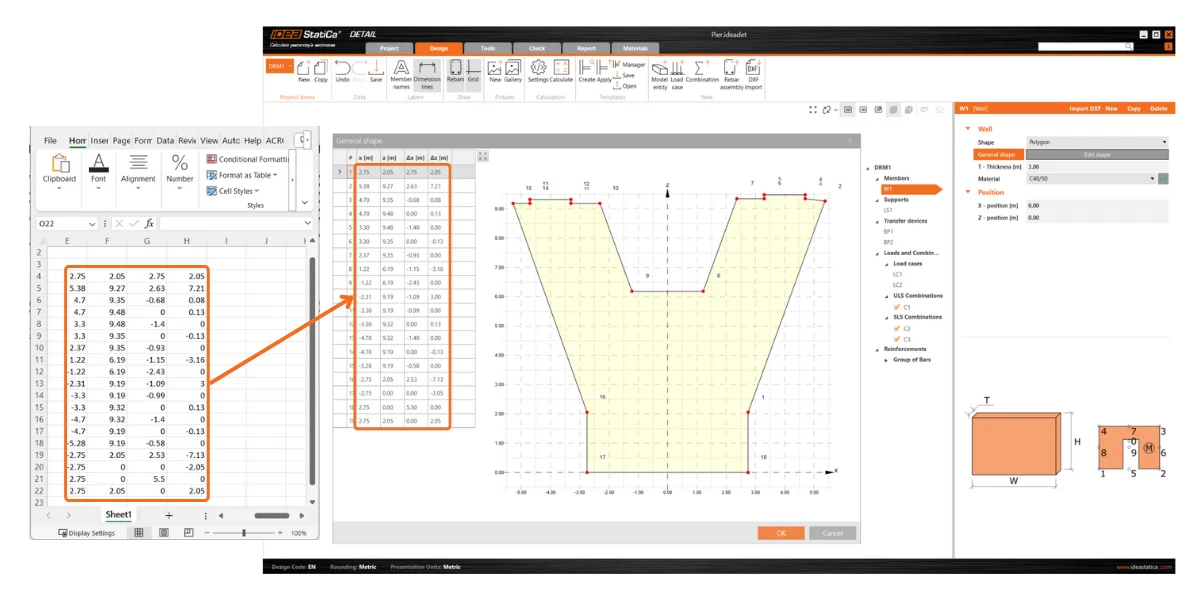
This feature allows users to efficiently fill in all tables in IDEA StatiCa Detail by copying and pasting directly from Excel or any other spreadsheet into table inputs.

Users can use this streamlined process to mitigate the risk of manual entry errors and significantly accelerate data input, improving productivity. The procedure is as follows:

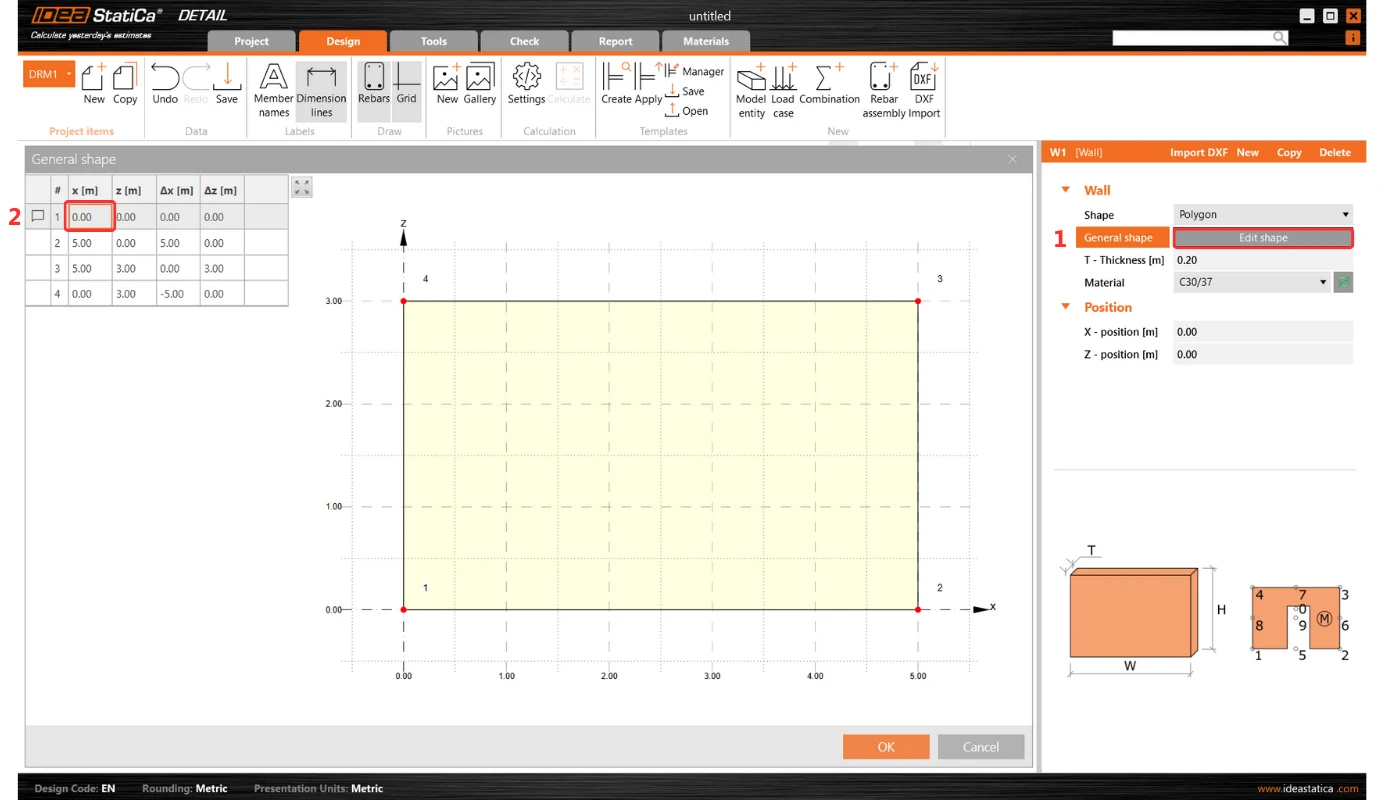
1. Initiate the process by selecting the first (top left) cell in the table input in IDEA StatiCa Detail. Press ESC after the first click to prepare the cell for new input.
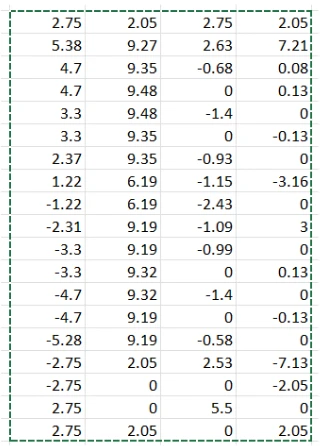
2. Copy the desired table from any table sheet.
3. Paste (Ctrl+V) the copied table into the table within IDEA StatiCa Detail.
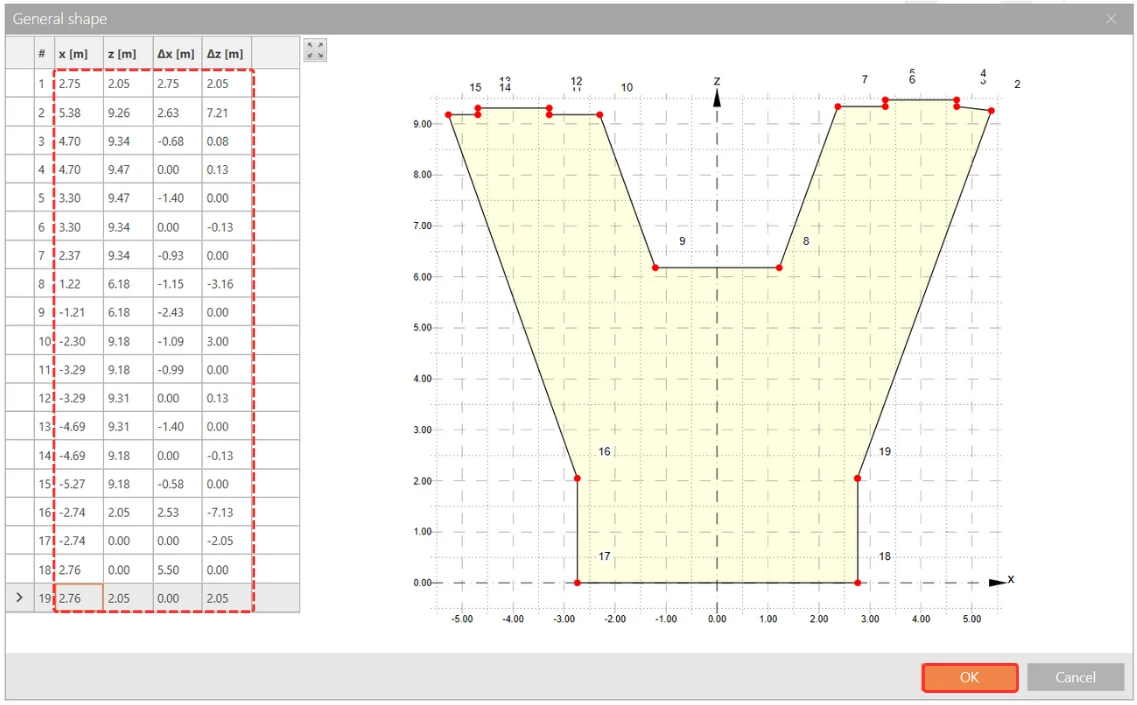
The Detail table will automatically adjust to match the dimensions of the Excel table.
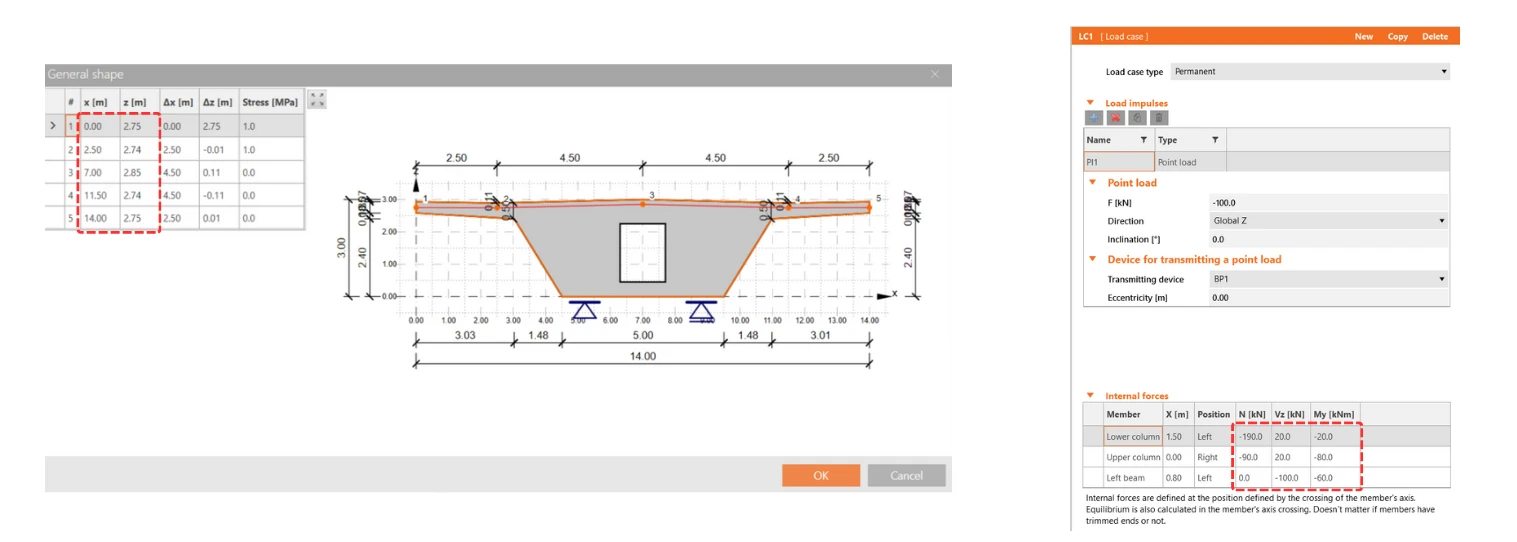
This feature applies to all tables in IDEA StatiCa Detail, including those for Internal Forces and Reinforcement or Shape Definition, offering a much-needed solution for efficient and error-free data entry.

Released in IDEA StatiCa patch 23.1.2.
Download and try features of IDEA StatiCa 24.0

Download IDEA StatiCa 24.0

Related articles

Release notes IDEA StatiCa 24.0
  • Steel
  • Concrete
  • v24.0
  • +3
  • Steel
  • Concrete
  • v24.0

Release notes

Release notes IDEA StatiCa 24.0

Read more