Idea Statica
  • Steel
  • Concrete
  • BIM & Workflows
  • Support & Learning
  • Pricing
  • Company
  • Steel overview
  • Connection design
  • Member design
  • Parametric design
  • Steel case studies
  • Concrete overview
  • Walls and D-regions
  • Anchoring design
  • Concrete case studies
  • BIM Overview
  • Supported integrations
  • Checkbot
  • Viewer
  • APIs
  • Support Center
  • E-learning & certification
  • Blog
  • Downloads & Licensing
  • Plans
  • Free community tool
  • Enterprise customers
  • Students & educators
  • How much will you save?
  • About us
  • Contact
  • Research & development
  • Authorized resellers
  • Meet our customers
  • Career
  • Steel
    Steel overviewConnection designMember designParametric designSteel case studies
  • Concrete
    Concrete overviewWalls and D-regionsAnchoring designConcrete case studies
  • BIM & Workflows
    BIM OverviewSupported integrationsCheckbotViewerAPIs
  • Support & Learning
    Support CenterE-learning & certificationBlogDownloads & Licensing
  • Pricing
    PlansFree community toolEnterprise customersStudents & educatorsHow much will you save?
  • Company
    About usContactResearch & developmentAuthorized resellersMeet our customersCareer
14-Day Trial
14-Day Trial
  • Steel
  • Concrete
  • BIM & Workflows
  • Support & Learning
  • Pricing
  • Company

Subscribe to our newsletter

Company

  • About us
  • Partners
  • Careers
  • Patent

Resources

  • Customer projects
  • Case studies
  • Connection Library
  • Verification books

Legal

  • EULA
  • Privacy policy
  • California Privacy
  • TOS Viewer
  • Licensing

Help

  • Contact
  • Quote request
  • Resellers
  • Downloads
FacebookInstagramLinkedInYouTube

© IDEA StatiCa 2009-2026

Trusted and used worldwide by engineers, fabricators & consultants.

Support CenterKnowledge Base ArticlesCheckbot (BIM link) does not start
IDEA StatiCa BIM interoperability for steel
IDEA StatiCa BIM interoperability for concrete
Checkbot – bulk BIM workflows
Bulk workflows and critical load filter in Checkbot
Export of editable connections from Checkbot
How to merge connections from CAD and FEA software
Add or merge nodes of connections and members in Checkbot
Import of recommended welds
Checkbot ready for big projects
Checkbot Free – the structural design hub for FEA and CAD data
Model Coordinator (BETA): Combine FEA and CAD models
Checkbot (BIM link) does not start
Connection designSteelMember designKnowledge baseCheckbot

Checkbot (BIM link) does not start

This article is also available in
ENCZDEESFRITPTNLHUROKRPLTHTRVIZH

The Link between your FEA / CAD software and IDEA StatiCa is not working? Or do you need to do the "quiet" installation of the link? You can read more about what you can do.

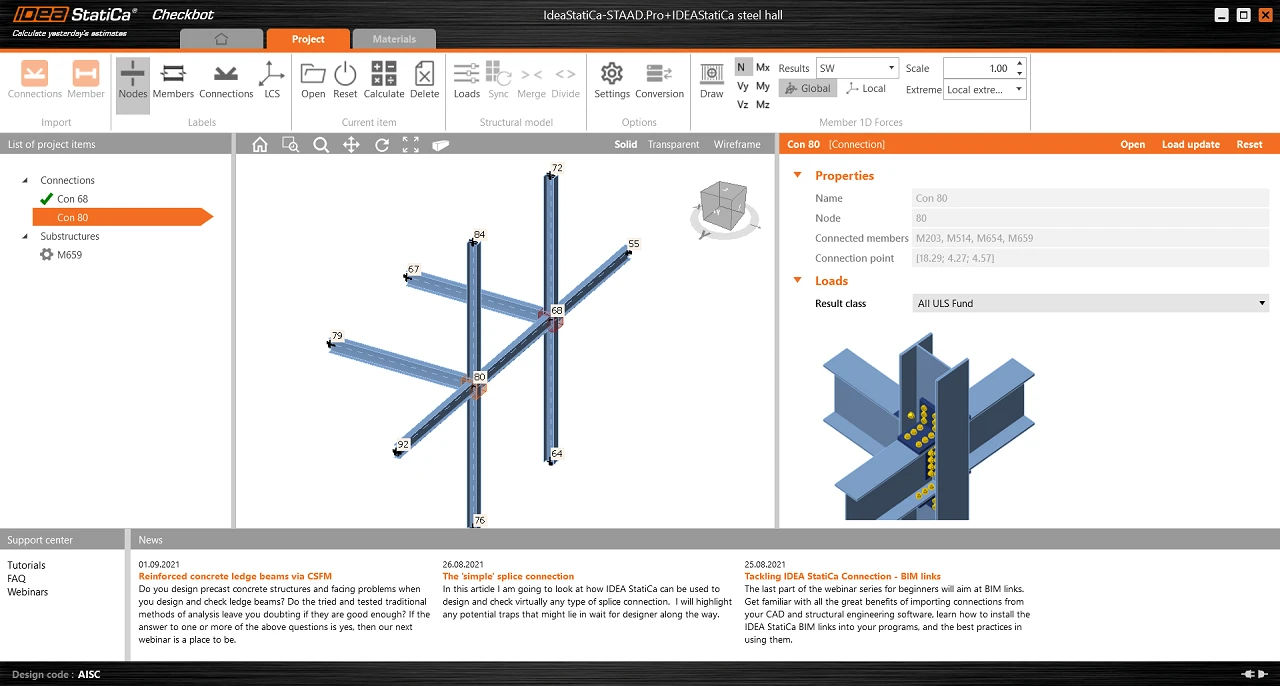
In case the Checkbot does not open or falls suddenly after short use, even though you have correctly installed the BIM link to IDEA StatiCa in your software, there might be several issues that cause this error.

Please, try to go through these measures:

  • Check if the linked software version is supported, possibly update to the latest version. 
  • Reinstall IDEA StatiCa to the latest version.
  • Check if the license is working right, search in the Support center to get more help about how to troubleshoot it.
  • Check if there's no antivirus/security program (e.g. G DATA) that might be blocking the Checkbot opening, or that has deleted some installation files of IDEA StatiCa making the Checkbot unusable.
  • Check your Windows user rights, those might be limited preventing 3rd party software to be launched (possibly consult with your IT administrator).
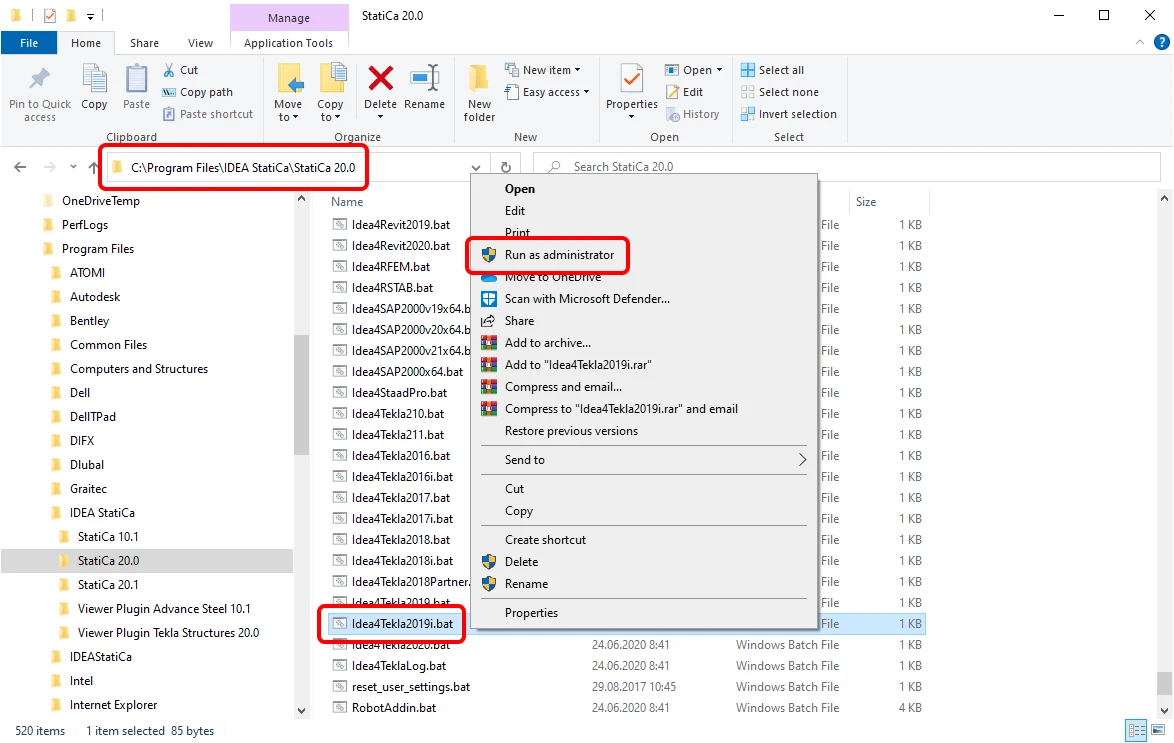
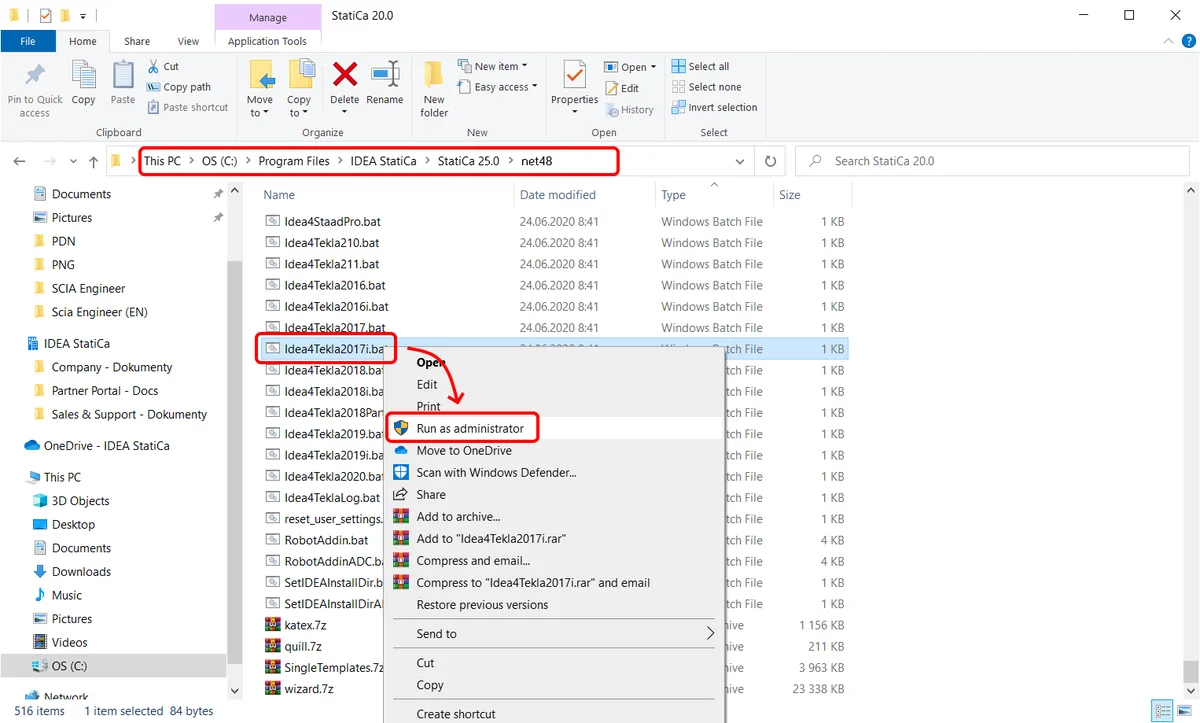
  • Install the BIM link manually by running the appropriate .bat file. Close the linked software, go to the installation folder of IDEA StatiCa on your computer (typically C:\Program Files\IDEA StatiCa\StatiCa XX.X), select the .bat (.exe) file, and run it via right-click as administrator.
    Note:
    For Robot Structural Analysis, run RobotAddin.bat
    For Advance Steel, run Idea4AS2026.bat
    For Midas Civil NX, run IdeaMidasCivilNXPlugin.exe
    For Revit, run Idea4Revit2026.bat
    For RAM Structural System, run RamToIdeaPluginInstall.exe
    For RFEM, run Idea4RFEMNET6.bat or Idea4RFEM.bat (for version 5)
    For RSTAB, run Idea4RSTABNET6.bat or Idea4RSTAB.bat (for version 5)
    For SCIA Engineer, run SetIDEAInstallDir.bat
    For SDS2, run Idea4SDS22025.bat
    For STAAD.Pro, run Idea4StaadPro.bat
    For Tekla Structures, run Idea4Tekla2025.bat

    For AxisVM, run AxisVMLinkPluginInstaller.exe (C:\Program Files\IDEA StatiCa\StatiCa XX.X\net48)
    For Advance Design, run SetIDEAInstallDirAD.bat (C:\Program Files\IDEA StatiCa\StatiCa XX.X\net48)
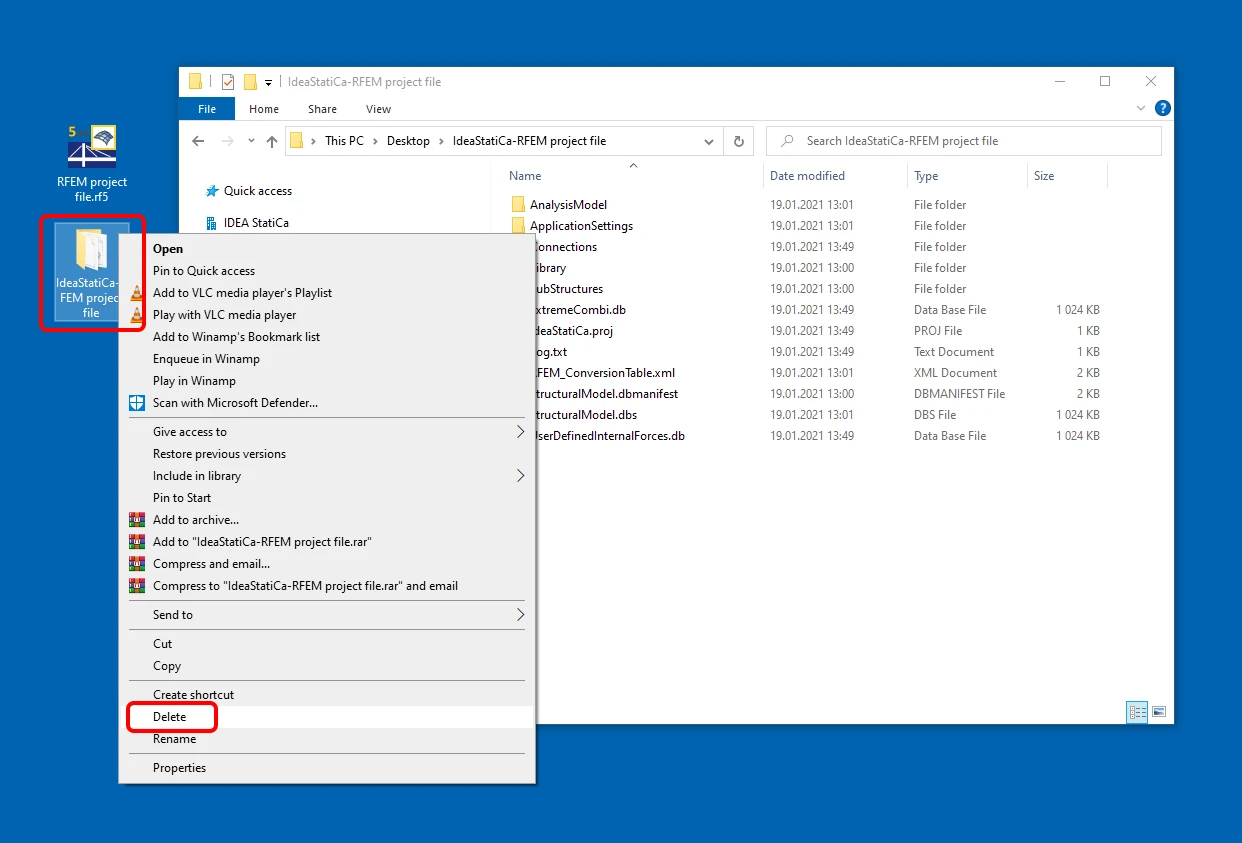
  • Delete the IDEA StatiCa import folder. This folder is created next to the source software project file and has the same name. This clears the data and allows you to create a new import.
    Note: For Tekla Structures, the IDEA StatiCa folder is located inside the Tekla Structures project folder with the same name.
For case when there is a missing Checkbot icon in Tekla Structures, read the Checkbot in Tekla Structures ribbon missing article.
Related articles

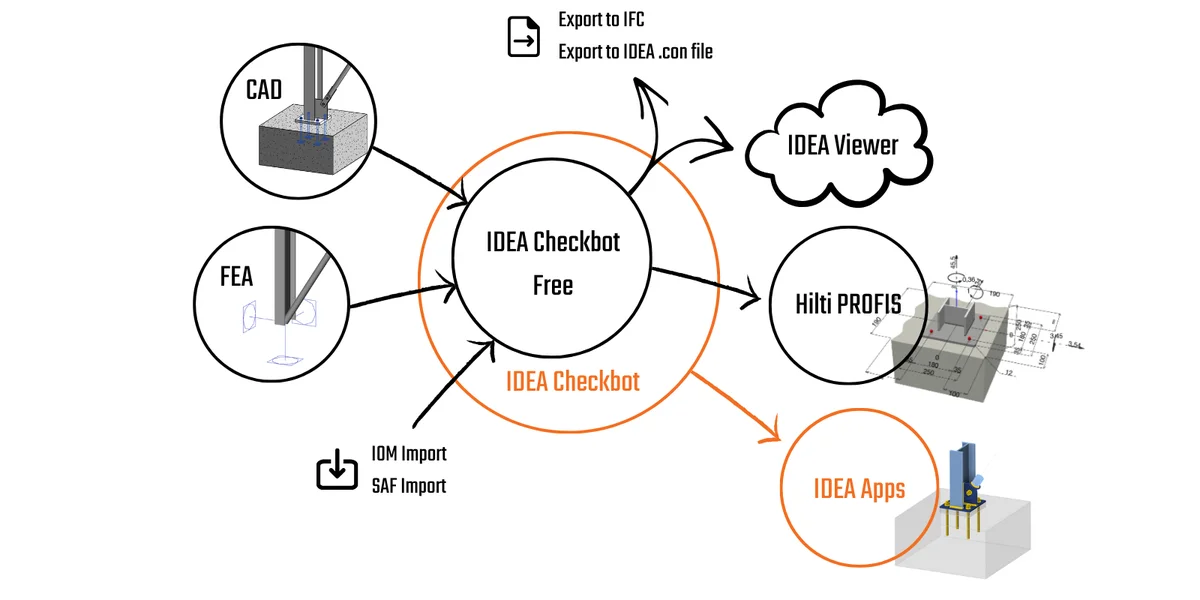
Checkbot Free – the structural design hub for FEA and CAD data
  • Checkbot
  • Licensing
  • v24.0
  • +3
  • Checkbot
  • Licensing
  • v24.0

Knowledge base

Checkbot Free – the structural design hub for FEA and CAD data

Read more
BIM links: Supported versions of 3rd party applications
  • Steel
  • Concrete
  • Checkbot
  • ACI (USA)
  • AISC (USA)
  • EN (Eurocode)
  • SIA (Switzerland)
  • BIM link
  • Advance Steel
  • Tekla Structures
  • SAP2000
  • SCIA Engineer
  • STAAD.Pro
  • Revit
  • Robot Structural Analysis
  • Advance Design
  • AxisVM
  • ETABS
  • midas Civil + Gen
  • RFEM
  • RSTAB
  • +21
  • Steel
  • Concrete
  • Checkbot
  • ACI (USA)
  • AISC (USA)
  • EN (Eurocode)
  • SIA (Switzerland)
  • BIM link
  • Advance Steel
  • Tekla Structures
  • SAP2000
  • SCIA Engineer
  • STAAD.Pro
  • Revit
  • Robot Structural Analysis
  • Advance Design
  • AxisVM
  • ETABS
  • midas Civil + Gen
  • RFEM
  • RSTAB

Knowledge base

BIM links: Supported versions of 3rd party applications

Read more
How to run old versions of BIM links
  • Steel
  • Concrete
  • Checkbot
  • BIM link
  • Advance Steel
  • Tekla Structures
  • Revit
  • SAP2000
  • Robot Structural Analysis
  • AxisVM
  • ETABS
  • RFEM
  • RSTAB
  • SCIA Engineer
  • Advance Design
  • STAAD.Pro
  • +16
  • Steel
  • Concrete
  • Checkbot
  • BIM link
  • Advance Steel
  • Tekla Structures
  • Revit
  • SAP2000
  • Robot Structural Analysis
  • AxisVM
  • ETABS
  • RFEM
  • RSTAB
  • SCIA Engineer
  • Advance Design
  • STAAD.Pro

Knowledge base

How to run old versions of BIM links

Read more