Idea Statica
  • Steel
  • Concrete
  • BIM & Workflows
  • Support & Learning
  • Pricing
  • Company
  • Steel overview
  • Connection design
  • Member design
  • Parametric design
  • Steel case studies
  • Concrete overview
  • Walls and D-regions
  • Anchoring design
  • Concrete case studies
  • BIM Overview
  • Supported integrations
  • Checkbot
  • Viewer
  • APIs
  • Support Center
  • E-learning & certification
  • Blog
  • Downloads & Licensing
  • Plans
  • Free community tool
  • Enterprise customers
  • Students & educators
  • How much will you save?
  • About us
  • Contact
  • Research & development
  • Authorized resellers
  • Meet our customers
  • Career
  • Steel
    Steel overviewConnection designMember designParametric designSteel case studies
  • Concrete
    Concrete overviewWalls and D-regionsAnchoring designConcrete case studies
  • BIM & Workflows
    BIM OverviewSupported integrationsCheckbotViewerAPIs
  • Support & Learning
    Support CenterE-learning & certificationBlogDownloads & Licensing
  • Pricing
    PlansFree community toolEnterprise customersStudents & educatorsHow much will you save?
  • Company
    About usContactResearch & developmentAuthorized resellersMeet our customersCareer
14-Day Trial
14-Day Trial
  • Steel
  • Concrete
  • BIM & Workflows
  • Support & Learning
  • Pricing
  • Company

Subscribe to our newsletter

Company

  • About us
  • Partners
  • Careers
  • Patent

Resources

  • Customer projects
  • Case studies
  • Connection Library
  • Verification books

Legal

  • EULA
  • Privacy policy
  • California Privacy
  • TOS Viewer
  • Licensing

Help

  • Contact
  • Quote request
  • Resellers
  • Downloads
FacebookInstagramLinkedInYouTube

© IDEA StatiCa 2009-2026

Trusted and used worldwide by engineers, fabricators & consultants.

Support CenterKnowledge Base ArticlesGeneral settings in Detail application
General interface in Detail application
General settings in Detail application
Intuitive ribbon and navigation system for IDEA StatiCa Detail
Comprehensive user interface in IDEA StatiCa Detail
Comprehensive view options and User Interface in Detail
All applications: Search box
Keyboard shortcuts (hotkeys) in IDEA StatiCa apps
Unified Materials tab in Detail
General settings in Detail application
ConcreteReinforced concreteKnowledge baseDetail 2D

General settings in Detail application

This article is also available in
ENCZDEESFRITPTNLHUROKRPLTHTRVIZH

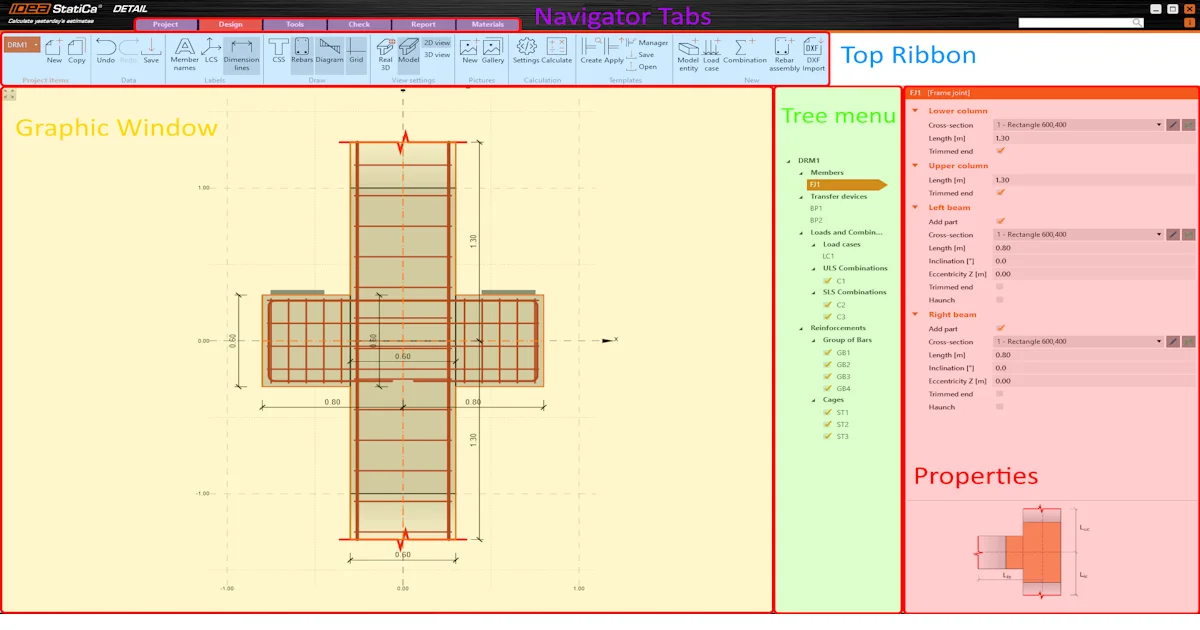
Necessary settings can be found in the project and material tabs. You can modify cross-sections, materials including creep coefficients, reinforcement stress-strain diagrams, and project identification here.

 Let's go through settings in the Project and Material tab.

Project Information

In the information, you can see the discontinuity regions. To add a new Project item, click the New button or Copy the previous one. Names and general settings of each project item can also be modified. 

Additionally, you have the ability to establish distinct general settings for each project item and promptly modify them as needed. See the figure below.

Cross-sections

It can be found in the Materials tab, to look up the cross-section and add, remove, or modify it.

Materials

As the name suggests, playing with the definition of materials is possible. This is the tab where the properties and creep coefficients are defined.

Furthermore, you have the option to modify the properties of the reinforcement and prestressing steel stress-strain diagrams. These alterations directly impact the calculation results. 

Settings

Explore the list of current general settings utilized for the specific project item. Here, you can easily review and make changes as needed.

Try IDEA StatiCa for free

Start your trial today and enjoy 14-days of full access and services free of charge.

Start free trial
Related articles

Code and calculation settings in Detail application
  • Concrete
  • Detail 2D
  • EN (Eurocode)
  • +3
  • Concrete
  • Detail 2D
  • EN (Eurocode)

Knowledge base

Code and calculation settings in Detail application

Read more
How to create a new model in Detail application
  • Concrete
  • Detail 2D
  • Geometry
  • +3
  • Concrete
  • Detail 2D
  • Geometry

Knowledge base

How to create a new model in Detail application

Read more
General interface in Detail application
  • Concrete
  • Detail 2D
  • +2
  • Concrete
  • Detail 2D

Knowledge base

General interface in Detail application

Read more