Idea Statica
  • Steel
  • Concrete
  • BIM & Workflows
  • Support & Learning
  • Pricing
  • Company
  • Steel overview
  • Connection design
  • Member design
  • Parametric design
  • Steel case studies
  • Concrete overview
  • Walls and D-regions
  • Anchoring design
  • Concrete case studies
  • BIM Overview
  • Supported integrations
  • Checkbot
  • Viewer
  • APIs
  • Support Center
  • E-learning & certification
  • Blog
  • Downloads & Licensing
  • Plans
  • Free community tool
  • Enterprise customers
  • Students & educators
  • How much will you save?
  • About us
  • Contact
  • Research & development
  • Authorized resellers
  • Meet our customers
  • Career
  • Steel
    Steel overviewConnection designMember designParametric designSteel case studies
  • Concrete
    Concrete overviewWalls and D-regionsAnchoring designConcrete case studies
  • BIM & Workflows
    BIM OverviewSupported integrationsCheckbotViewerAPIs
  • Support & Learning
    Support CenterE-learning & certificationBlogDownloads & Licensing
  • Pricing
    PlansFree community toolEnterprise customersStudents & educatorsHow much will you save?
  • Company
    About usContactResearch & developmentAuthorized resellersMeet our customersCareer
14-Day Trial
14-Day Trial
  • Steel
  • Concrete
  • BIM & Workflows
  • Support & Learning
  • Pricing
  • Company

Subscribe to our newsletter

Company

  • About us
  • Partners
  • Careers
  • Patent

Resources

  • Customer projects
  • Case studies
  • Connection Library
  • Verification books

Legal

  • EULA
  • Privacy policy
  • California Privacy
  • TOS Viewer
  • Licensing

Help

  • Contact
  • Quote request
  • Resellers
  • Downloads
FacebookInstagramLinkedInYouTube

ยฉ IDEA StatiCa 2009-2026

Trusted and used worldwide by engineers, fabricators & consultants.

Support CenterKnowledge Base ArticlesBIM link between MIDAS CIVIL NX and IDEA StatiCa Checkbot
IDEA StatiCa BIM interoperability for steel
IDEA StatiCa BIM interoperability for concrete
BIM links: Supported versions of 3rd party applications
How to run old versions of BIM links
BIM link between MIDAS CIVIL NX and IDEA StatiCa Checkbot
MIDAS CIVIL NX BIM link for steel connection design (EN)
Known limitations for MIDAS BIM link
BIM link between MIDAS CIVIL NX and IDEA StatiCa Checkbot
SteelConnection designKnowledge baseCheckbotv25.0

BIM link between MIDAS CIVIL NX and IDEA StatiCa Checkbot

This article is also available in
ENCZDEESFRITPTNLHUROKRPLTHTRVIZH

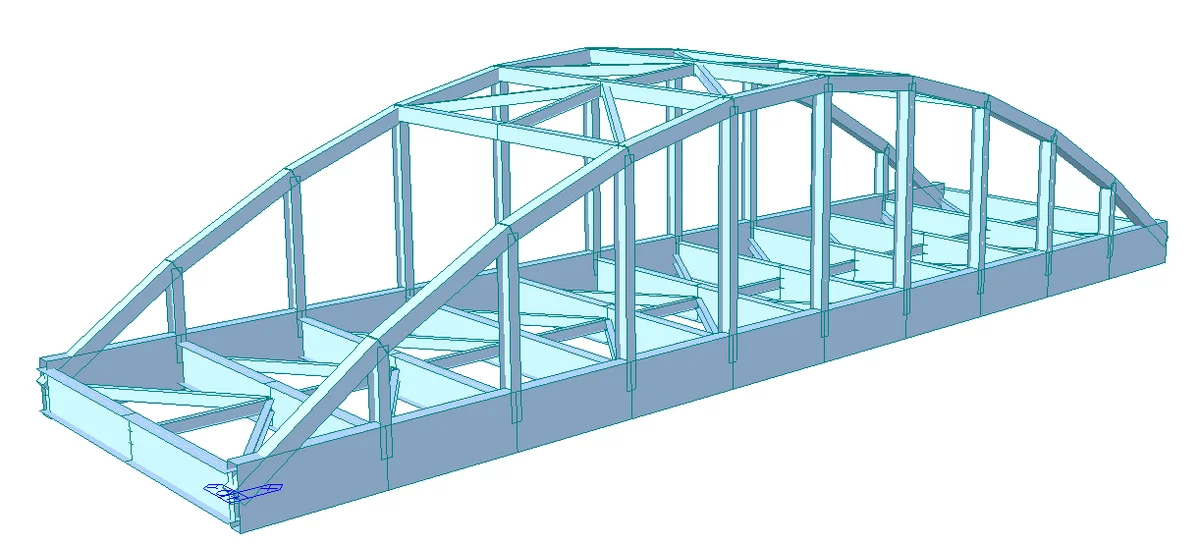
The BIM link between MIDAS CIVIL NX and IDEA StatiCa Checkbot allows you to import structural data, such as geometry, load cases, and load combinations, and reduce time and errors in designing steel connections.

The direct live BIM link with MIDAS CIVIL NX enables users to transfer the materials, cross-sections, elements, and results of the global steel structural models to Checkbot. This data is used for the design and code-check of the steel connection in the IDEA StatiCa Connection app, eliminating laborious and error-prone manual input.

BIM link installation

MIDAS CIVIL NX is available in the BIM Link Installer. Once installed, a desktop short-cut "IDEA StatiCa 25.0 for MIDAS Civil NX" to run the BIM link is created on your desktop.

On the first launch of the "IDEA StatiCa 25.0 for MIDAS Civil NX" shortcut, you have to register the MIDAS MAPI-Key once and for all:

  • Open your MIDAS CIVIL NX, go to the Apps tab, and open the API Settings. Here click Refresh to generate the MAPI-Key and enable Connect API on Startup.
  • Copy the Base URL and MAPI-Key, paste them into the Idea to Midas Civil NX Integration Tool and click Validate.

Once the MAPI-Key is validated, the data is stored in Windows Credentials unless the MAPI-Key is changed manually.

How to use the BIM link

Once installed and registered, use the same shortcut, "IDEA StatiCa 25.0 for MIDAS Civil NX", on your desktop. You will be asked to open the MIDAS project file and Checkbot will open simultaneously. You can then follow the standard workflows in Checkbot.

Importing data from MIDAS CIVIL NX to IDEA StatiCa Checkbot

Elements: Members of any orientation and a wide variety of cross-sections can be imported. Tapered, composite, curved, and other special types are not supported and will be filtered out from the selection.

Eccentricities of members: Eccentricity is defined on the level of CSS in MIDAS. Eccentricity on a member CSS is supported in all the directions, but only in their absolute values (distance from the center of the CSS). Extreme Fiber eccentricities are not supported.

Note: Because of the coordinate system orientation used, the eccentricity value sign can be inversed when imported from MIDAS to Checkbot, but the real position, as shown in the 3D model, is correct.

Load effects: An unlimited number of static load casesย (manual,ย API) andย general load combinations (manual,ย API) is supported, other types are filtered out.

Take the latest version of IDEA StatiCa for a test drive today

Get 14 days of full access, completely free.

Check out IDEA StatiCa for free
Related articles

Release notes IDEA StatiCa 25.0
  • Steel
  • Concrete
  • v25.0
  • +3
  • Steel
  • Concrete
  • v25.0

Release notes

Release notes IDEA StatiCa 25.0

Read more
Checkbot โ€“ bulk BIM workflows
  • Steel
  • Checkbot
  • BIM link
  • v25.1
  • v25.0
  • +5
  • Steel
  • Checkbot
  • BIM link
  • v25.1
  • v25.0

Knowledge base

Checkbot โ€“ bulk BIM workflows

Read more
Export a bridge model from Midas Civil to IDEA StatiCa to code-check any types of steel connections.
  • Steel
  • EN (Eurocode)
  • BIM link
  • midas Civil + Gen
  • Bridges
  • +5
  • Steel
  • EN (Eurocode)
  • BIM link
  • midas Civil + Gen
  • Bridges

Tutorials

Midas Civil BIM link for steel connection design

Read more