Idea Statica
  • Steel
  • Concrete
  • BIM & Workflows
  • Support & Learning
  • Pricing
  • Company
  • Steel overview
  • Connection design
  • Member design
  • Parametric design
  • Steel case studies
  • Concrete overview
  • Walls and D-regions
  • Anchoring design
  • Concrete case studies
  • BIM Overview
  • Supported integrations
  • Checkbot
  • Viewer
  • APIs
  • Support Center
  • E-learning & certification
  • Blog
  • Downloads & Licensing
  • Plans
  • Free community tool
  • Enterprise customers
  • Students & educators
  • How much will you save?
  • About us
  • Contact
  • Research & development
  • Authorized resellers
  • Meet our customers
  • Career
  • Steel
    Steel overviewConnection designMember designParametric designSteel case studies
  • Concrete
    Concrete overviewWalls and D-regionsAnchoring designConcrete case studies
  • BIM & Workflows
    BIM OverviewSupported integrationsCheckbotViewerAPIs
  • Support & Learning
    Support CenterE-learning & certificationBlogDownloads & Licensing
  • Pricing
    PlansFree community toolEnterprise customersStudents & educatorsHow much will you save?
  • Company
    About usContactResearch & developmentAuthorized resellersMeet our customersCareer
14-Day Trial
14-Day Trial
  • Steel
  • Concrete
  • BIM & Workflows
  • Support & Learning
  • Pricing
  • Company

Subscribe to our newsletter

Company

  • About us
  • Partners
  • Careers
  • Patent

Resources

  • Customer projects
  • Case studies
  • Connection Library
  • Verification books

Legal

  • EULA
  • Privacy policy
  • California Privacy
  • TOS Viewer
  • Licensing

Help

  • Contact
  • Quote request
  • Resellers
  • Downloads
FacebookInstagramLinkedInYouTube

© IDEA StatiCa 2009-2026

Trusted and used worldwide by engineers, fabricators & consultants.

Support CenterKnowledge Base ArticlesConnection Library – the largest database of downloadable steel connections
Connection Library – the largest database of downloadable steel connections
SteelConnection designKnowledge baseConnection LibraryAISC (USA)

Connection Library – the largest database of downloadable steel connections

This article is also available in
ENCZDEESFRITPTNLHUROKRPLTHTRVIZH

Have you ever been stuck with finding a solution for a joint design? None of your previous projects have a similar geometry, all of your colleagues are too busy to help you, and you are just out of ideas?

From now on, you will know where to turn for inspiration. Simply enter connectionlibrary.ideastatica.com into your Internet browser.

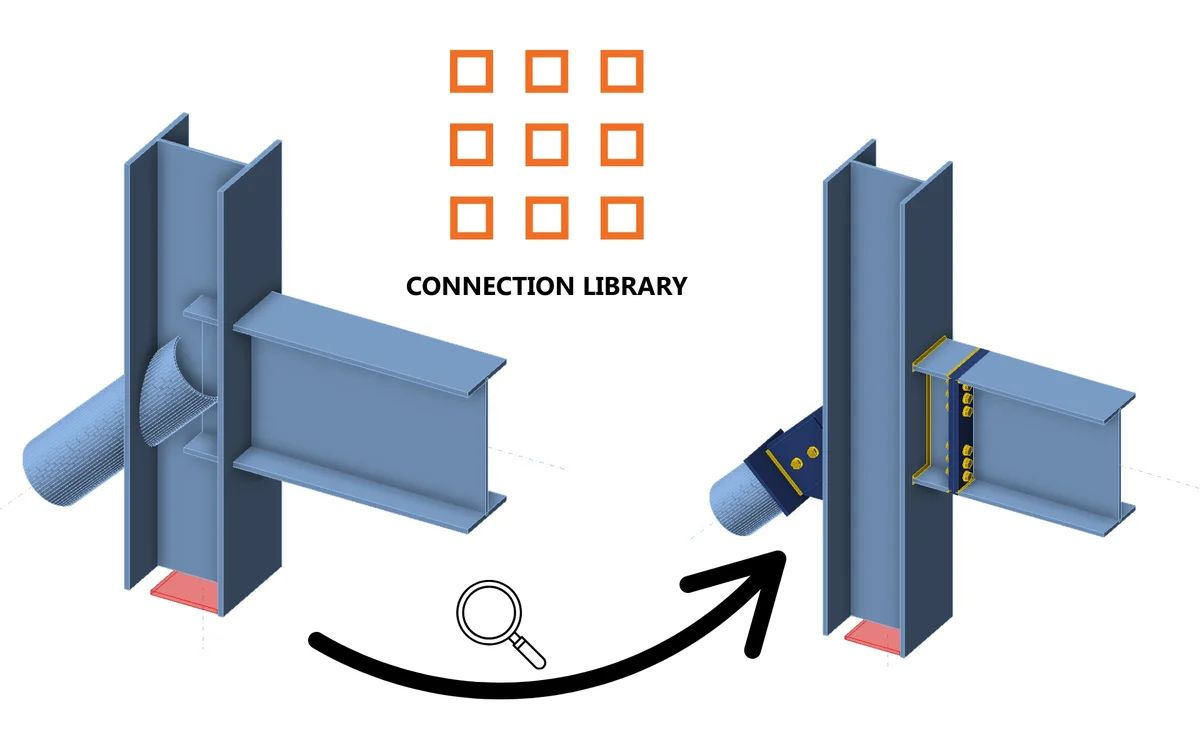
With the Connection Library, you can browse examples with desired geometry and find inspiration within seconds! The use of the application is simple and intuitive! The basic set of the database consists of 1,000,000+ designs and is expanding every day.

How it works

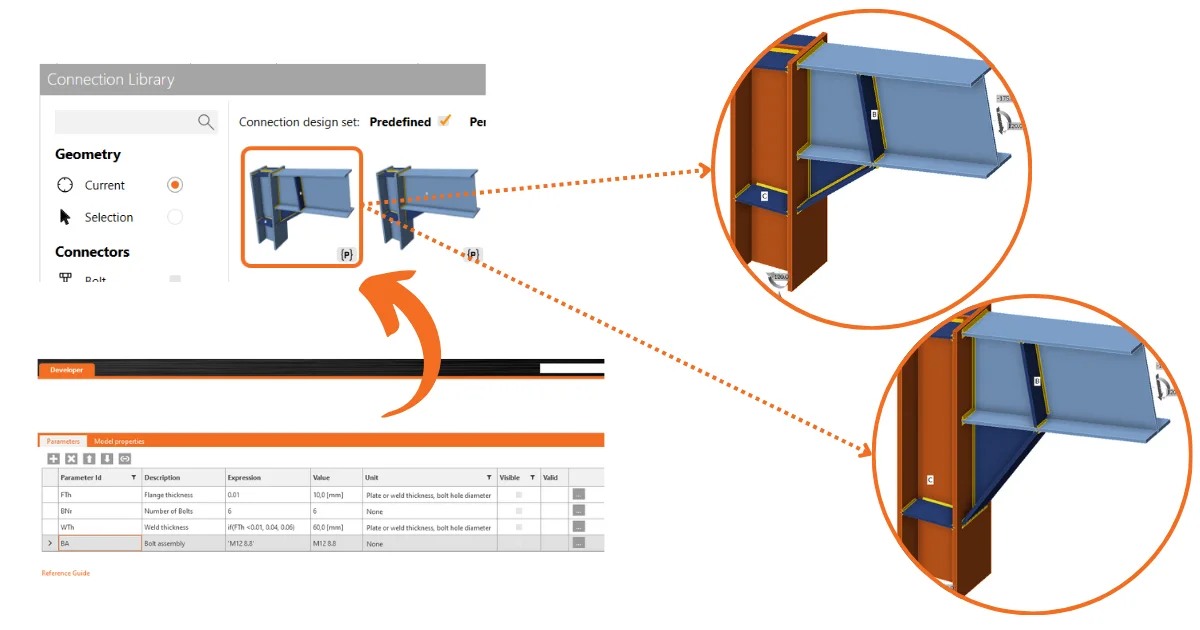
Connection Library is a web app that enables users to find inspiration by providing them with a public database of thousands of available connections. Users can consequently use the provided connections in the Connection app or share the search results with others, as well as download the connections and use them as the starting point in their projects.

The application is comprised of two pages – the input page and the results page:

  • On the input page, the user can define a connection they are looking for using the available input parameters. There is a 3D scene available, so it is clear what the search input looks like. 
  • While on the results page, the user has access to all the results for the input they entered previously. The user can review the search results in more detail, use filters to narrow down the search, or return to the input page and change the input.

The user can access a connection detail on the results page after they sign in. If the user does not have an account yet, then it is possible to sign up as well. In such a case, the user is redirected to a page where they can register and get a Basic license account. While on the connection detail, the user has an option to download a trial license.

The selected design can then be used further:

  • Open in the Desktop app directly
  • Download in .ideacon file format
  • Open in Viewer

The sources of this database are the connection models created and shared by users in another web application – IDEA StatiCa Viewer. 

You can find a lot more about the usage and advantages of the Connection Library cloud database in this blog post dedicated to How to get inspired during steel connection design.

Released in IDEA StatiCa version 23.1 and version 24.1.

Save your favorite template

After logging in, you can save the favorite designs through the 'bookmark' button. This saves it to a private set accessible within the drop-down menu.

The preview scene also contains the overall bookmark number, indicating how many times the design has been saved by unique users.

Updated in IDEA StatiCa version 25.1.

Try out the new features of IDEA StatiCa today

Download the latest version for free

Related articles

Release notes IDEA StatiCa 25.1
  • Steel
  • Concrete
  • v25.1
  • +3
  • Steel
  • Concrete
  • v25.1

Release notes

Release notes IDEA StatiCa 25.1

Read more
Release notes IDEA StatiCa 24.1
  • Steel
  • Concrete
  • v24.1
  • +3
  • Steel
  • Concrete
  • v24.1

Release notes

Release notes IDEA StatiCa 24.1

Read more
Structural design leveraging the Connection Library (EN)
  • Steel
  • EN (Eurocode)
  • Connection
  • Anchoring
  • Concrete block
  • Steel-to-concrete
  • +6
  • Steel
  • EN (Eurocode)
  • Connection
  • Anchoring
  • Concrete block
  • Steel-to-concrete

Tutorials

Structural design leveraging the Connection Library (EN)

Read more
Parametric templates in Connection Library
  • Steel
  • Connection
  • Connection Library
  • v24.0
  • Parametric design
  • v24.1
  • v25.1
  • +7
  • Steel
  • Connection
  • Connection Library
  • v24.0
  • Parametric design
  • v24.1
  • v25.1

Knowledge base

Parametric templates in Connection Library

Read more