Idea Statica
  • Steel
  • Concrete
  • Support & Learning
  • Pricing
  • Company
  • Steel overview
  • Connection design
  • Member design
  • Parametric design
  • Steel case studies
  • Concrete overview
  • Walls and D-regions
  • Anchoring design
  • Concrete case studies
  • BIM Overview
  • Supported integrations
  • Checkbot
  • Viewer
  • APIs
  • Support Center
  • E-learning & certification
  • Blog
  • Downloads & Licensing
  • Plans
  • Free community tool
  • Enterprise customers
  • Students & educators
  • How much will you save?
  • About us
  • Contact
  • Research & development
  • Authorized resellers
  • Meet our customers
  • Career
  • Steel
    Steel overviewConnection designMember designParametric designSteel case studies
  • Concrete
    Concrete overviewWalls and D-regionsAnchoring designConcrete case studies
  • BIM OverviewSupported integrationsCheckbotViewerAPIs
  • Support & Learning
    Support CenterE-learning & certificationBlogDownloads & Licensing
  • Pricing
    PlansFree community toolEnterprise customersStudents & educatorsHow much will you save?
  • Company
    About usContactResearch & developmentAuthorized resellersMeet our customersCareer
14-Day Trial
14-Day Trial

Subscribe to our newsletter

Company

  • About us
  • Partners
  • Careers
  • Patent

Resources

  • Customer projects
  • Case studies
  • Connection Library
  • Verification books

Legal

  • EULA
  • Privacy policy
  • California Privacy
  • TOS Viewer
  • Licensing

Help

  • Contact
  • Quote request
  • Resellers
  • Downloads
FacebookInstagramLinkedInYouTube

© IDEA StatiCa 2009-2026

Trusted and used worldwide by engineers, fabricators & consultants.

Support CenterTutorialsGrasshopper API link - how to import general plates and beams (04)
How to import general plates and beams by Grasshopper
SteelConnection designTutorialsConnectionIDEA Open Model (API)

Grasshopper API link - how to import general plates and beams (04)

This article is also available in
ENCZDEESFRITPTNLHUROKRPLTHTRVIZH

In this tutorial, you will learn how to import plates and beams from Rhino into IOM and IDEA StatiCa Connection.

This tutorial is using Rhino 8. If you work with IDEA StatiCa version up to 24.1.3, see this tutorial.

It is sometimes necessary to use plates with unusual shapes arbitrarily rotated in space in complex joints. It comes mainly with the scheme of the joint created in 3rd party software. In such a case, the following tutorial can help you understand how to import the data into IDEA StatiCa Connection.

Grasshopper - Plugin Installation

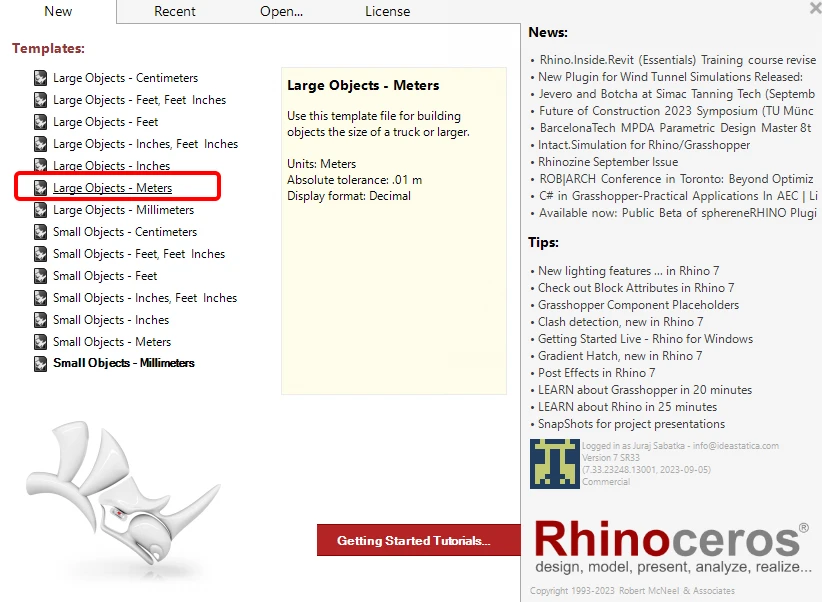
You can get a trial version of Rhino3d and Grasshopper from the Rhino3d website. Run Rhinoceros and select the template with Meters:
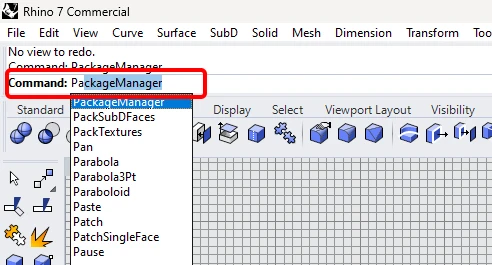
In the Command line, please enter "Package Manager":
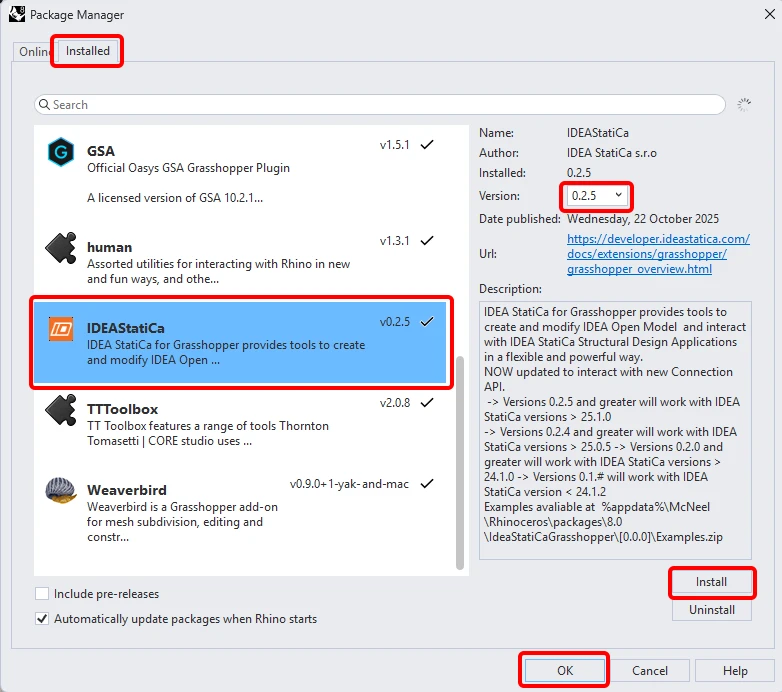
A new window appears; select IDEAStatiCa and click Install. The plugin will be downloaded and installed. To become active, a restart of Rhinoceros is necessary.
 To start Grasshopper with the IDEA StatiCa plugin, select Tools / Grasshopper in the Rhihoceros tab.
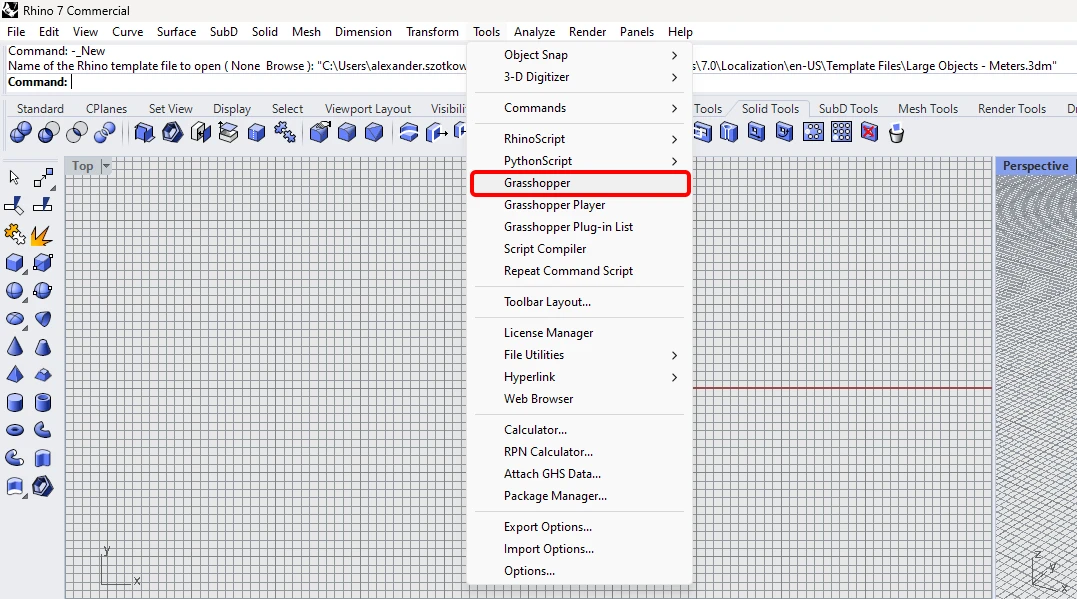
As you can see, the plugin is already incorporated.

Learn about the components and commands in the IDEA StatiCa plugin for Grasshopper in the article Description of Grasshopper plugin components.

Rhino model

Open the attached 3dm file, which contains a column with plates. This model was created directly in Rhinoceros. All elements must be defined by their median plane or centerline axis. The thickness or shape will be determined later in Grasshopper.
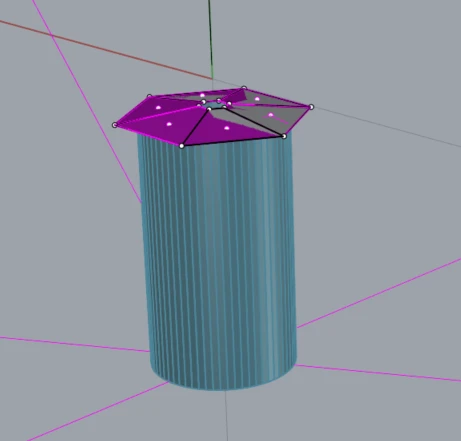
Now you can start Grasshopper.

Import of the plates into Grasshopper

Since version 24.1.4, IDEA StatiCa came with a new API, described here.

To run grasshopper scripts, it is necessary to add to every file a component Connection Service Runner,  which can be found in  IDEA StatiCa / App Common.  
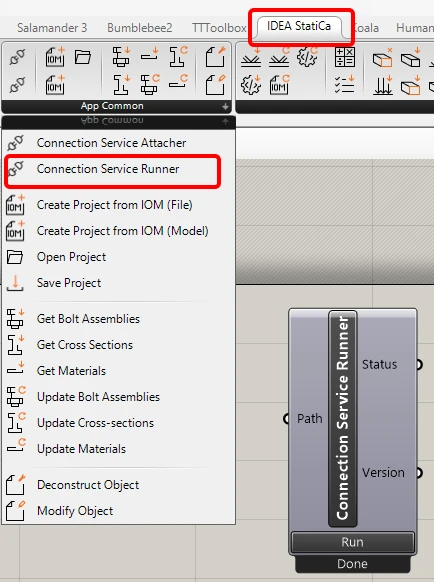
Runner

To connect the Grasshopper plugin to the correct IDEA Connection version, add the component File Path and link it to the actual IDEA folder (C:\Program Files\IDEA StatiCa\StatiCa 25.1)

When running this component, you should see the following window appear.
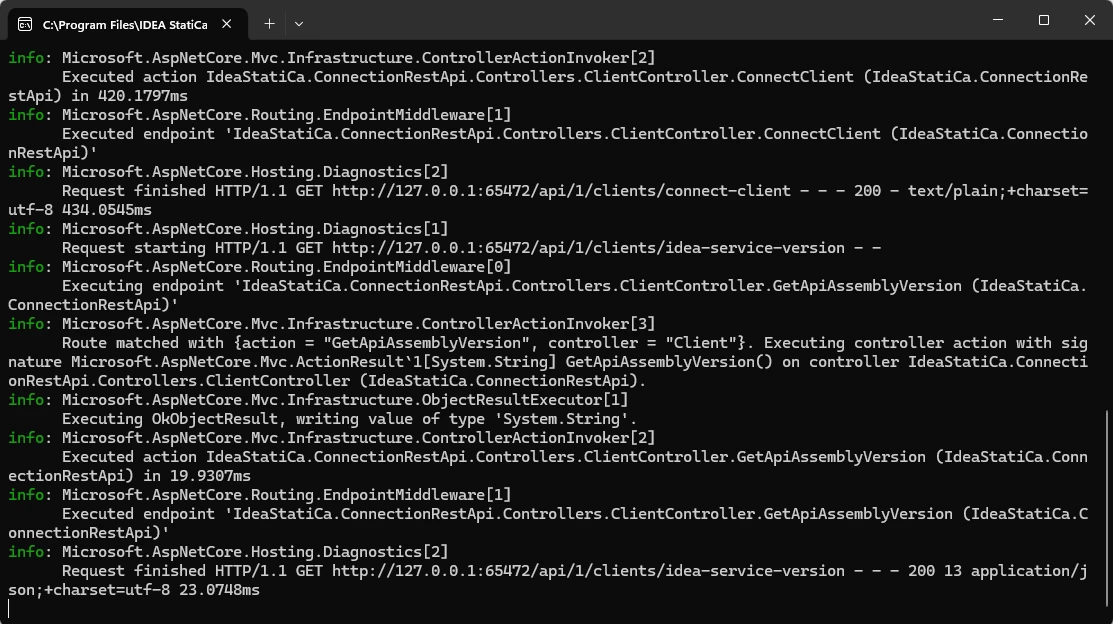
CMD

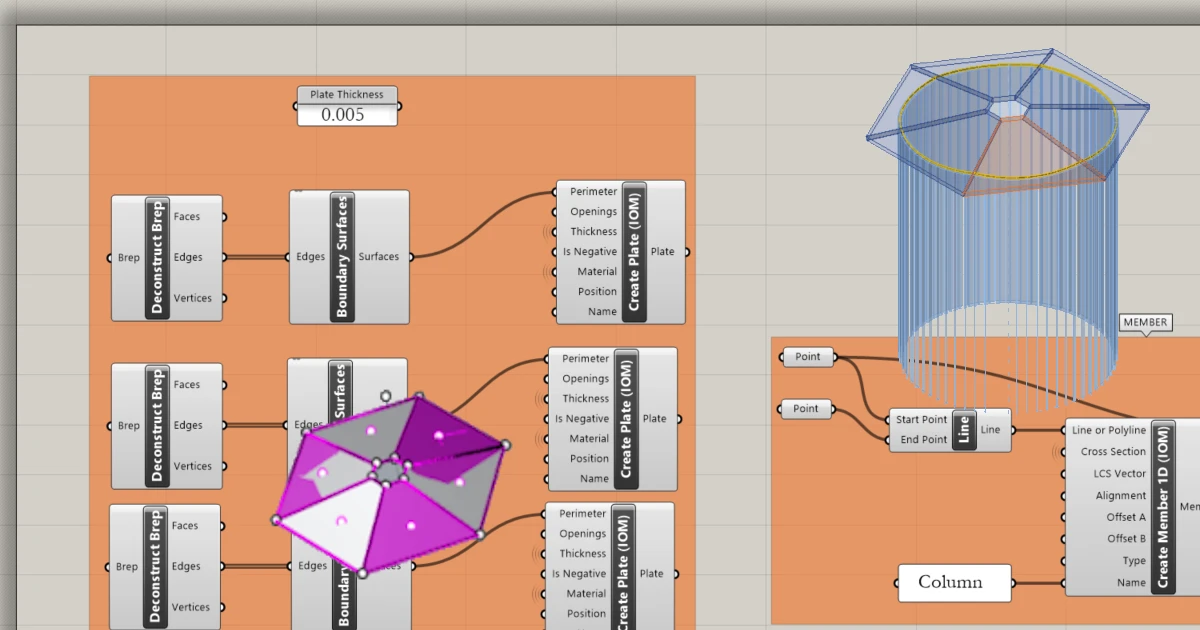
For the import of a plate, you need to add these components: 

Surface / Analysis / Deconstruct Brep

Surface / Freeform / Boundary Surfaces

IDEA StatiCa / Open Model Create / Create Plate(IOM)
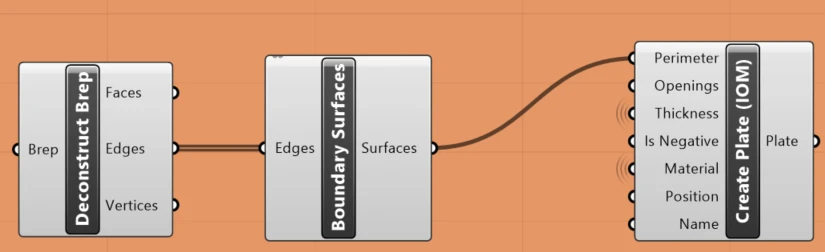
This has to be placed six times, as we have in this example 6 plates.

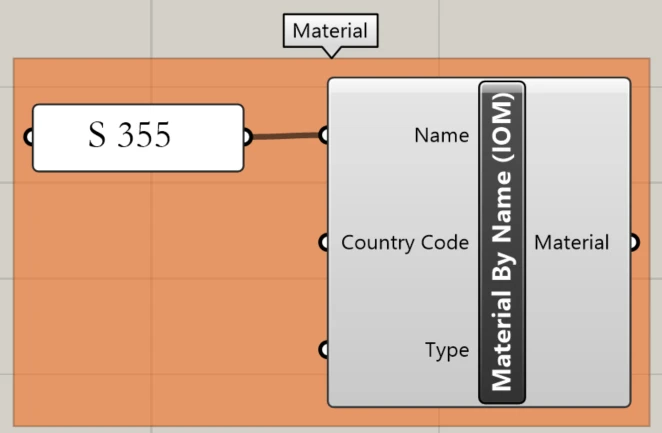
Also, the material of the plates has to be defined. For this, use the following component:

IDEA StatiCa / Materials / Material by Name (IOM)
Import of the column into Grasshopper

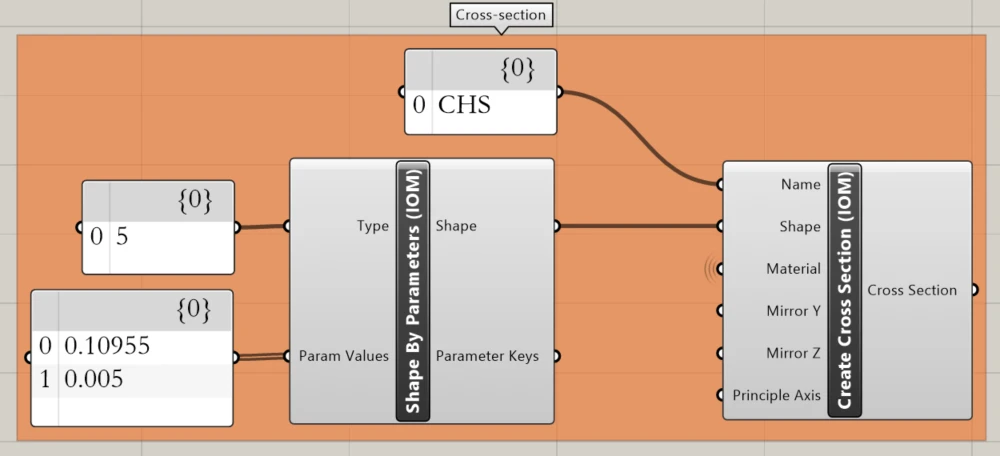
Now we can define the cross-section of the column. We chose CHS 219,1/5, and the components needed to do so are as follows:

IDEA StatiCa / Materials / Shape by Parameters (IOM)

IDEA StatiCa / Materials / Create Cross-Section (IOM)
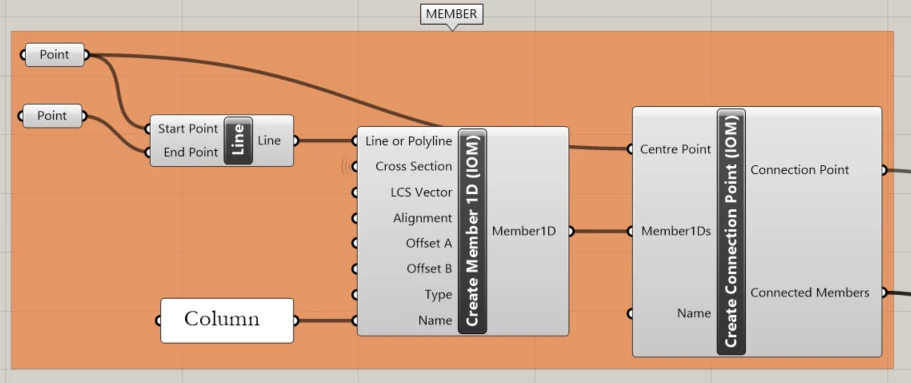
The next step is to create a member. For this, you have to take over from Rhino the ends of the centerline of the tube using the component Params / Geometry / Point. 

Params / Geometry / Line 

IDEA StatiCa / Open Model Create / Create Member  1D (IOM)

IDEA StatiCa / Open Model Create / Create Connection Point (IOM)
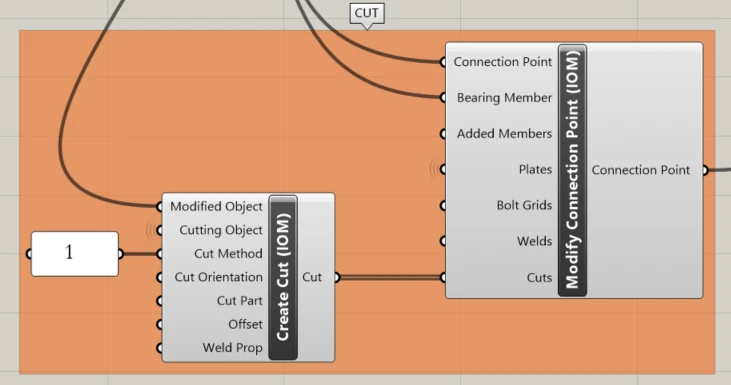
To trim the column using all the plates we use this components:

IDEA StatiCa / Open Model Create / Create Cut (IOM)

IDEA StatiCa / Open Model Create / Modify Connection Point (IOM)
Creating an ideaCon file

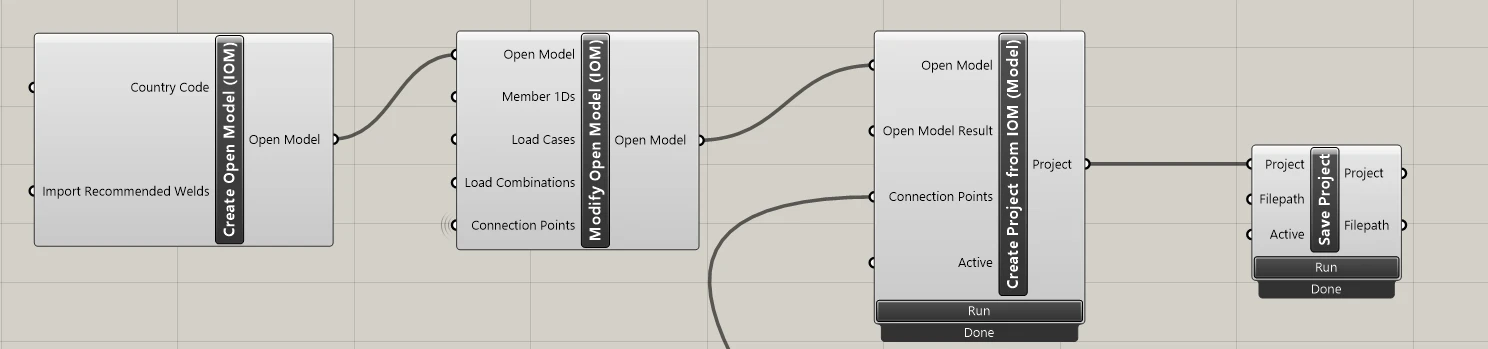
The last step is creating the ideaCon file. For this, we need the following components:

IDEA StatiCa / Open Model / Create Open Model (IOM)

IDEA StatiCa / Open Model / Modify Open Model (IOM)

IDEA StatiCa / App Common / Create Project from IOM (Model)

IDEA StatiCa / App Common / Save Project

In the component File Path, you have to set the place where you want the file to be stored.
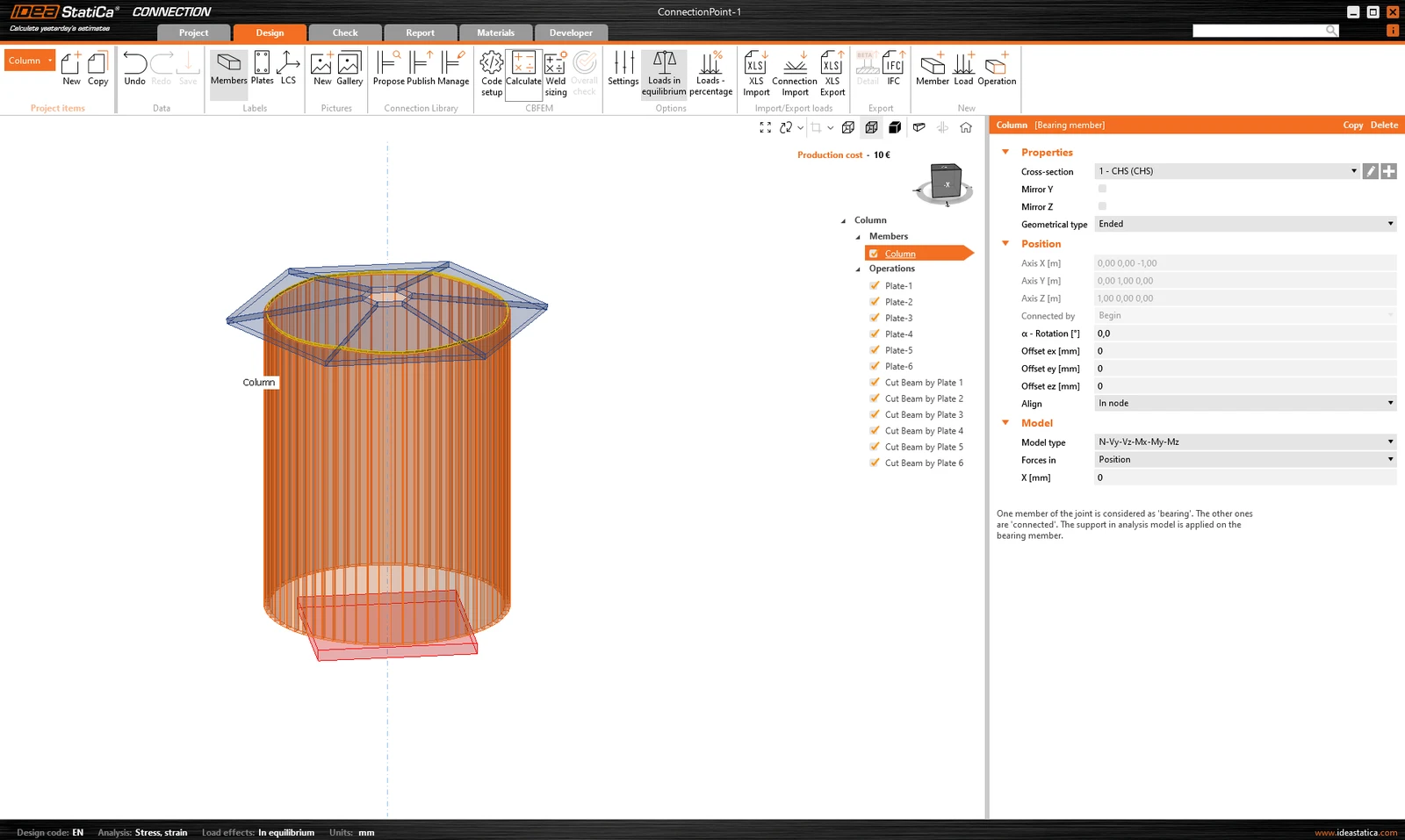
When you open the file, you get this result:
Attached Downloads

  • column with plates.3dm (3DM, 1.3 MB)

  • ConnectionPoint-1.ideaCon (IDEACON, 8.6 KB)

  • Example4-import-plates-as surface.gh (GH, 23.4 KB)

Related articles

Grasshopper API link - bulk calculation of steel joints
  • Steel
  • Connection
  • IDEA Open Model (API)
  • Grasshopper
  • Checkbot
  • Modeling
  • +6
  • Steel
  • Connection
  • IDEA Open Model (API)
  • Grasshopper
  • Checkbot
  • Modeling

Tutorials

Grasshopper API link - bulk calculation of steel joints (06)

Read more
Grasshopper API link – parametric optimization of a connection weld
  • Steel
  • Connection
  • IDEA Open Model (API)
  • Grasshopper
  • +4
  • Steel
  • Connection
  • IDEA Open Model (API)
  • Grasshopper

Tutorials

Grasshopper API link – parametric optimization of a connection weld (03)

Read more
In this tutorial, you will learn how to play with parametrized connections and how to change and evaluate them in Grasshopper.
  • Steel
  • Connection
  • IDEA Open Model (API)
  • Grasshopper
  • +4
  • Steel
  • Connection
  • IDEA Open Model (API)
  • Grasshopper

Tutorials

Grasshopper API link - how to import and calculate parametric connection model (02)

Read more
Grasshopper - Example1
  • Steel
  • Connection
  • IDEA Open Model (API)
  • +3
  • Steel
  • Connection
  • IDEA Open Model (API)

Tutorials

Grasshopper API link - how to create an IDEA StatiCa IOM file for imports (01) version 24

Read more