Idea Statica
  • Steel
  • Concrete
  • BIM & Workflows
  • Support & Learning
  • Pricing
  • Company
  • Steel overview
  • Connection design
  • Member design
  • Parametric design
  • Steel case studies
  • Concrete overview
  • Walls and D-regions
  • Anchoring design
  • Concrete case studies
  • BIM Overview
  • Supported integrations
  • Checkbot
  • Viewer
  • APIs
  • Support Center
  • E-learning & certification
  • Blog
  • Downloads & Licensing
  • Plans
  • Free community tool
  • Enterprise customers
  • Students & educators
  • How much will you save?
  • About us
  • Contact
  • Research & development
  • Authorized resellers
  • Meet our customers
  • Career
  • Steel
    Steel overviewConnection designMember designParametric designSteel case studies
  • Concrete
    Concrete overviewWalls and D-regionsAnchoring designConcrete case studies
  • BIM & Workflows
    BIM OverviewSupported integrationsCheckbotViewerAPIs
  • Support & Learning
    Support CenterE-learning & certificationBlogDownloads & Licensing
  • Pricing
    PlansFree community toolEnterprise customersStudents & educatorsHow much will you save?
  • Company
    About usContactResearch & developmentAuthorized resellersMeet our customersCareer
14-Day Trial
14-Day Trial
  • Steel
  • Concrete
  • BIM & Workflows
  • Support & Learning
  • Pricing
  • Company

Subscribe to our newsletter

Company

  • About us
  • Partners
  • Careers
  • Patent

Resources

  • Customer projects
  • Case studies
  • Connection Library
  • Verification books

Legal

  • EULA
  • Privacy policy
  • California Privacy
  • TOS Viewer
  • Licensing

Help

  • Contact
  • Quote request
  • Resellers
  • Downloads
FacebookInstagramLinkedInYouTube

© IDEA StatiCa 2009-2026

Trusted and used worldwide by engineers, fabricators & consultants.

Support CenterKnowledge Base ArticlesUsing the plate Editor to shape a plate
What is the difference between Widener , Doubler and Rib?
Using the plate Editor to shape a plate
How to add inside or outside stiffener on the circular hollow member
How to design a haunch
Plate and weld clash check
How to use a rod (solid bar) member
Using the plate Editor to shape a plate
How to use a rod (solid bar) member
Connecting plate eccentricity
How to model a single bolt connection (Model type)
How to model footing with connecting plate
Using the plate Editor to shape a plate
How to import a plate from DXF
Using the plate Editor to shape a plate
How to design a haunch
Mesh generation error for a plate imported from DXF
Packing plate to merge different sizes of members
Plate and weld clash check
Using the plate Editor to shape a plate
Connection designSteelKnowledge baseConnectionGeometry

Using the plate Editor to shape a plate

This article is also available in
ENCZDEESFRITPTNLHUROKRPLTHTRVIZH

IDEA StatiCa Connection offers a very simple and easy way to edit plates that are part of the connection (stiffeners, wideners, etc.).

In case you need to change the shape of a plate of your steel joint, you can adjust it quickly and simply in the Plate editor. You can select from various manufacturing operations – rounding, offset, bevel, chamfer, and others.

We just need to select a manufacturing operation with a required plate and launch Editor from the property window.

Shape of a plate

Just click on one of the operations and enter the properties that you want as you can see in the example below. Click Apply to see the changes in the model right away.

Editor

Watch our recording of a webinar where this manufacturing operation has been introduced:
Related articles

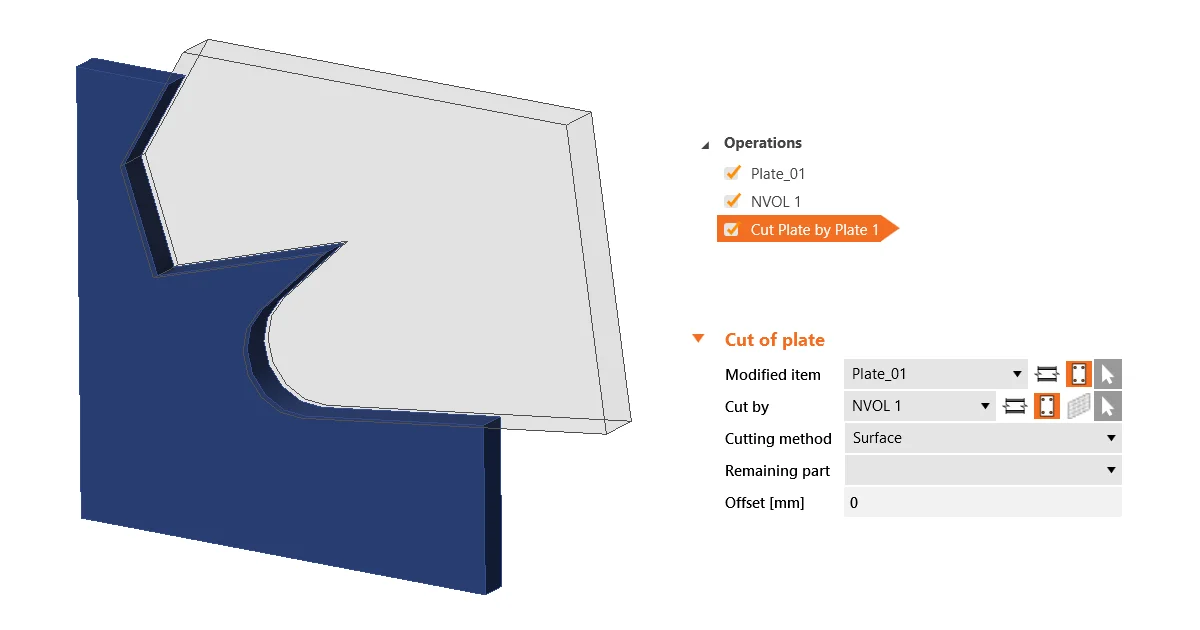
Cut of plate in parallel planes
  • Steel
  • Connection
  • Plates
  • Manufacturing operations
  • v24.0
  • v23.1
  • +6
  • Steel
  • Connection
  • Plates
  • Manufacturing operations
  • v24.0
  • v23.1

Knowledge base

Execute plate cuts in parallel planes

Read more
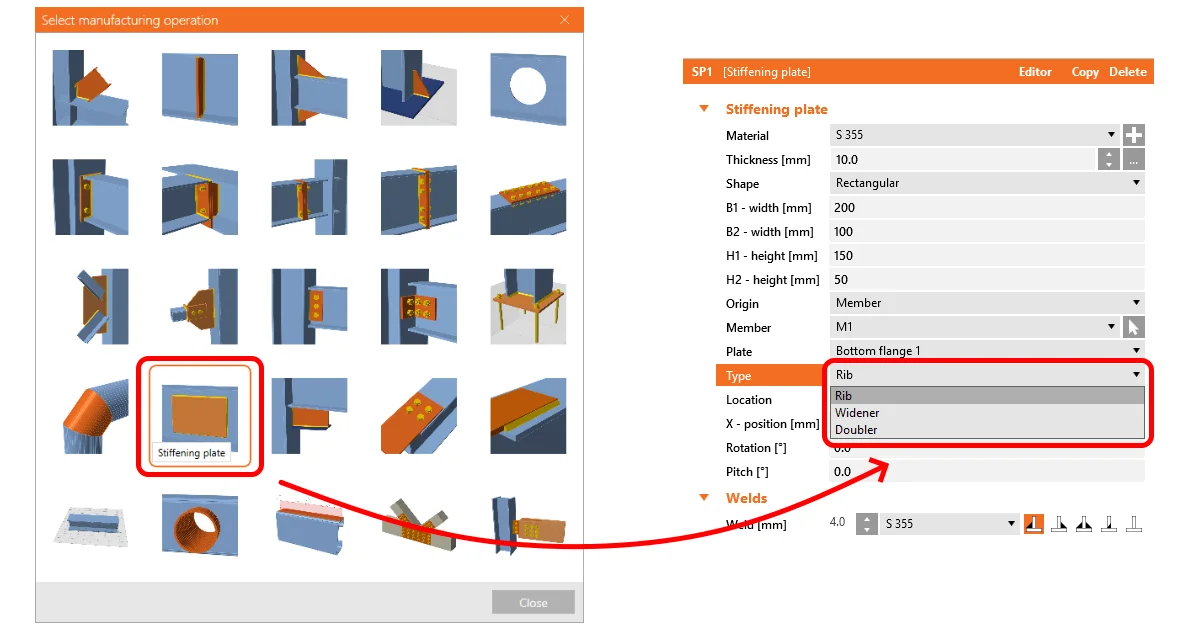
Stiffening plate - Widener , Doubler , and Rib
  • Steel
  • Connection
  • Member
  • Manufacturing operations
  • Geometry
  • Drawing
  • Modeling
  • Plates
  • +8
  • Steel
  • Connection
  • Member
  • Manufacturing operations
  • Geometry
  • Drawing
  • Modeling
  • Plates

Knowledge base

What is the difference between Widener , Doubler and Rib?

Read more
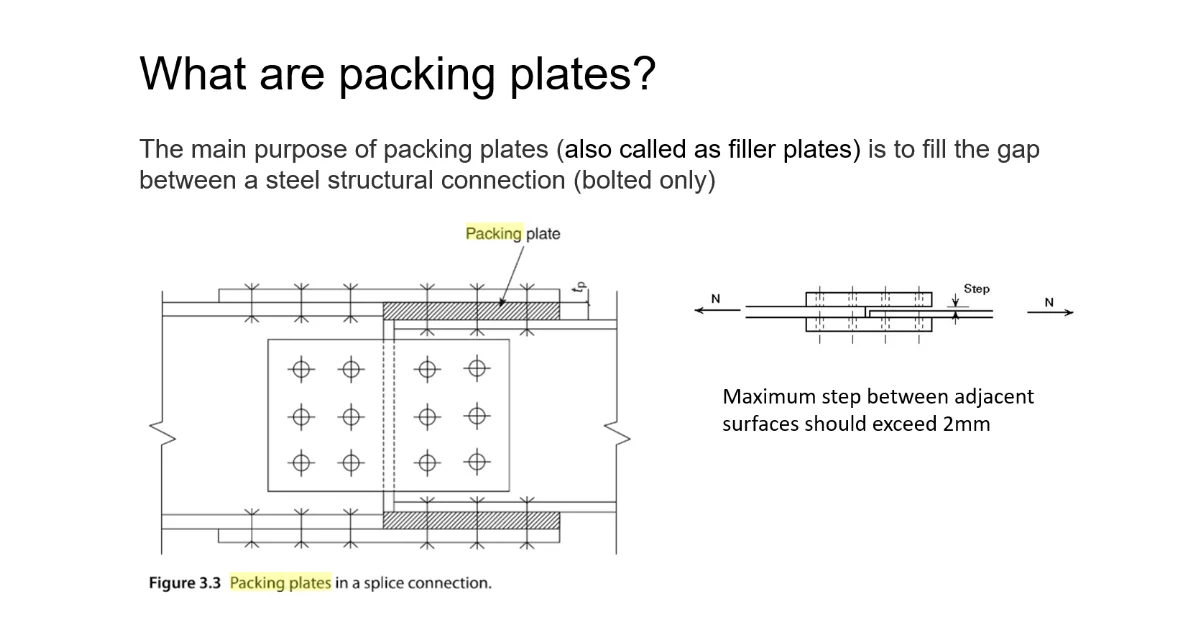
Packing (filler) plate
  • Steel
  • Connection
  • Geometry
  • Manufacturing operations
  • Modeling
  • Plates
  • +6
  • Steel
  • Connection
  • Geometry
  • Manufacturing operations
  • Modeling
  • Plates

Knowledge base

Packing plate to merge different sizes of members

Read more
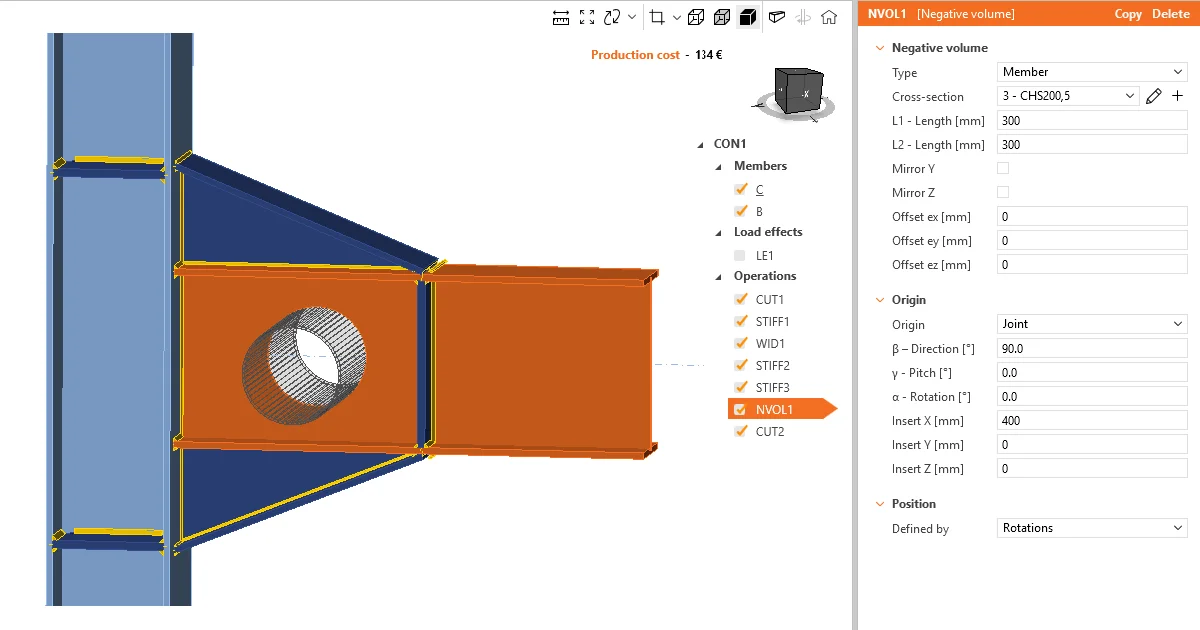
How to use negative volume operation
  • Steel
  • Connection
  • Manufacturing operations
  • Modeling
  • Geometry
  • +5
  • Steel
  • Connection
  • Manufacturing operations
  • Modeling
  • Geometry

Knowledge base

How to use negative volume operation

Read more