Idea Statica
  • Steel
  • Concrete
  • Support & Learning
  • Pricing
  • Company
  • Steel overview
  • Connection design
  • Member design
  • Parametric design
  • Steel case studies
  • Concrete overview
  • Walls and D-regions
  • Anchoring design
  • Concrete case studies
  • BIM Overview
  • Supported integrations
  • Checkbot
  • Viewer
  • APIs
  • Support Center
  • E-learning & certification
  • Blog
  • Downloads & Licensing
  • Plans
  • Free community tool
  • Enterprise customers
  • Students & educators
  • How much will you save?
  • About us
  • Contact
  • Research & development
  • Authorized resellers
  • Meet our customers
  • Career
  • Steel
    Steel overviewConnection designMember designParametric designSteel case studies
  • Concrete
    Concrete overviewWalls and D-regionsAnchoring designConcrete case studies
  • BIM OverviewSupported integrationsCheckbotViewerAPIs
  • Support & Learning
    Support CenterE-learning & certificationBlogDownloads & Licensing
  • Pricing
    PlansFree community toolEnterprise customersStudents & educatorsHow much will you save?
  • Company
    About usContactResearch & developmentAuthorized resellersMeet our customersCareer
14-Day Trial
14-Day Trial

Subscribe to our newsletter

Company

  • About us
  • Partners
  • Careers
  • Patent

Resources

  • Customer projects
  • Case studies
  • Connection Library
  • Verification books

Legal

  • EULA
  • Privacy policy
  • California Privacy
  • TOS Viewer
  • Licensing

Help

  • Contact
  • Quote request
  • Resellers
  • Downloads
FacebookInstagramLinkedInYouTube

ยฉ IDEA StatiCa 2009-2026

Trusted and used worldwide by engineers, fabricators & consultants.

Support CenterKnowledge Base ArticlesLoads in equilibrium by default
Different ways to define load effects
Equilibrium and supporting member
Principles of Loading in a Connection: Equilibrium, bearing member etc.
Key insights into constraints, member length and GMNA vs MNA analysis
Calculate load extremes
Shear force position input and visualization
When a shear connection transmits a bending moment
Loads in equilibrium by default
How to import load effects from Excel sheet
Percentage loading
Node equilibrium in the 3D FEM model
Internal forces in the steel connections
The right LCS (local coordinate system) orientation
Loads in equilibrium by default
SteelConnection designKnowledge baseConnectionAISC (USA)

Loads in equilibrium by default

This article is also available in
ENCZDEESFRITPTNLHUROKRPLTHTRVIZH

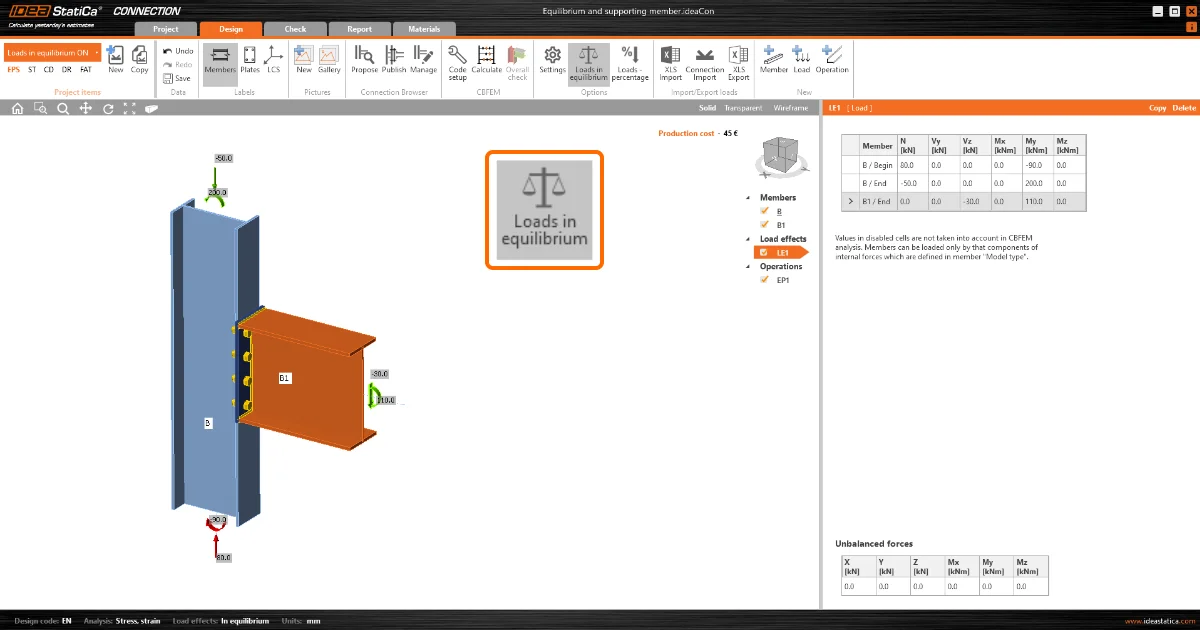
To provide better safety and reduce the risk of underestimating the load effects on supported members, the load in equilibrium will be set as the default option when starting a new project in version 22.0.

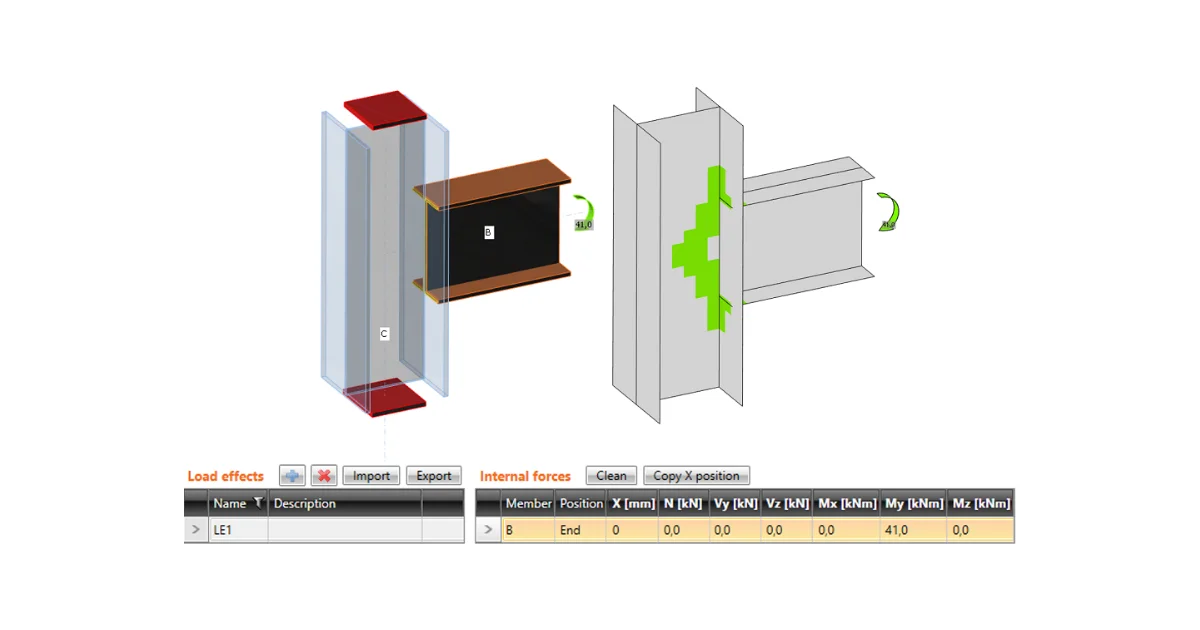
The importance of defining the load on both ends of the supported member is described in many Support Center articles (such as Equilibrium and supporting member).

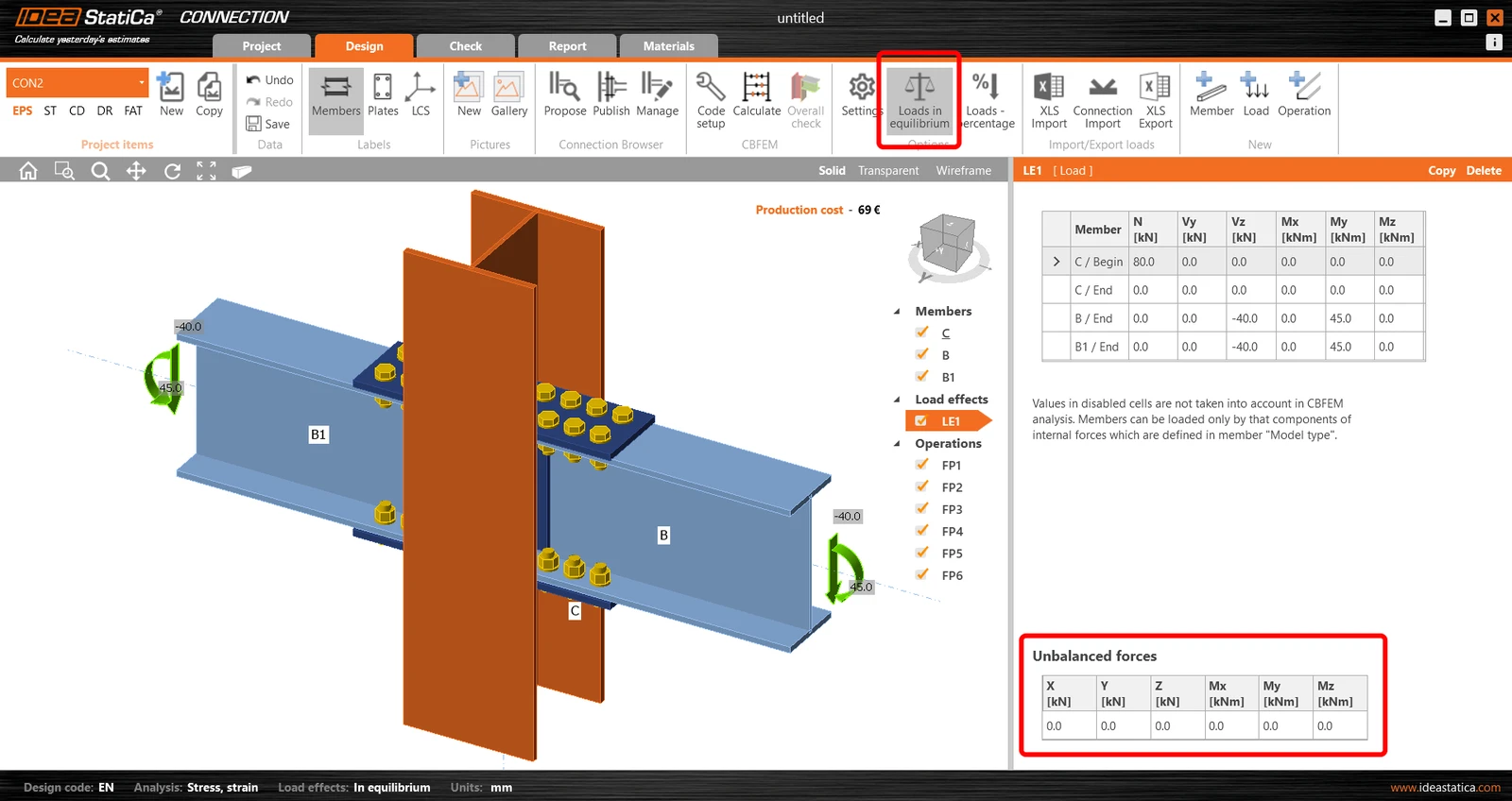
From version 22.0 on, the default settings of the load will be "Loads in equilibrium" and the table with unbalanced forces will be displayed below. The user is responsible for the correct input of the internal forces on all members. Of course, the settings can be switched off, but attention must be paid to possible consequences.ย 

All templates in IDEA StatiCa Connection have been adjusted accordingly.ย 

Available in both Expert andย Enhancedย editions ofย IDEA StatiCa Steel.

Related articles

Release notes IDEA StatiCa Steel & Concrete 22.0
  • Concrete
  • Steel
  • Connection
  • Detail 2D
  • Member
  • Checkbot
  • Viewer
  • RCS
  • IDEA Open Model (API)
  • ACI (USA)
  • AISC (USA)
  • BIM link
  • EN (Eurocode)
  • +13
  • Concrete
  • Steel
  • Connection
  • Detail 2D
  • Member
  • Checkbot
  • Viewer
  • RCS
  • IDEA Open Model (API)
  • ACI (USA)
  • AISC (USA)
  • BIM link
  • EN (Eurocode)

Release notes

Release notes IDEA StatiCa Steel & Concrete 22.0

Read more
Equilibrium and supporting member
  • Steel
  • Connection
  • Geometry
  • Load effects
  • Support
  • Equilibrium
  • +6
  • Steel
  • Connection
  • Geometry
  • Load effects
  • Support
  • Equilibrium

Knowledge base

Equilibrium and supporting member

Read more
Structural design of welded and bolted connections. The loads in any node in the structural model need to be in equilibrium. Any unbalanced forces are taken by supports. IDEA StatiCa - structural analysis software.
  • Steel
  • Connection
  • AISC (USA)
  • AS (Australia)
  • CSA (Canada)
  • EN (Eurocode)
  • IS (India)
  • GB (China)
  • HKG (Hong Kong)
  • CBFEM
  • SP 16 (Russia)
  • Equilibrium
  • +12
  • Steel
  • Connection
  • AISC (USA)
  • AS (Australia)
  • CSA (Canada)
  • EN (Eurocode)
  • IS (India)
  • GB (China)
  • HKG (Hong Kong)
  • CBFEM
  • SP 16 (Russia)
  • Equilibrium

Knowledge base

Node equilibrium in the 3D FEM model

Read more