


For now, the link works for a wide variety of connections/joints. However, please take into account the unsupported functionality.
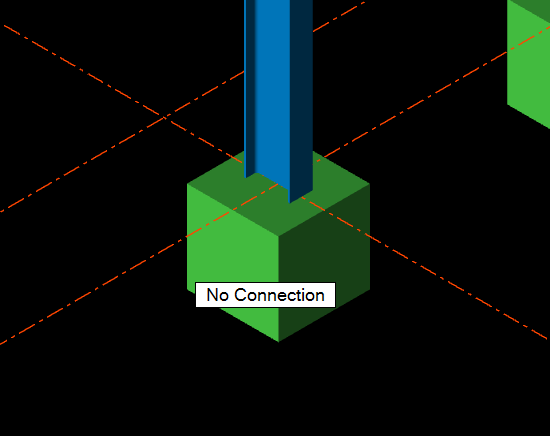
Limitation: Import of footing nodes (anchoring nodes, base plate nodes) of columns and beams is not supported. The footing nodes are not defined as "connection" type in TSD. Therefore, a node is not created in IDEA StatiCa automatically.
Workaround: After importing the structure into IDEA StatiCa Checkbot. Use the command "New Connection" to add a designable connection item. Internal forces are added automatically from the imported data.
Limitation: In IDEA StatiCa, a connection can only be designed only between two members. In Tekla Structural Designer it is possible to define a connection between spans on one member. A connection defined between spans in Tekla Structural Designer cannot be imported and designed in the IDEA StatiCa environment. The import will end up as an empty scene in Checkbot.
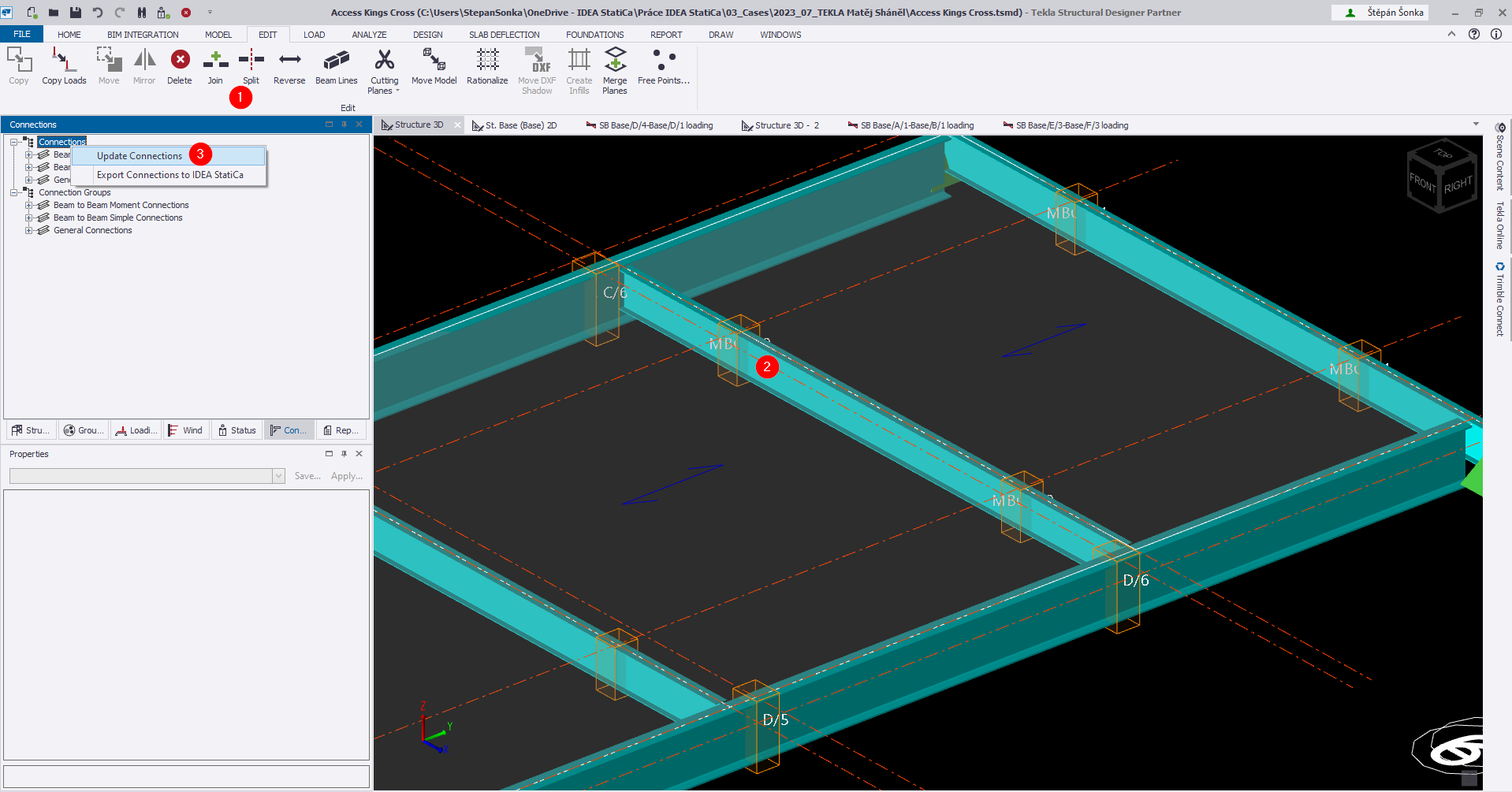
Workaround: In Tekla Structural Designer use the command "Split" (1) for dividing the selected member in spans (2). Once the member is divided, regenerate the Connection in Tekla Structural Designer (3), connections are then generated between two members and they will be correctly imported to IDEA StatiCa.
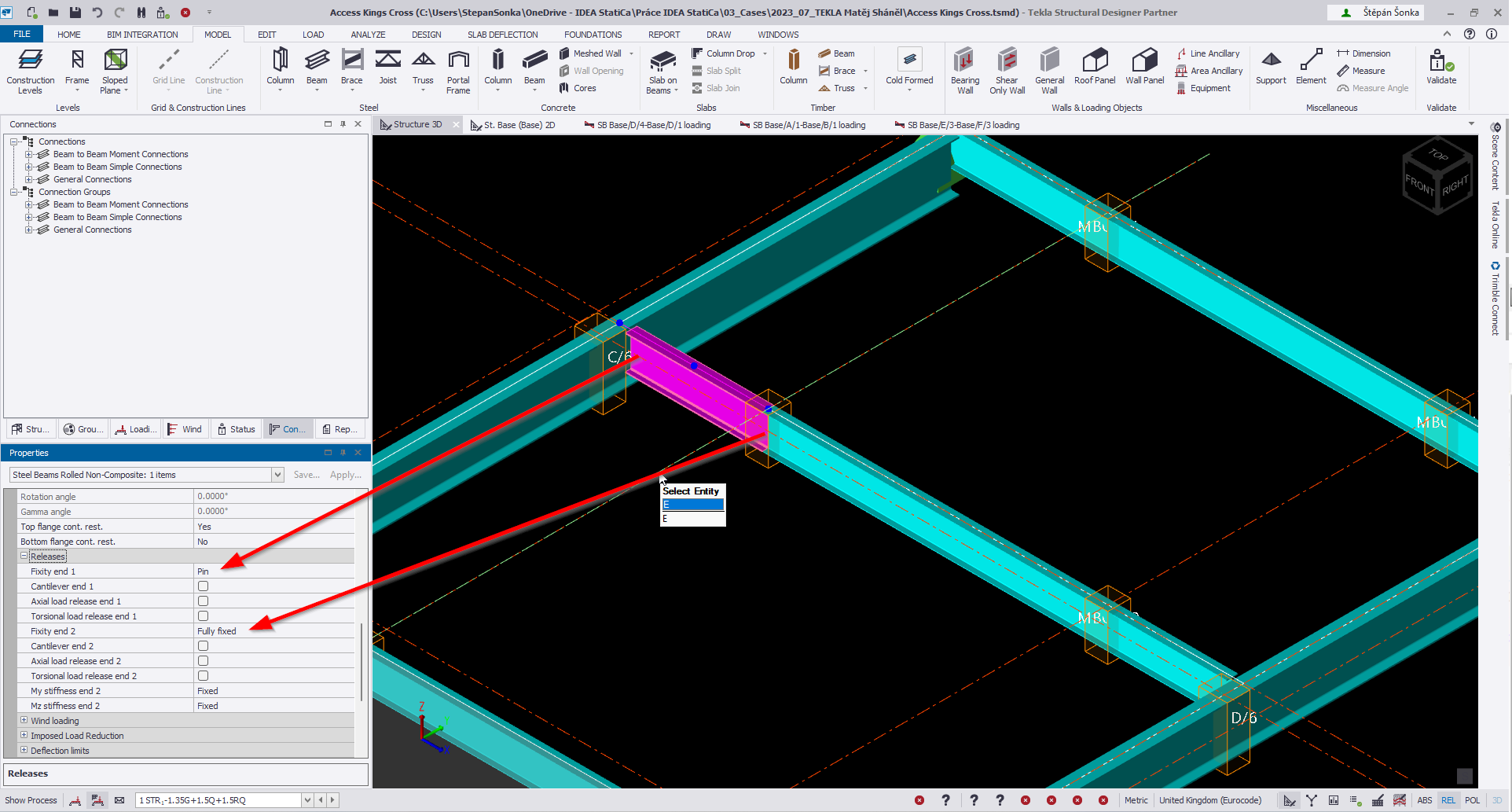
Note: When members are split in spans, please remember to check the fixities on the ends of newly created members. Wrong fixity settings will affect internal forces.
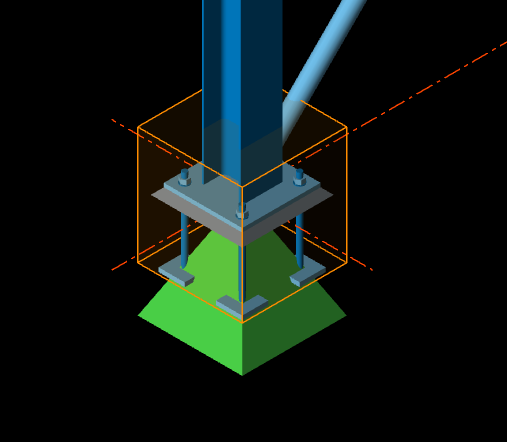
Limitation: Import of a node with both designed connections and calculated internal forces in TSD is not supported (e.g., a footing connection with designed baseplate and calculated internal forces).
Workaround: Delete the connection design and import the "empty" node with calculated internal forces only and redo the connection design in IDEA StatiCa.
Refer also to the Tekla Structural Designer pages for additional information.