
Idea Statica
Steel
Concrete
BIM & Workflows
Support & Learning
Pricing
Company
14-Day Trial
Support CenterKnowledge BaseConnecting plate eccentricity
Stub
How to use a rod member
Connecting plate eccentricity
How to model a single bolt connection (Model type)
How to model footing with connecting plate
Using the plate Editor to shape a plate
Workplane
SteelConnection designKnowledge baseConnectionAISC (USA)

Connecting plate eccentricity

This article is also available in
ENCSDEESFRITPTNLHURO

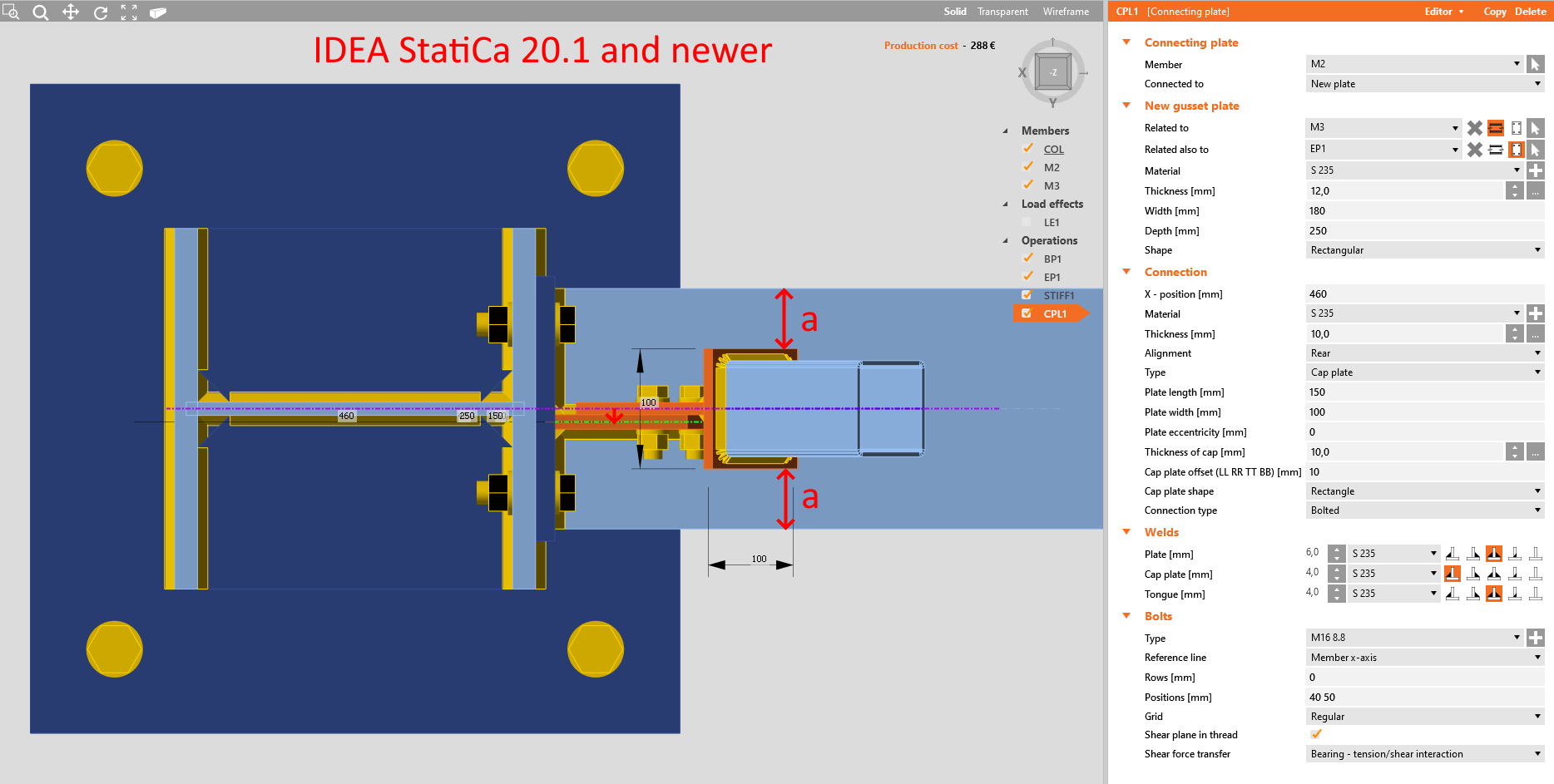
The position of the connected member within the operation Connecting plates has been changed in version 20.1. This has been done due to the whole model assembly in the application Connection and further development in interoperability with the application Member.

In version 20.0 and older, the connected member was shifted when the Connecting plate operation was applied so that the member axis was centered with the tongue plate, while the connecting plate was centered with the axis of the bearing member.
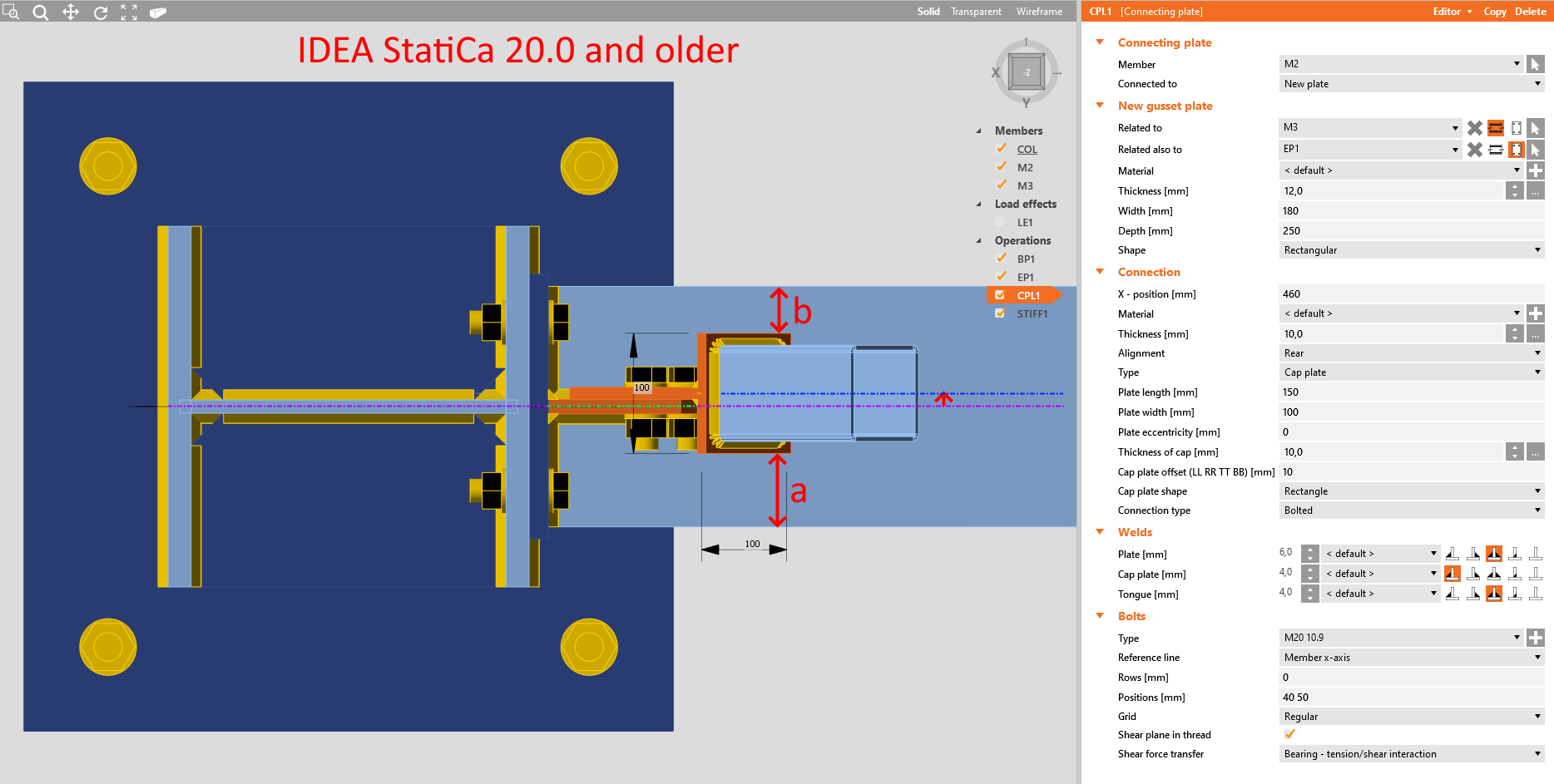
In version 20.1 and newer, the connected member is no longer shifted in order to keep its position, which means the connecting plate is now shifted and no longer centered with the axis of the bearing member.
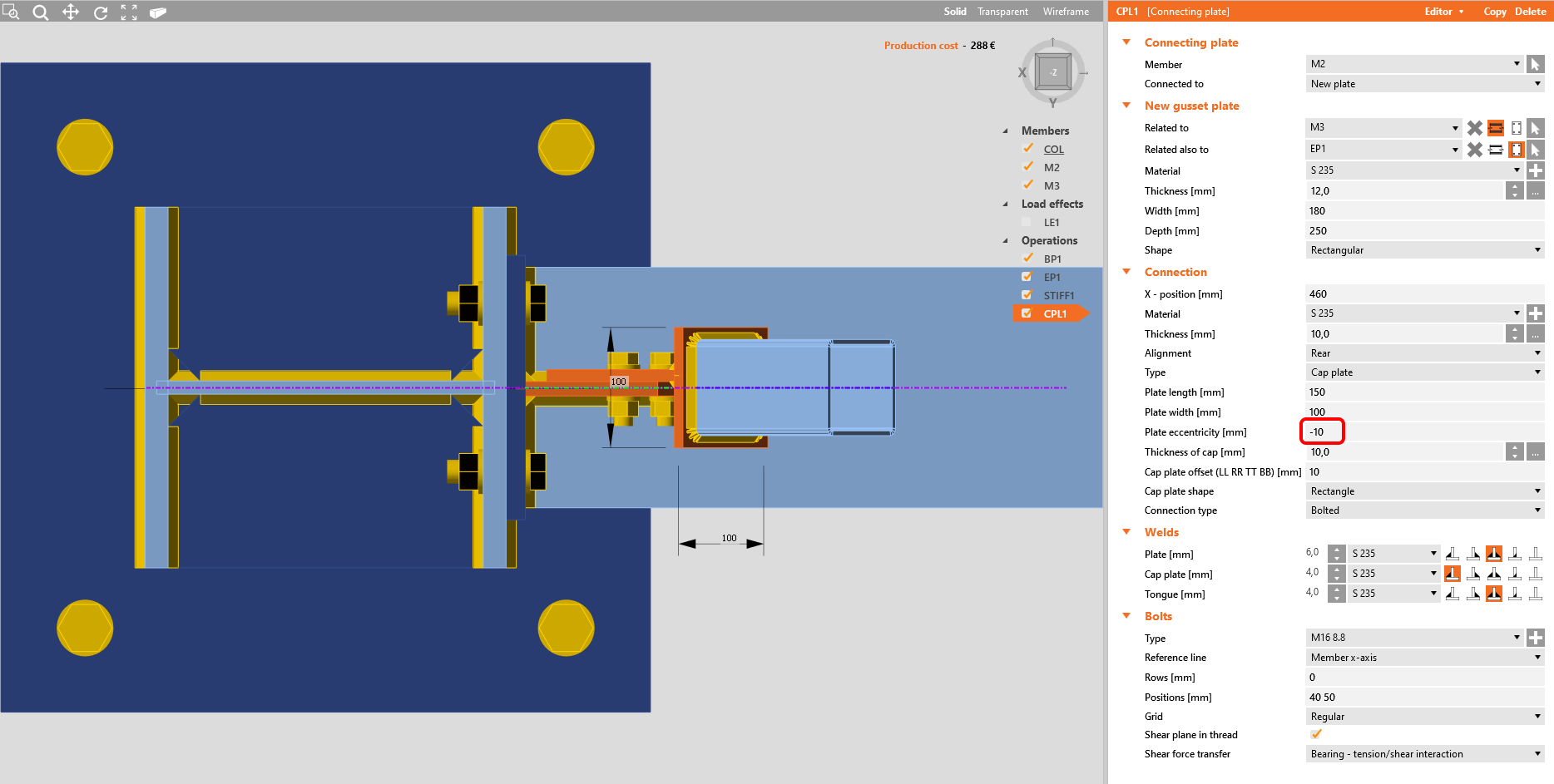
Any configuration can be achieved by changing the Plate eccentricity parameter as well as the required offset of the diagonal member.
Subscribe to our newsletter

Company

  • About us
  • Partnerships
  • Job openings
  • Patented technology for structural engineers

Resources

  • Customer projects
  • Case studies
  • IDEA StatiCa Connection Library
  • Concrete verifications

Legal

  • IDEA StatiCa END USER LICENSE AGREEMENT
  • Privacy policy
  • Terms of Services – IDEA StatiCa Viewer
  • Licensing

Help

  • Contact
  • Get price quote
  • IDEA StatiCa Specialists
  • Download the latest version
FacebookInstagramLinkedInYouTube

© IDEA StatiCa 2009-2026

Trusted and used worldwide by engineers, fabricators & consultants.