


Thanks to the basic concept of modeling in the IDEA StatiCa Connection application, it's very easy to build quite complex 3D models with several connected members. In case the user also wants to create some dependencies between different model properties, there is a way to do that directly in the Connection app.
With these dependencies, a whole new modeling workflow is introduced and opens wider possibilities for working with the Connection app.
How does parametric design work?
What the user needs to start working with parameters is to make the Developer Tab accessible. How to turn the Developer Tab on and work with it is described in this article.
Once the Tab is displayed, all the preparation work will be done in the setting table. For a quick orientation in the options, it's good to go through this explanatory guide where the background is described.
The initial benefit is that the need for setting or checking tens of properties can be avoided. With a proper parameter setup, the number of design steps can be reduced to a few because, by changing one parameter, multiple steps can be performed at once. For example, when changing the widener width, not only the widener itself but also all the related welds and the location of the stiffener are affected:
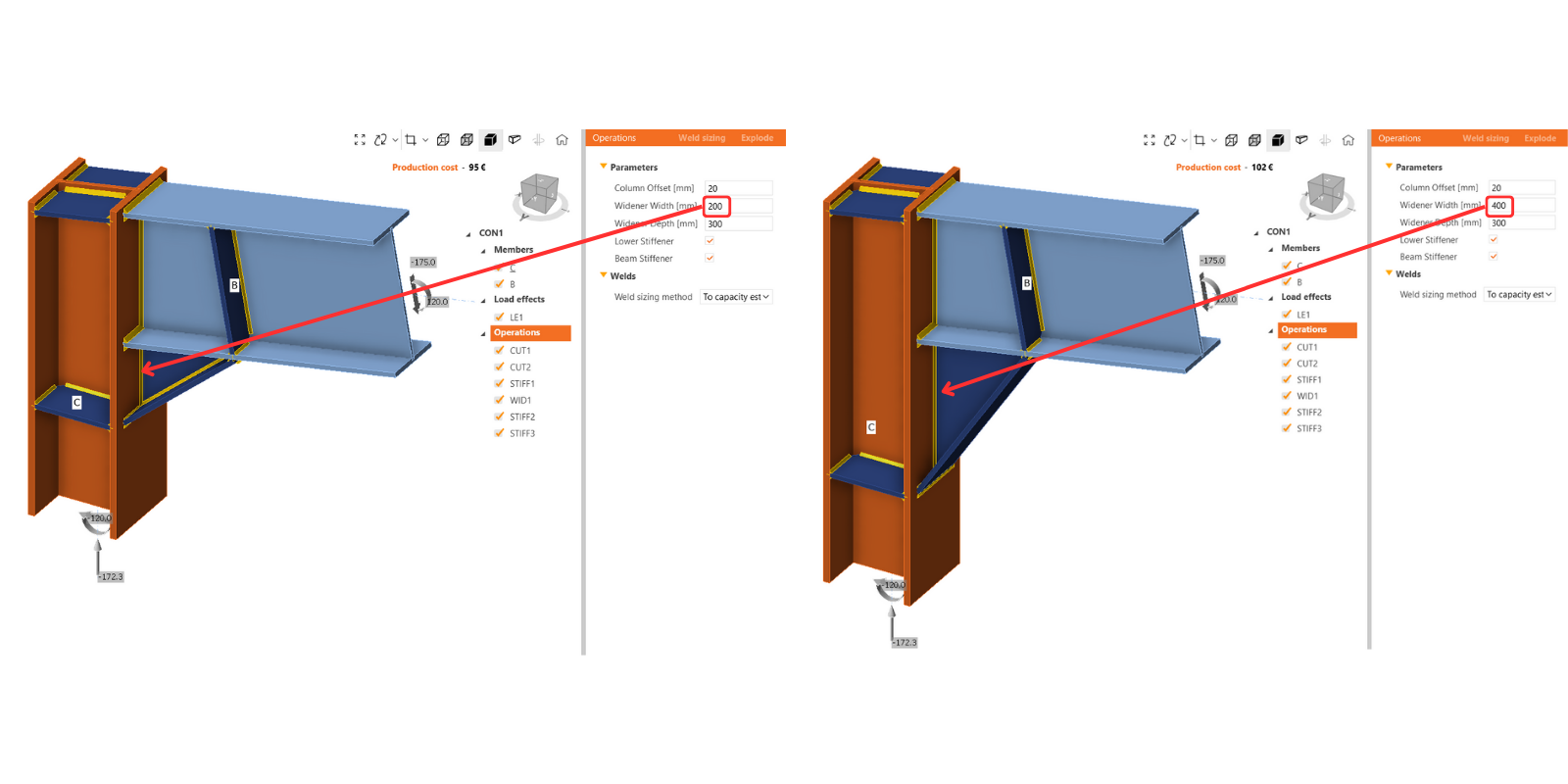
In this Connection model example, there is one typical stiffened plate-to-plate connection with two separate model items. It's prepared as a comparison between the 'standard' approach through manufacturing operations and the 'parametric' approach.
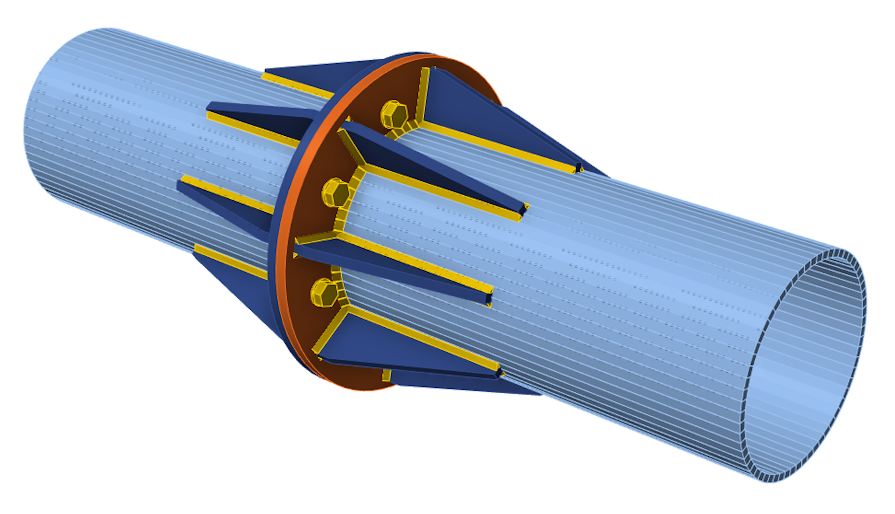
The number of necessary preferences to update is greatly reduced in parametric workflows, easily by 80%.
You can compare the sets of properties in both models:
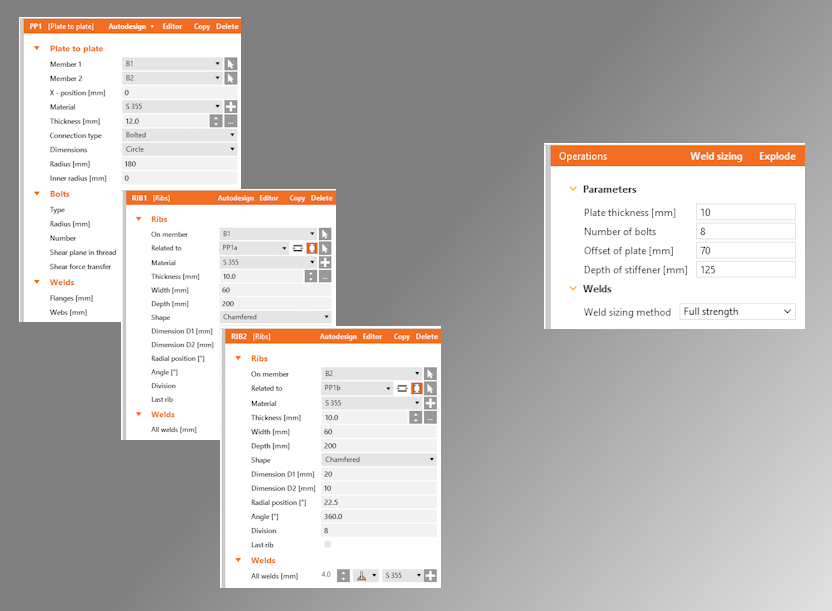
To figure out more about how to control the parameters, there is a separate article prepared to bring other insights about parametric design options.
Senior vs junior connection designers
After preparation of the template by a senior designer, accessible parameters are changed directly in the main design window, and there is no need to go into developer mode. This user-friendly environment allows less-experienced users to work with predefined parameters safely according to the presets of the senior designers.
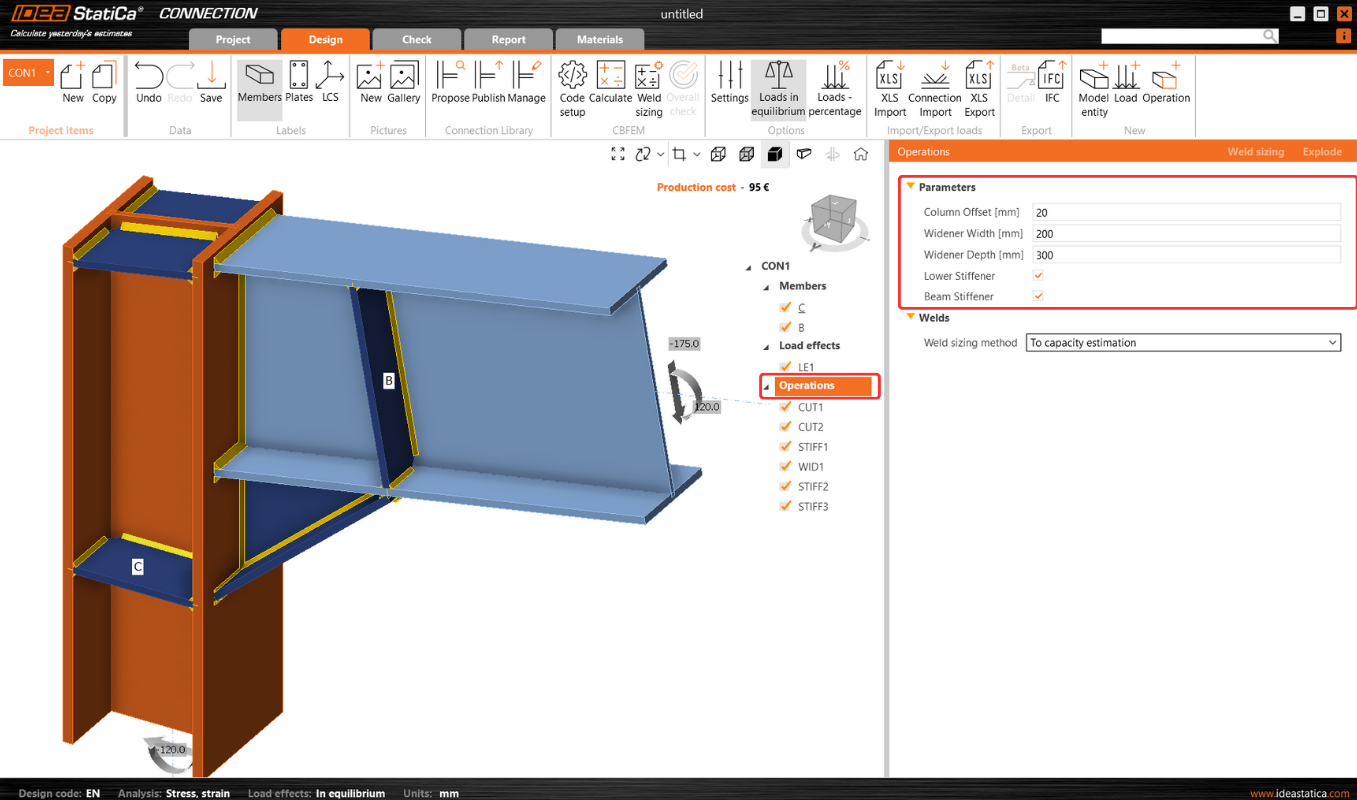
This makes further optimization very simple as there is the possibility of avoiding changing each entity one by one, as when using operations.
The locked modifications in the property list of some manufacturing operations are disabled in such cases. However, if the user wishes, they can break the parameters using the "explode" button. And continue with modifying operations.
Where to find ready-made templates?
The integration of parametric templates into the Connection Library offers a transformational approach to connection designer workflows. It allows users to create and use a universal collection of templates that can be effortlessly customized and deployed in different design contexts.
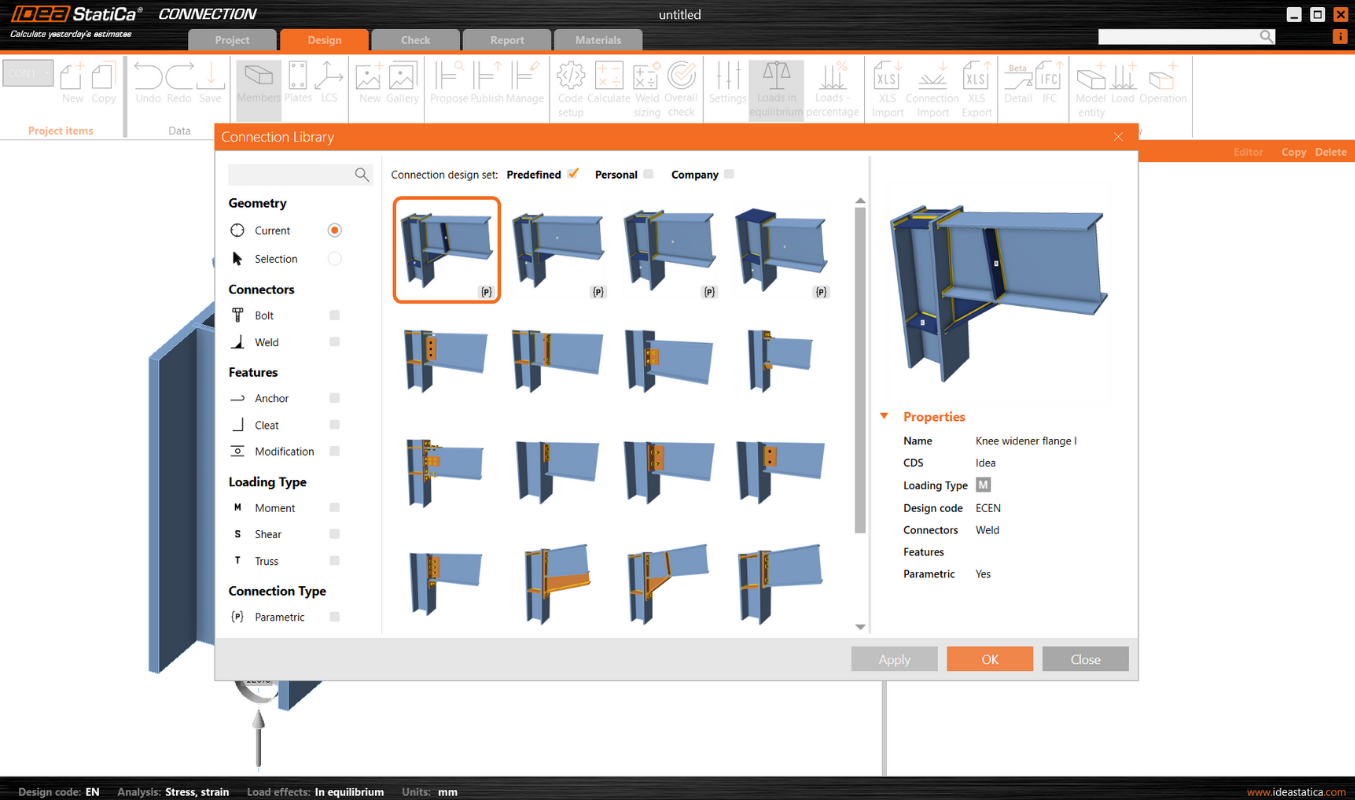
The templates to which the parameters are linked are marked with a lowercase {p}. Several parametric templates have already been prepared and made available in the predefined design set by the IDEA StatiCa team.
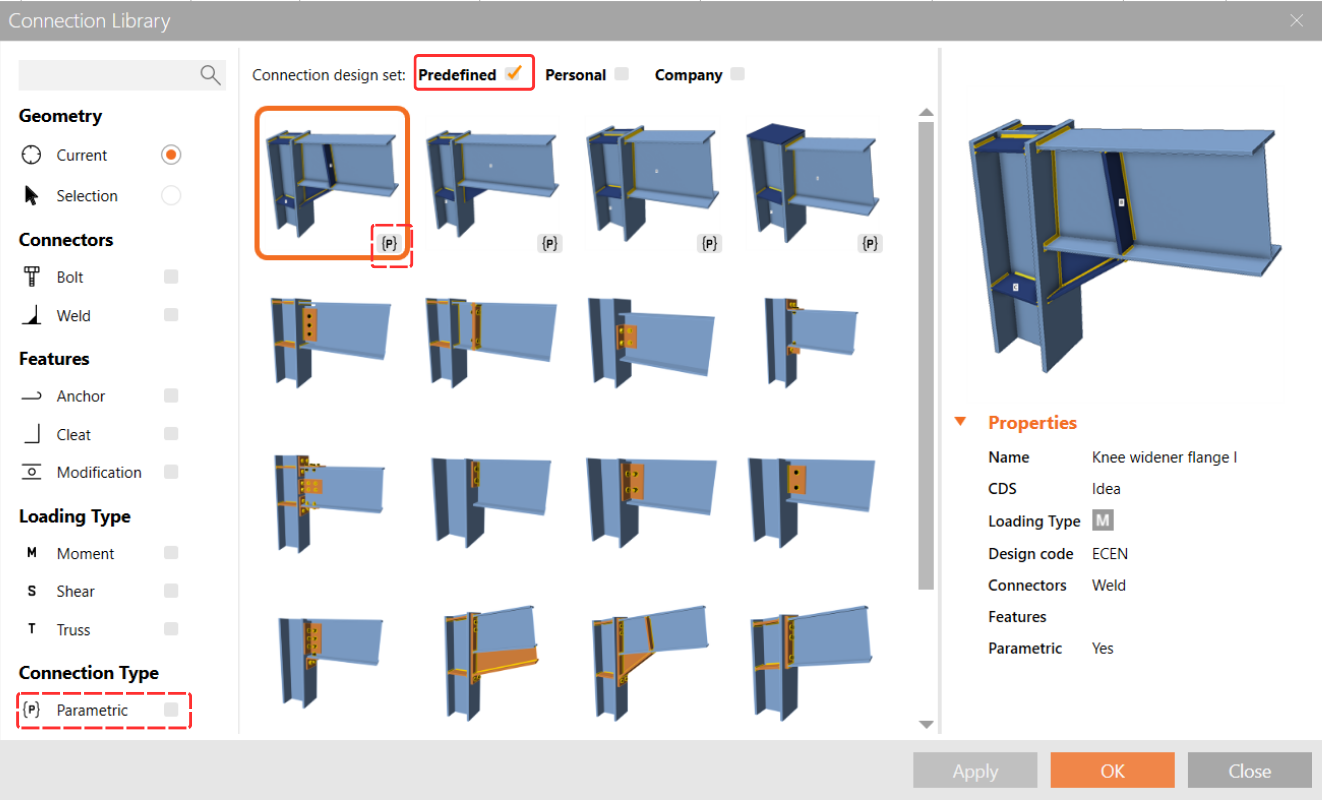
You can find a more comprehensive description of the Connection Library parametric templates in this article.