


Enterprise users who are working for some reason in an offline mode (e.g. security regulations) have the option to request a special license type. Offline licensing is not part of the standard sales model but rather a feature to be used in exceptional cases when there is no other way to provide the product to the customer.
- There is a new feature called 'Offline Activations' available for customers on the User Portal.
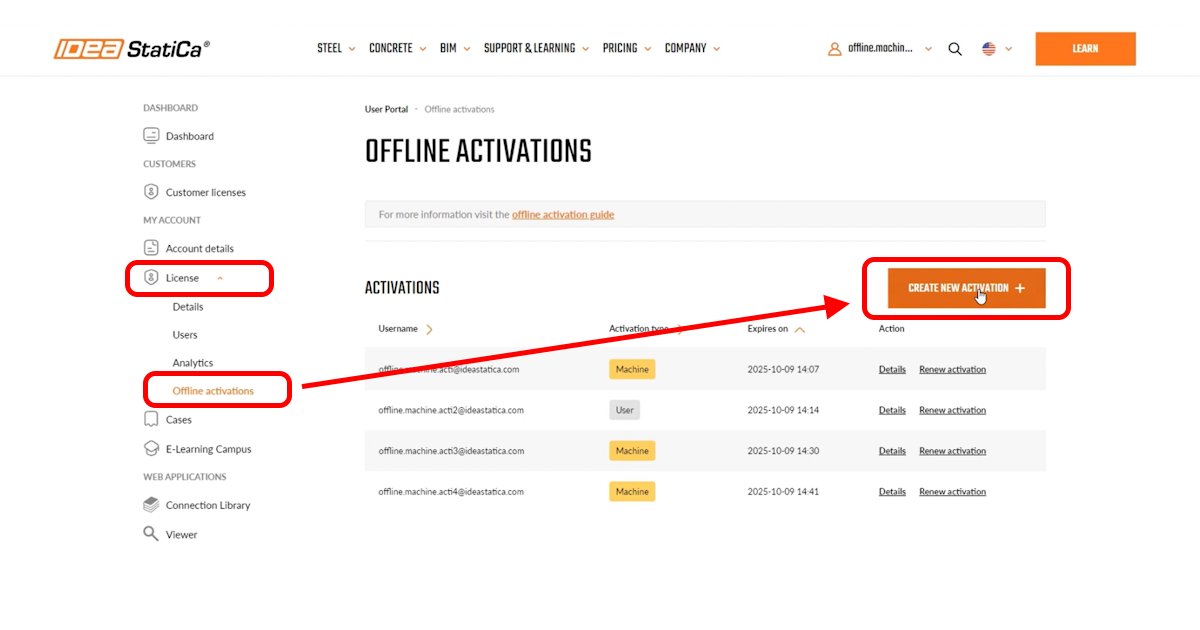
- There are 2 modes of activation:
- On one hardware device, only one user account can be activated (default option for our customers)
- On one hardware device, there can be unlimited user accounts activated
- This feature can be enabled in the IDEA StatiCa system ('Offline Activation mode' field on the License card (with values 'AccountActivation' (one user on one hardware) and 'MachineActivation').
- The Offline activation page contains instructions for company admins on how to proceed with the activation.
- The activation happens in two phases:
- The client user launches the IDEA StatiCa application on the hardware where he wants to activate it, follows the instructions provided by the company admin, and provides the admin with his hardware footprint.
- After that, the admin comes to the Offline activation page on the User Portal and proceeds with the activation.
- The activation key is valid for 365 days. When this period expires, the admin has another 14 days to reactivate the license key for a given user. During this time, the user can still use IDEA StatiCa software.
Released in IDEA StatiCa version 24.1.