


With the release of the new Rest Connection API, the current Grasshopper components related to the Old API (ConHiddenCalculator) will no longer work as this API is no longer supported from IDEA StatiCa version 24.1.3.
Installation of the plugin
Just as with older versions, the plugin can be installed through the Rhino Package Manager. Open the Package Manager by typing PackageManager in the Rhino command prompt. Simply update or install the latest available version of the IDEA StatiCa plugin.
The new Grasshopper plugin's advantages
With the new version of the plugin, users have access to enhanced features of the new API and much easier interaction between Grasshopper and IDEA StatiCa Connection.
Old plugin version 0.1.X
- Hard to understand what is happening in the API when using components
- Lots of IO operations
- Long operations (like calculation) cause the script to freeze
- Lots of components for all objects
- Not working with multiple connections in a project
- Hard to choose a specific version of IDEA StatiCa
New plugin version 0.2.0
- Very tightly coupled to the actual API culture (easier transition to Python or C#)
- Projects are on the server until saved by the user
- API components are async, users can continue scripting while components are calculating
- Automatic decomposing of API objects
- Works natively with all connections in the project
- API attacher/runner allows an easy version specification
- Export IFC files directly in Grasshopper
- Template application workflow is unified with the application
- Pins and anchors are available to be defined in the IOM Components
Components overview
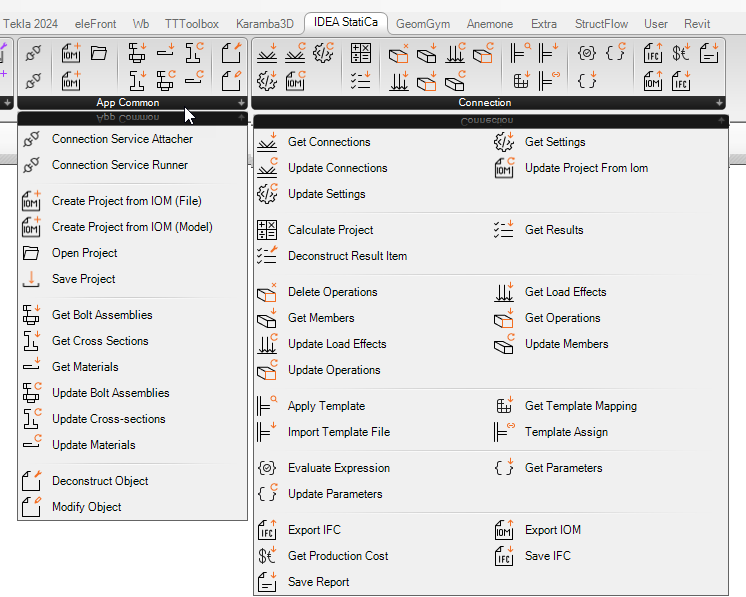
The new plugin is broken into two panels in the Grasshopper ribbon.
- App Common: API components that are common across all IDEA StatiCa design APIs.
- Connection: Components that are specific to the connection API.
Connecting to the API through Grasshopper
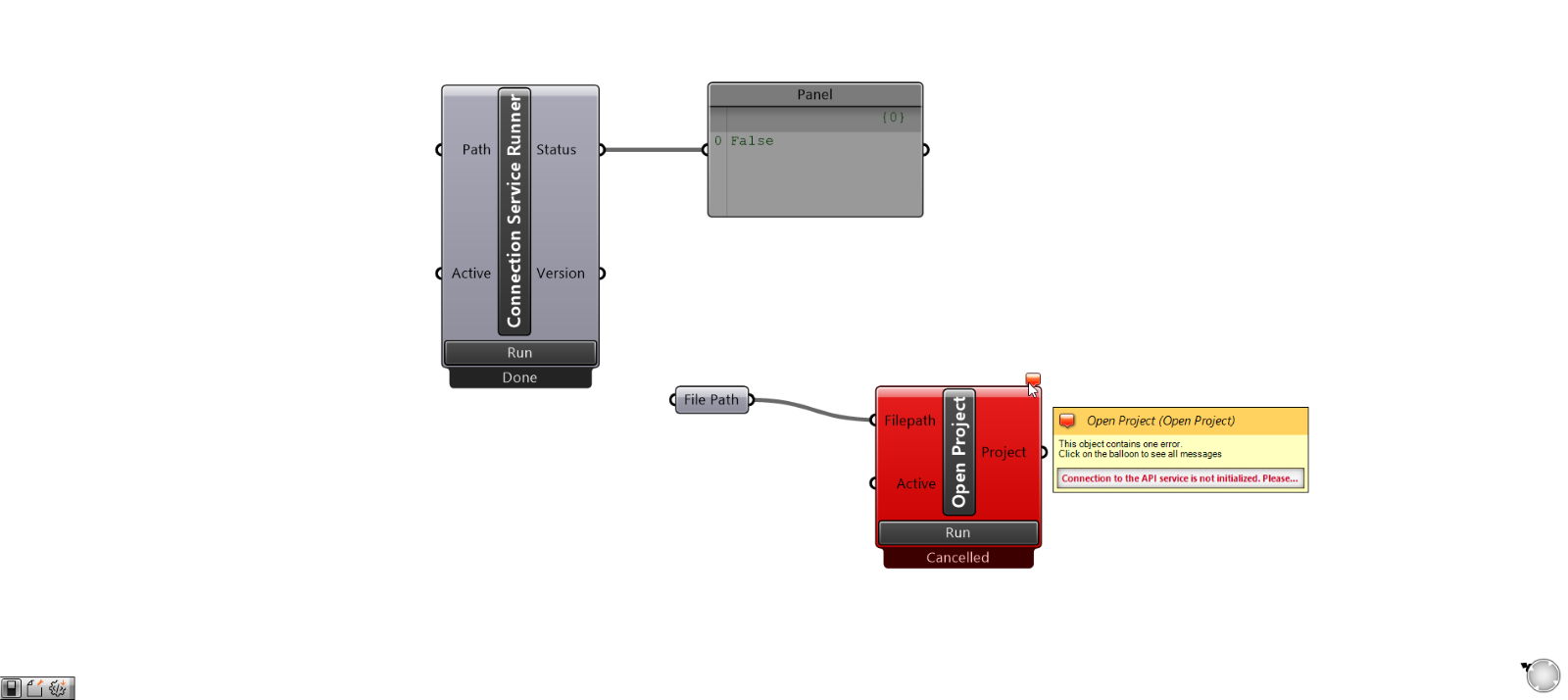
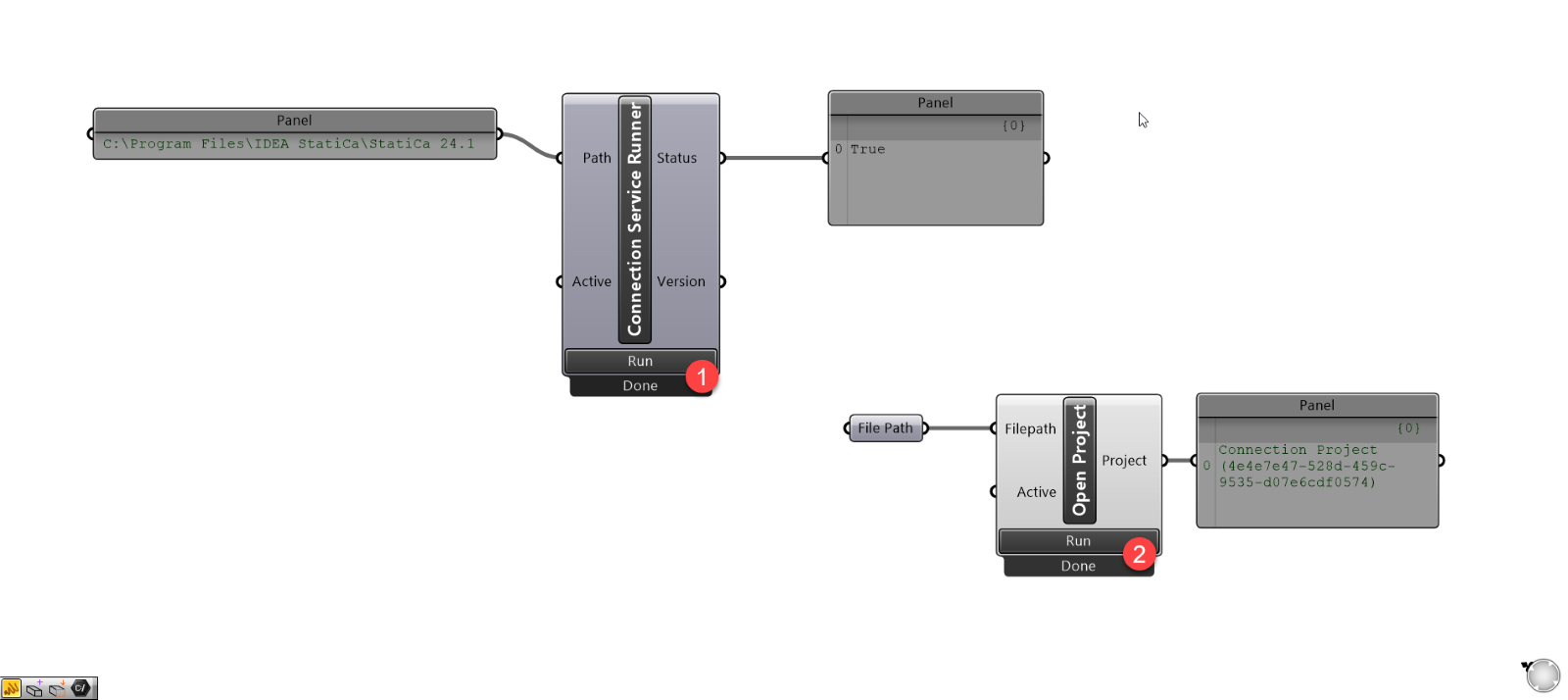
Similar to other API clients, you can connect the Grasshopper script to a runner API instance (Connection Service Attacher) or start the service within Grasshopper (Connection Service Runner). A user must select one of the above components and run it before any of the API components can run.
Wrong:
You will be provided with an error message on the component if the component has tried to run without a valid API connection.
Correct:
Once there is a valid API connection, the Service component should not need to be re-run until the script is closed or navigated away from it. The connection is stored locally so that all components can access it.
API components
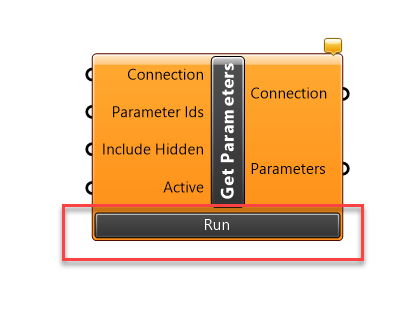
The "Active" button below easily identifies components that interact with the API. A component can be run once by clicking the Run button or continually executed by using a true/false toggle wired into the active component.
API components are closely related to Controllers in the Connection API. Controllers are either action-based (Calculation, Export, Report) or object-based (Load effect, Member, Parameters, etc.).
Action-based: Action-based controllers do specific tasks or operations on a specific connection or project, these include calculation or exporting functionality
Object-based: Object-based controllers will typically have a Get component and an Update component:
- Get: Retrieves all the controller-type objects in the Connection and retrieves specific objects that can be deconstructed or modified.
- Update: Updates provided objects that have been updated in the Grasshopper script. Objects are updated using the automatic Modify Object component.
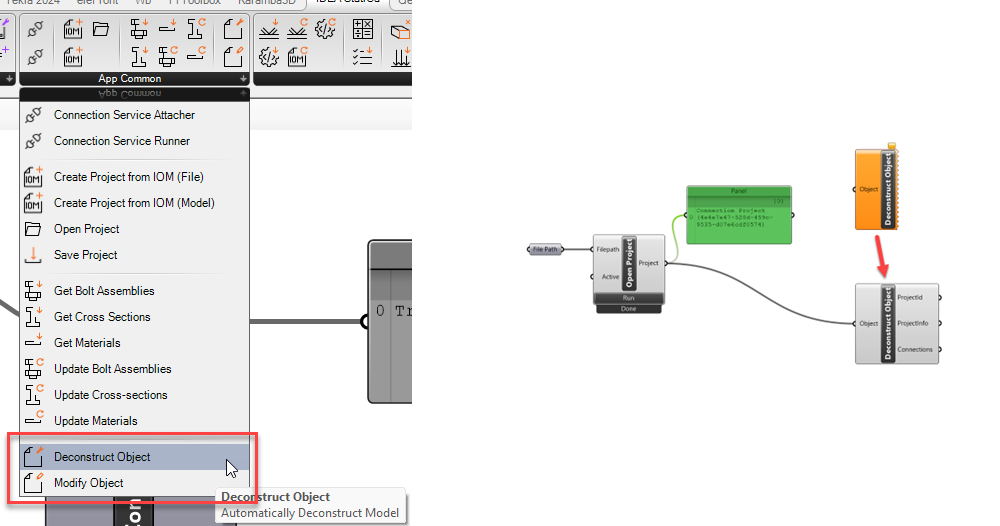
Most API components will take inputs and provide outputs of objects, which can be deconstructed or modified. Providing components in this format reduces the overall number of components that users need to add.
The most basic example is deconstructing a Project to get the available information within it, such as the connections available.
Simple example – updating connection parameters
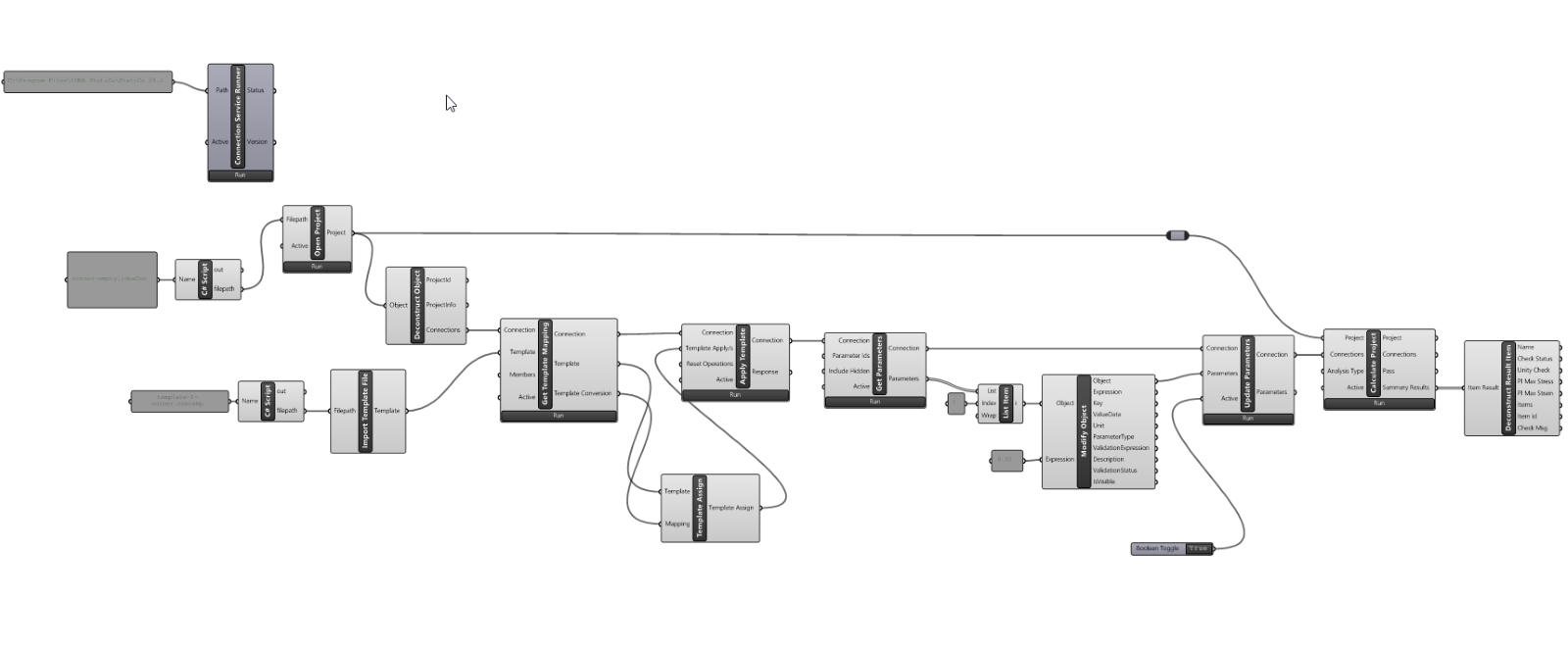
See the simple example of how the Modify component works. The image below shows an example of using API and Automatic Object components in a simple application of a template and updating connection parameters.
Examples ready to use
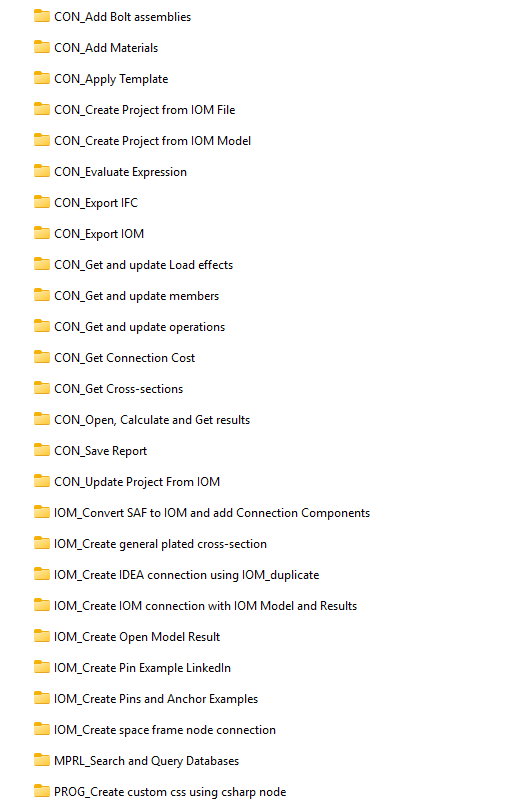
A full list of examples is available to users that download the plugin in the zipped file: %appdata%\McNeel\Rhinoceros\packages\8.0\IdeaStatiCaGrasshopper\[0.0.0]\Examples 0.2.0.zip
Version compatibility
The new plugin, version 0.2.0, is available in the Rhino Package Manager and will work with IDEA StatiCa version 24.1.3 and newer.
The older version 0.1.x will also be available and will work with IDEA StatiCa version 24.1.2 and older.
Released in IDEA StatiCa version 24.1.4