For now, the link works for a wide variety of connections/joints. However, please take into account the unsupported functionality.
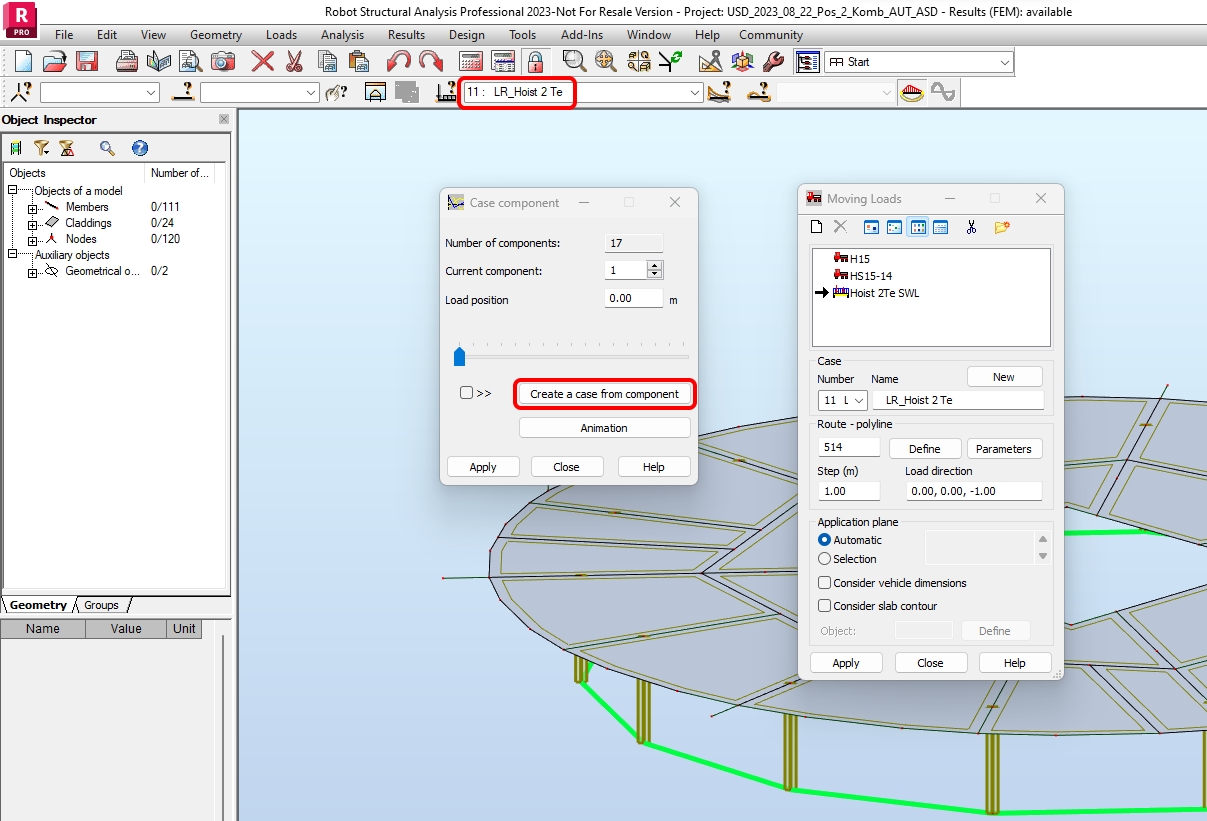
Limitation: Moving (stepped) Load Case is not imported to Checkbot. Load combinations containing a Moving (stepped) Load Case are imported, but Moving (stepped) Load Cases and their internal forces are not included.
Workaround: Explode the Moving (stepped) Load Case into single load cases in Robot Structural Analysis using the "Create a case from component" command. Then, import the connection or member, and these load cases will be imported separately as well as included in the defined load combinations.
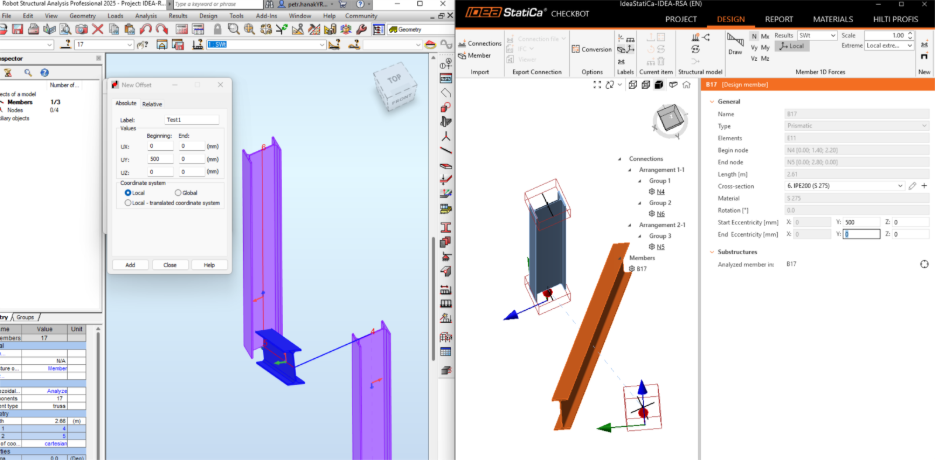
Limitation: Using different offsets at the start and end in Robot will cause the final geometry of the features affected by these offsets to be different in Robot and Checkbot. The reason is the different approach of applying these eccentricities in each of these software.
Workaround: Adjust the geometry using the Start and End Eccentricity items in Checkbot to achieve the desired geometry.
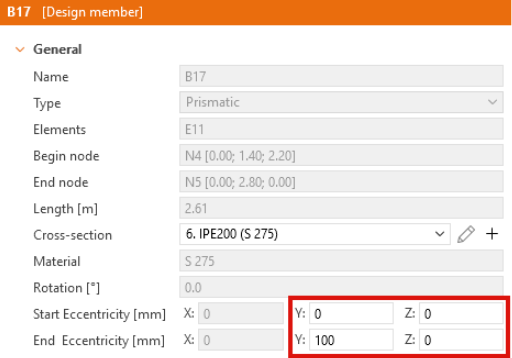
Limitation: Eccentricity defined at only one end in Robot – this type of import is not supported in Checkbot, and the resulting geometry is incorrect. The issue occurs because, in Robot, the local coordinate system (LCS) of the member already includes the defined eccentricity. When importing into Checkbot, the member is generated based on the start point and direction taken from Robot’s LCS. This causes the element to be positioned incorrectly from the start. Furthermore, the eccentricity defined in Robot is applied again in Checkbot, which increases the discrepancy and results in an even greater difference between the intended and imported geometry.
Workaround: Do not use one-sided eccentricity in Robot; instead, adjust it manually in Checkbot after importing. However, this means the synchronization option cannot be used.