
Idea Statica
Steel
Concrete
BIM & Workflows
Support & Learning
Pricing
Company
14-Day Trial
Support CenterKnowledge BaseHow to import load effects from Excel sheet
Different ways to define load effects
Equilibrium and supporting member
Principles of Loading in a Connection: Equilibrium, bearing member etc.
Key insights into constraints, member length and GMNA vs MNA analysis
Calculate load extremes
Shear force position input and visualization
When a shear connection transmits a bending moment
Loads in equilibrium by default
How to import load effects from Excel sheet
Percentage loading
Node equilibrium in the 3D FEM model
Internal forces in the steel connections
The right LCS (local coordinate system) orientation
How to import load effects from Excel sheet
SteelConnection designKnowledge baseConnectionAISC (USA)

How to import load effects from Excel sheet

This article is also available in
ENCSDEESFRITPTNLHURO

To save time or transfer the load from another source file (it can be your global analysis model or just another IDEA StatiCa Connection model), there is an option to input the load values of the table in bulk from a spreadsheet using the XLS Import button. Read the article, and learn how it works!

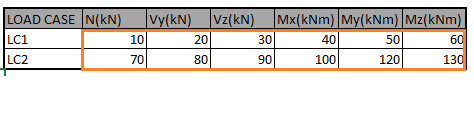
It is possible to import the load effects from an Excel sheet provided the table is correctly organized. The order of members, as well as of the internal forces and their units, must comply with the IDEA StatiCa Connection project.

Copy (Ctrl+C) the values from the Excel table. If you have prepared more sets of internal forces in the tab (e.g., 10 combinations), you can pile them up in the tab and copy the whole data selection at once. The Connection application will recognize the whole selection of sets and will create a separate load effect for each set.
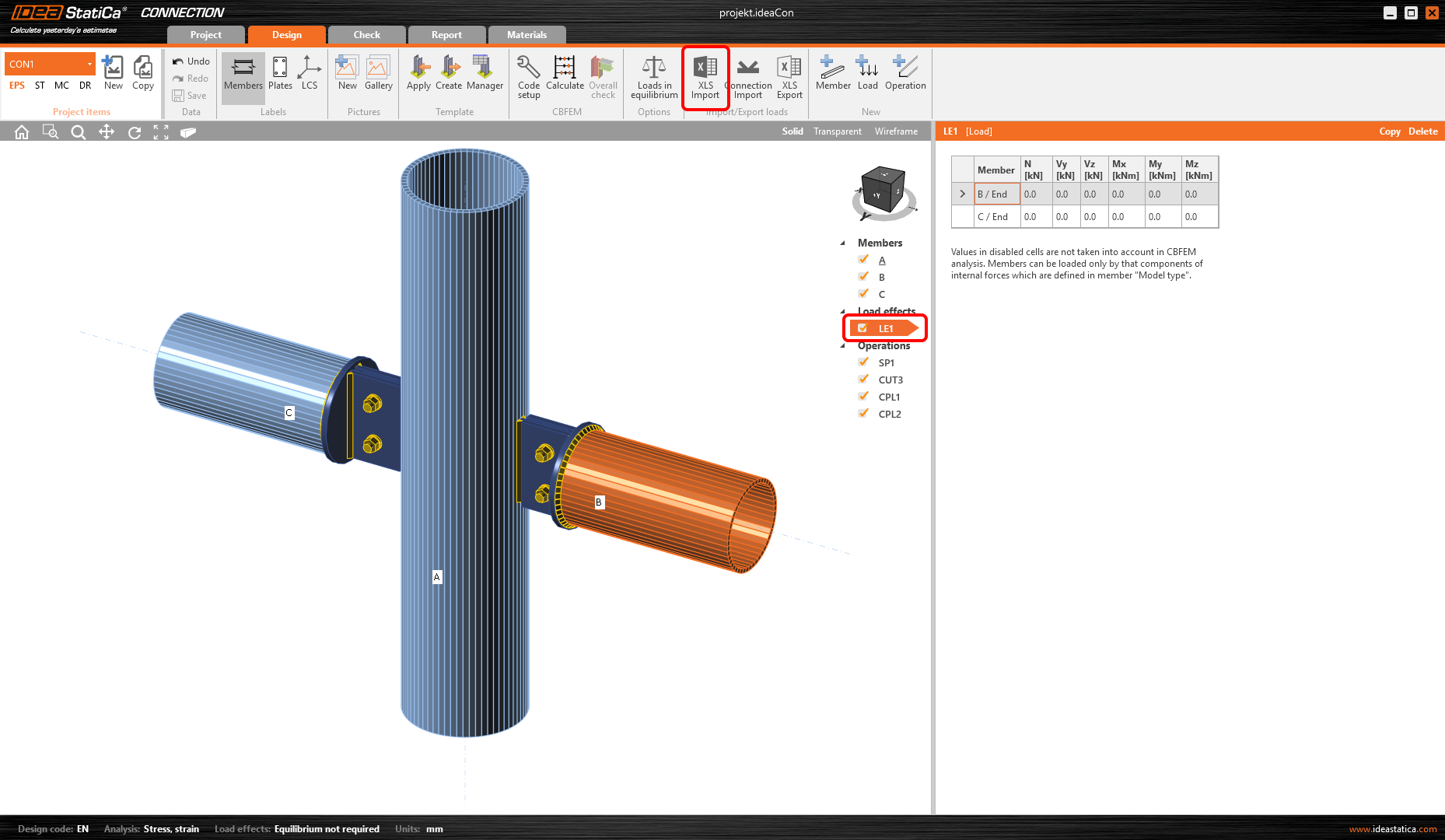
In IDEA StatiCa Connection, select an existing load effect and start the XLS Import command from the ribbon.
Finally, select the indicated cell below and Paste (Ctrl+V) the values.
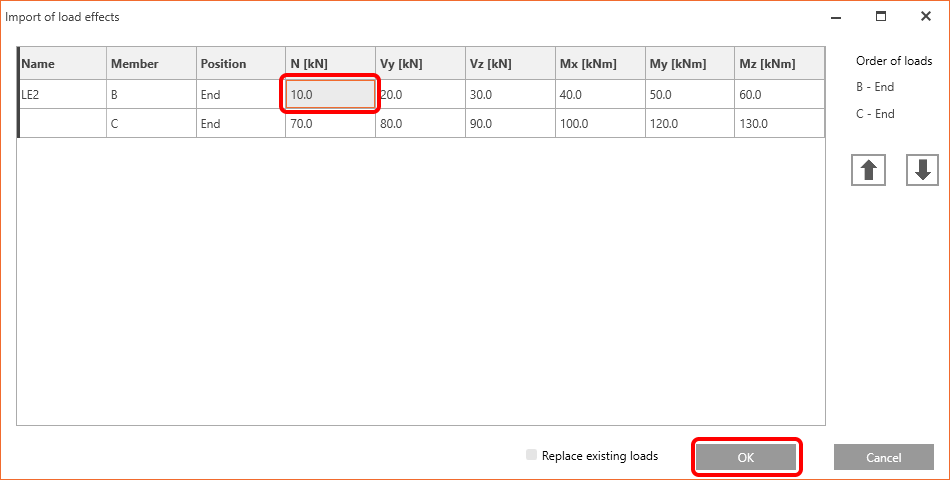
If you want to replace the existing load effect with the values from the Excel sheet, you can use the Replace existing loads checkbox. Otherwise, a new load effect will be created.

For more details, see Different ways of load definition.


Start your trial today and enjoy 14 days of full access and services free of charge.

Start free trial

Subscribe to our newsletter

Company

  • About us
  • Partnerships
  • Job openings
  • Patented technology for structural engineers

Resources

  • Customer projects
  • Case studies
  • IDEA StatiCa Connection Library
  • Concrete verifications

Legal

  • IDEA StatiCa END USER LICENSE AGREEMENT
  • Privacy policy
  • Terms of Services – IDEA StatiCa Viewer
  • Licensing

Help

  • Contact
  • Get price quote
  • IDEA StatiCa Specialists
  • Download the latest version
FacebookInstagramLinkedInYouTube

© IDEA StatiCa 2009-2026

Trusted and used worldwide by engineers, fabricators & consultants.