
Idea Statica
Steel
Concrete
BIM & Workflows
Support & Learning
Pricing
Company
14-Day Trial
Support CenterKnowledge BaseHow to add inside or outside stiffener on the circular hollow member
Inside or outside stiffener for circular hollow members can be added by one manufacturing operation.
SteelConnection designKnowledge baseConnectionManufacturing operations

How to add inside or outside stiffener on the circular hollow member

This article is also available in
ENCSDEESFRITPTNLHURO

Inside or outside stiffener for circular hollow members can be added by a single manufacturing operation.

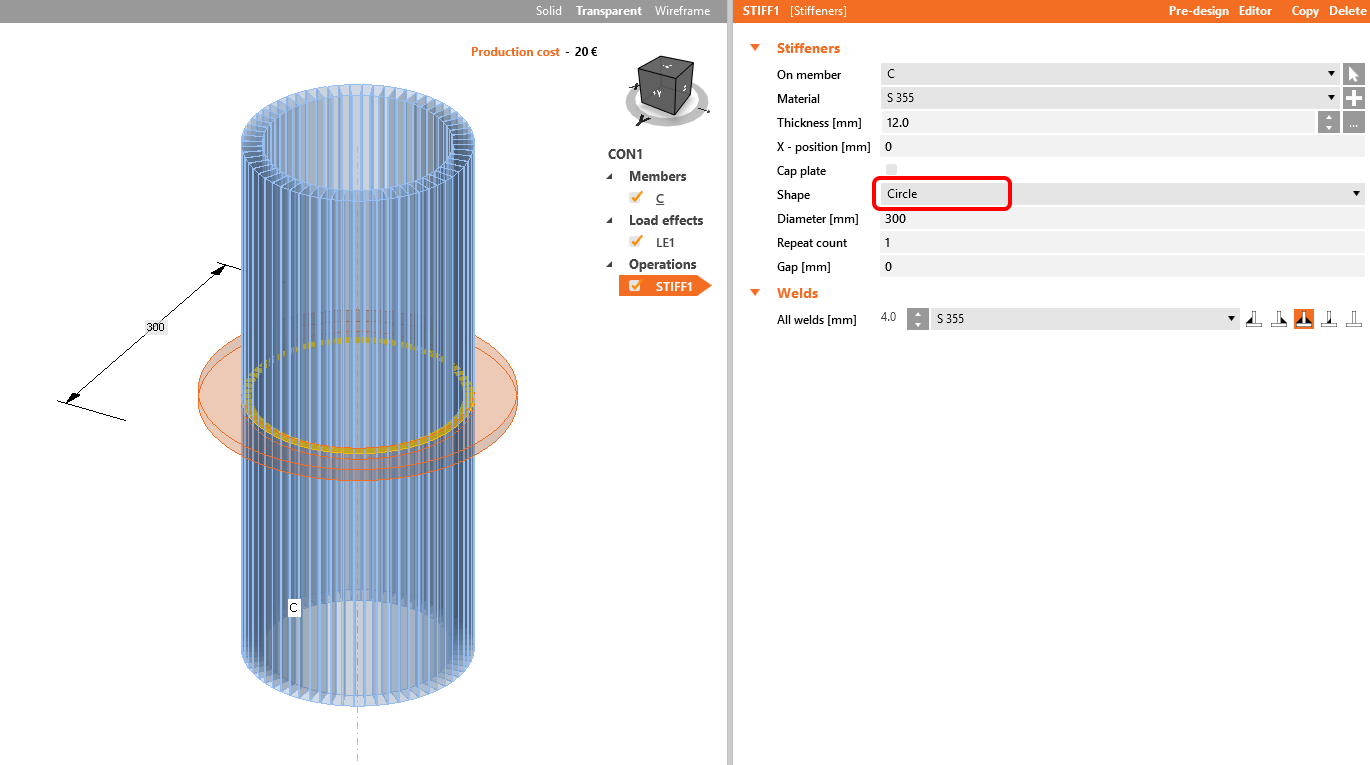
The operation Stiffener has 3 modes for adding stiffening plates to the hollow-cross section.

The first one is Circle, where you create an outside stiffening:
stiffener on the circular hollow member

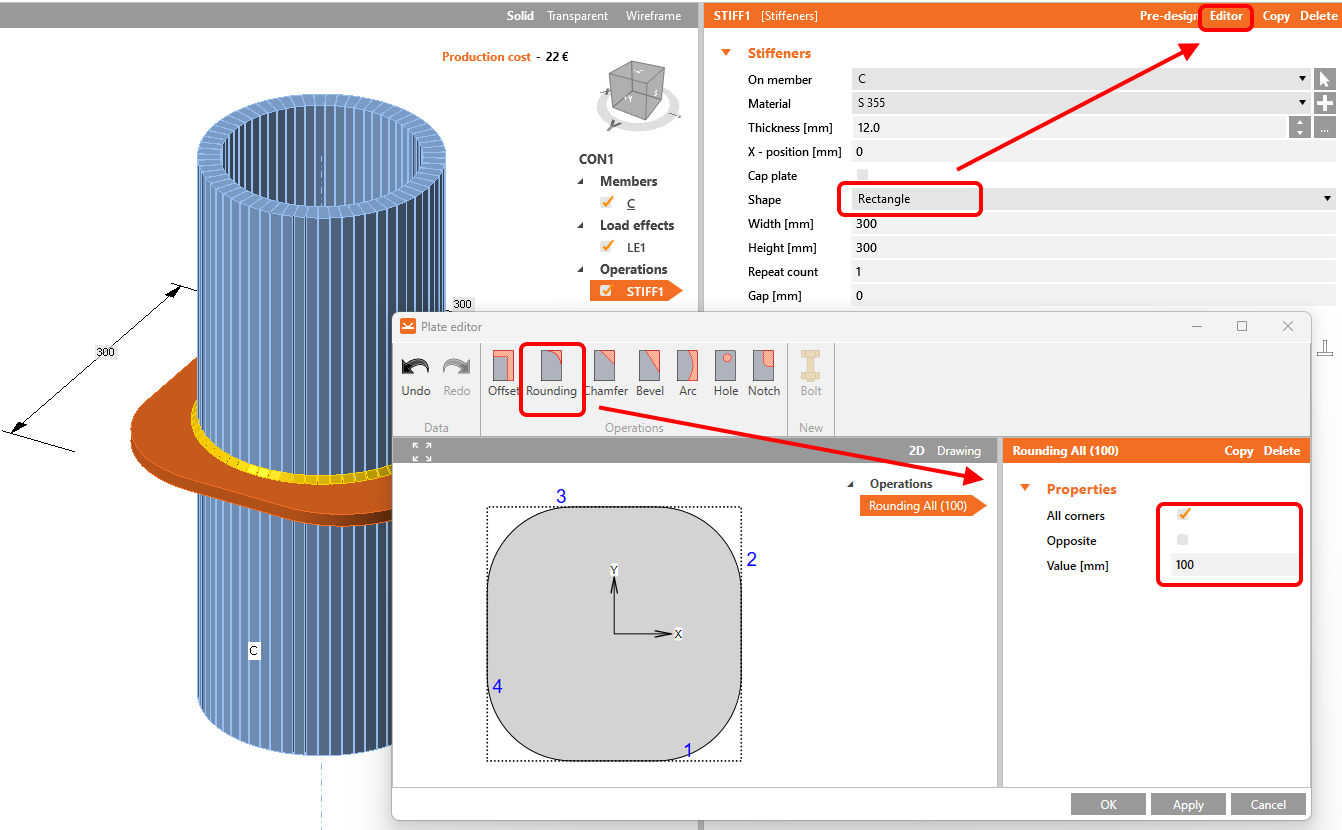
You can use also the selection Rectangle, which allows you to shape the plate according your needs using the Editor button:
stiffener on the circular hollow member

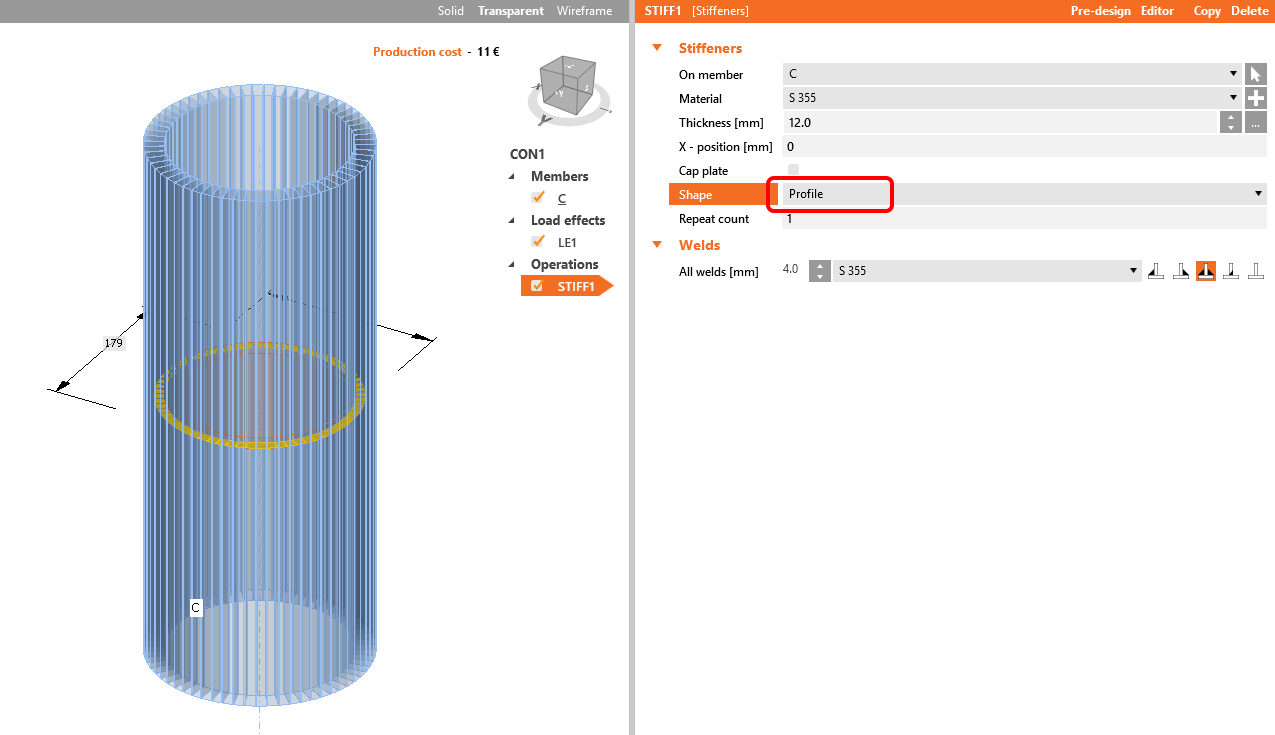
The next one is Profile, which creates inner stiffening:
stiffener on the circular hollow member

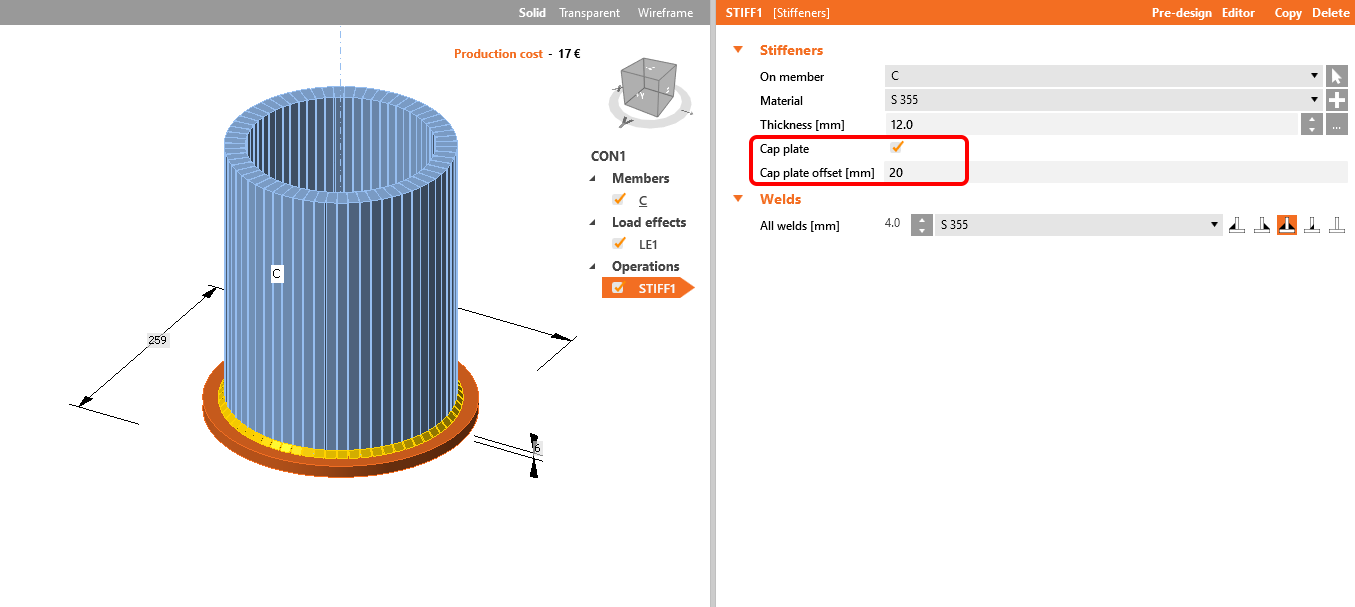
In case of Ended member or Stiffening member, we have also the possibility  to add a Cap to the end of the hollow-cross-section:  
stiffener on the circular hollow member

Watch our webinar recording to learn this simple workflow. 


Subscribe to our newsletter

Company

  • About us
  • Partnerships
  • Job openings
  • Patented technology for structural engineers

Resources

  • Customer projects
  • Case studies
  • IDEA StatiCa Connection Library
  • Concrete verifications

Legal

  • IDEA StatiCa END USER LICENSE AGREEMENT
  • Privacy policy
  • Terms of Services – IDEA StatiCa Viewer
  • Licensing

Help

  • Contact
  • Get price quote
  • IDEA StatiCa Specialists
  • Download the latest version
FacebookInstagramLinkedInYouTube

© IDEA StatiCa 2009-2026

Trusted and used worldwide by engineers, fabricators & consultants.