

What is HILTI PROFIS Engineering Suite?
Hilti PROFIS Engineering Suite is a cloud-based software for structural engineers that specializes in the design and analysis of anchor systems, base plates, and steel connections. It supports international design standards like ACI and Eurocode, and integrates with Hilti’s hardware to provide optimized anchor solutions.
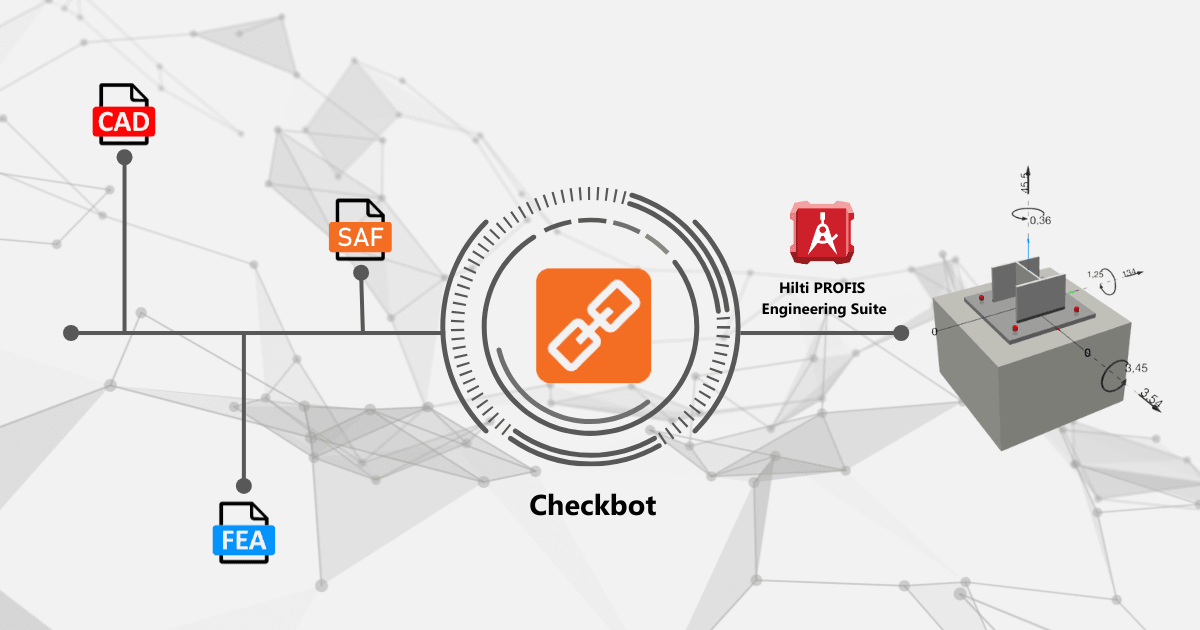
FEA to Checkbot to Profis workflow

How to use the plugin
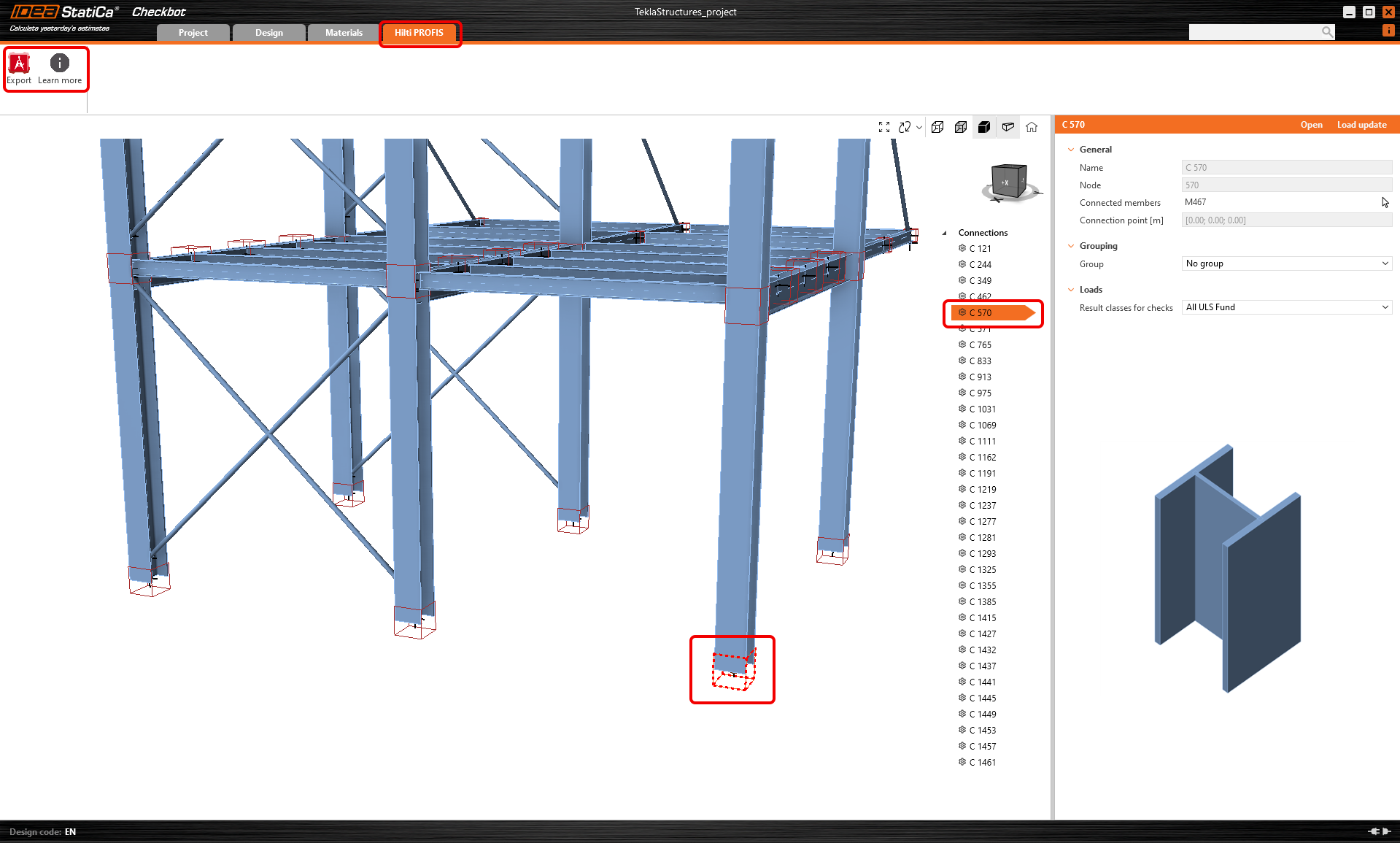
To import data from any global analysis software into Hilti PE, the information is first brought into Checkbot via any BIM link. A "HILTI PROFIS" tab in Checkbot facilitates the export to the Hilti process. By selecting a node with one anchored member, users can export the data directly to Hilti PE using the Export button, ensuring accurate transfer of relevant structural data for further analysis.
The Export button in Checkbot launches Hilti PE and, after logging in, automatically creates a new project with the same name as the Checkbot project. Within this project, a new design is generated.
This entire workflow is available even with a IDEA StatiCa Basic license, meaning that it is available for free. How to use the plugin is described step-by-step in the following article, which is also accessible from the Learn more button in Checkbot.
Data imported into PROFIS
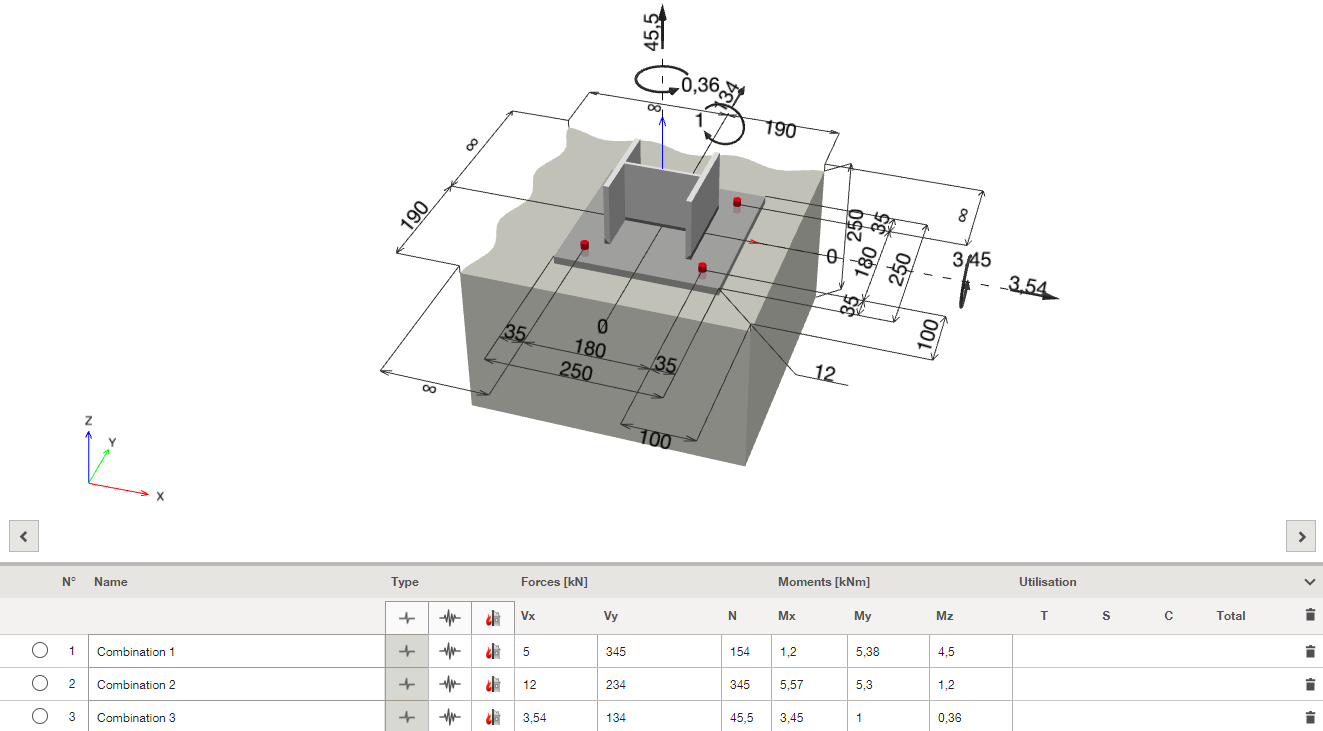
- International design standard (code)
- Profile type and material
- Internal forces from load cases and load combinations
Known limitations
- Connection design is not processed by Hilti PE (anchor layout, baseplate geometry, stiffeners, welds)
- Only connections with 1 member (simple footings)
- Only steel-to-concrete anchoring
- No complex design (footing with braces)
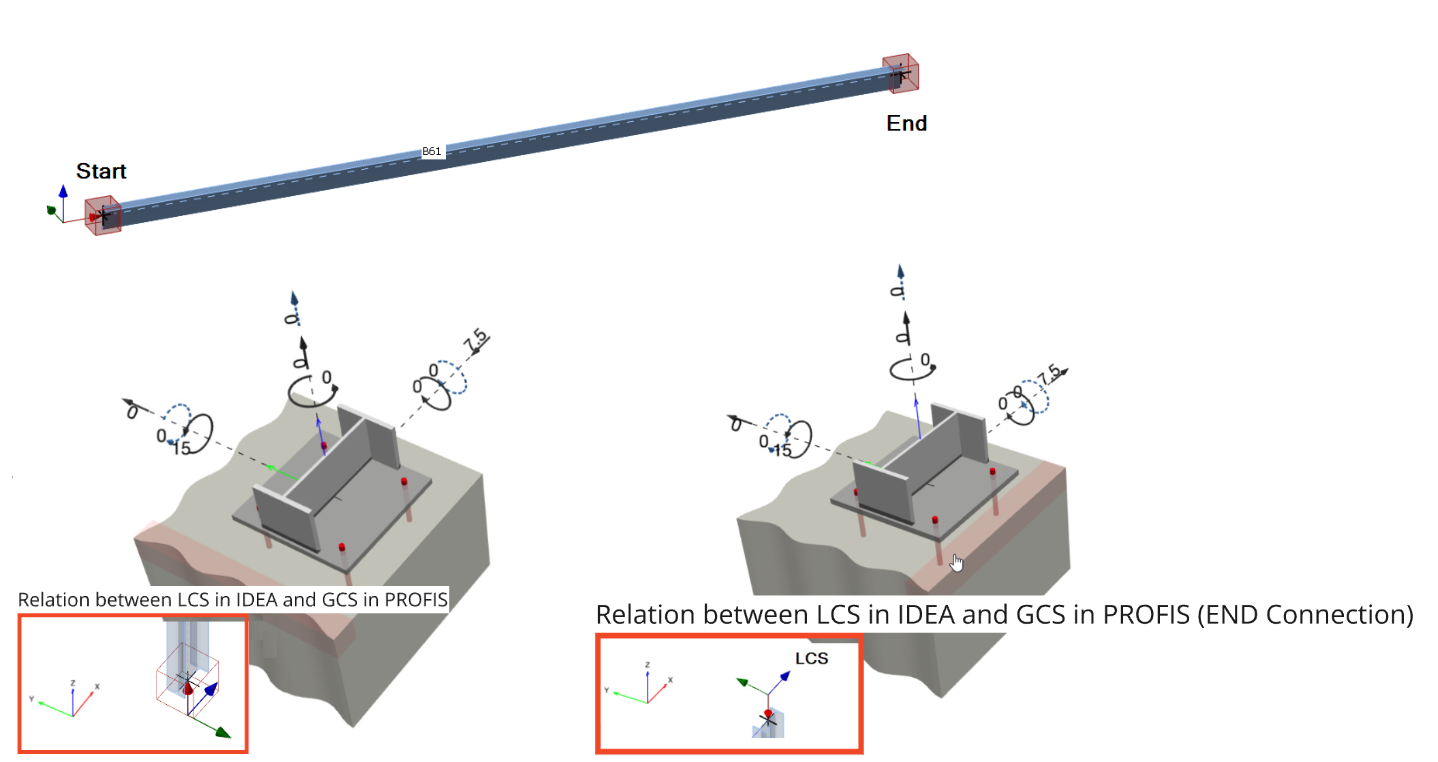
- Hilti PE does not support "mirroring" of profiles at the moment. In the picture below, highlighted cases show the profile position in PROFIS does not match with the IDEA StatiCa profile position in relation to Connection at the START or END (LCS of the member in IDEA StatiCa).