
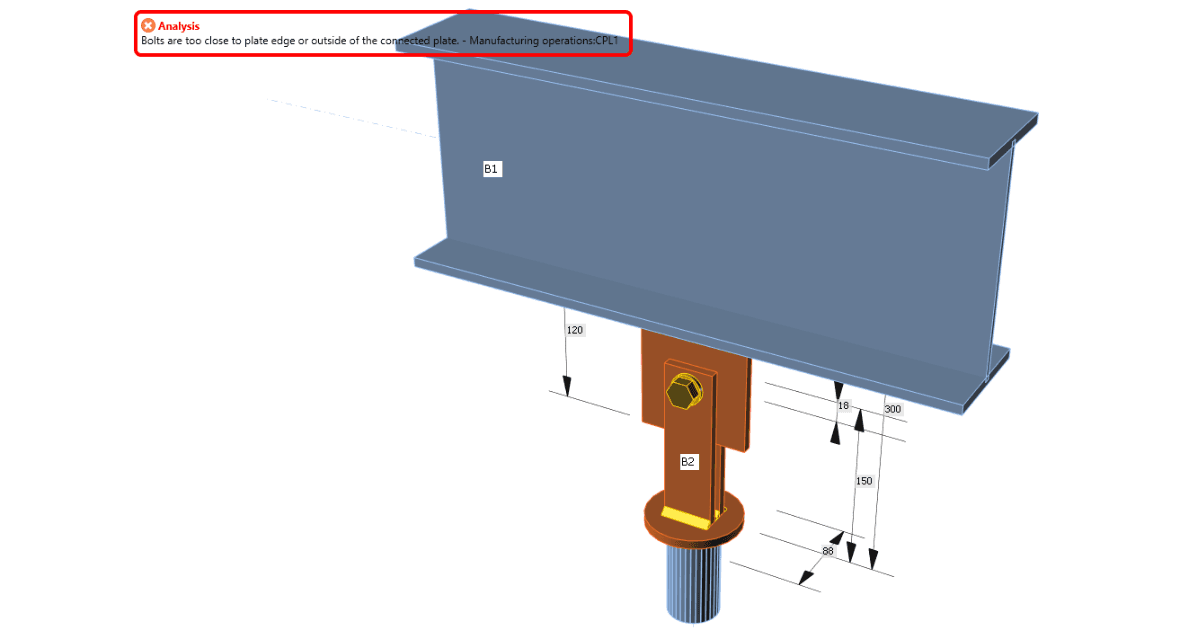


"Bolts are too close to plate edge or outside of the connected plate" is an error message you might receive during your steel connection modeling process. There are two most common mistakes in Manufacturing operations causing this error.
Bolts are too close to the edge of a plate
This generally means that the mesh could not be generated around the bolt’s hole as there is not enough space for it. For the bolt’s hole of a diameter d0, there must be a space greater than d0/2 between the hole’s edge and the plate’s edge. Therefore, the center of the bolt must be placed further than d0 distance from the plate’s edge.
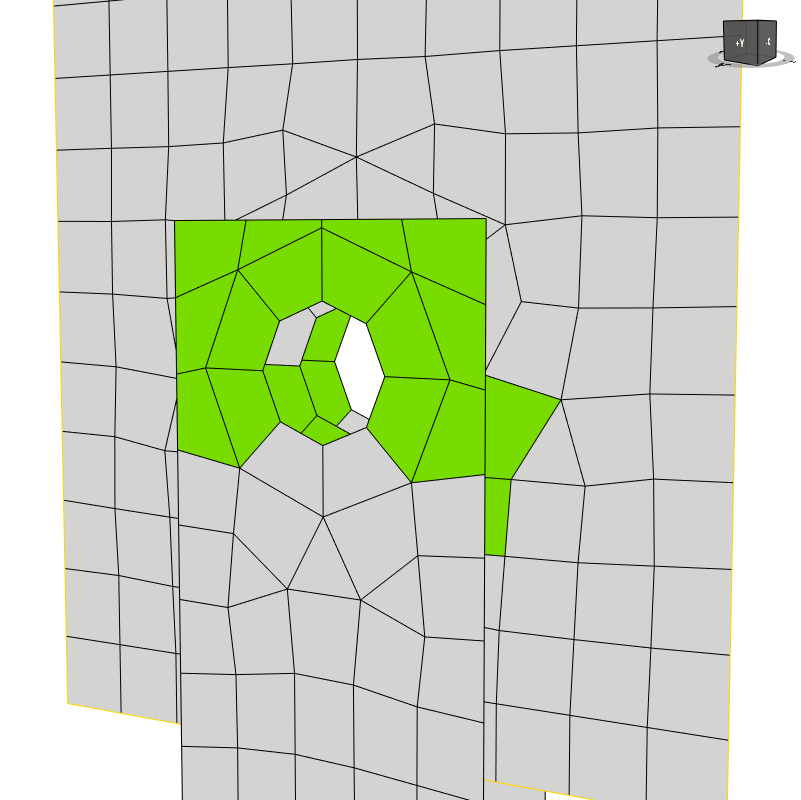
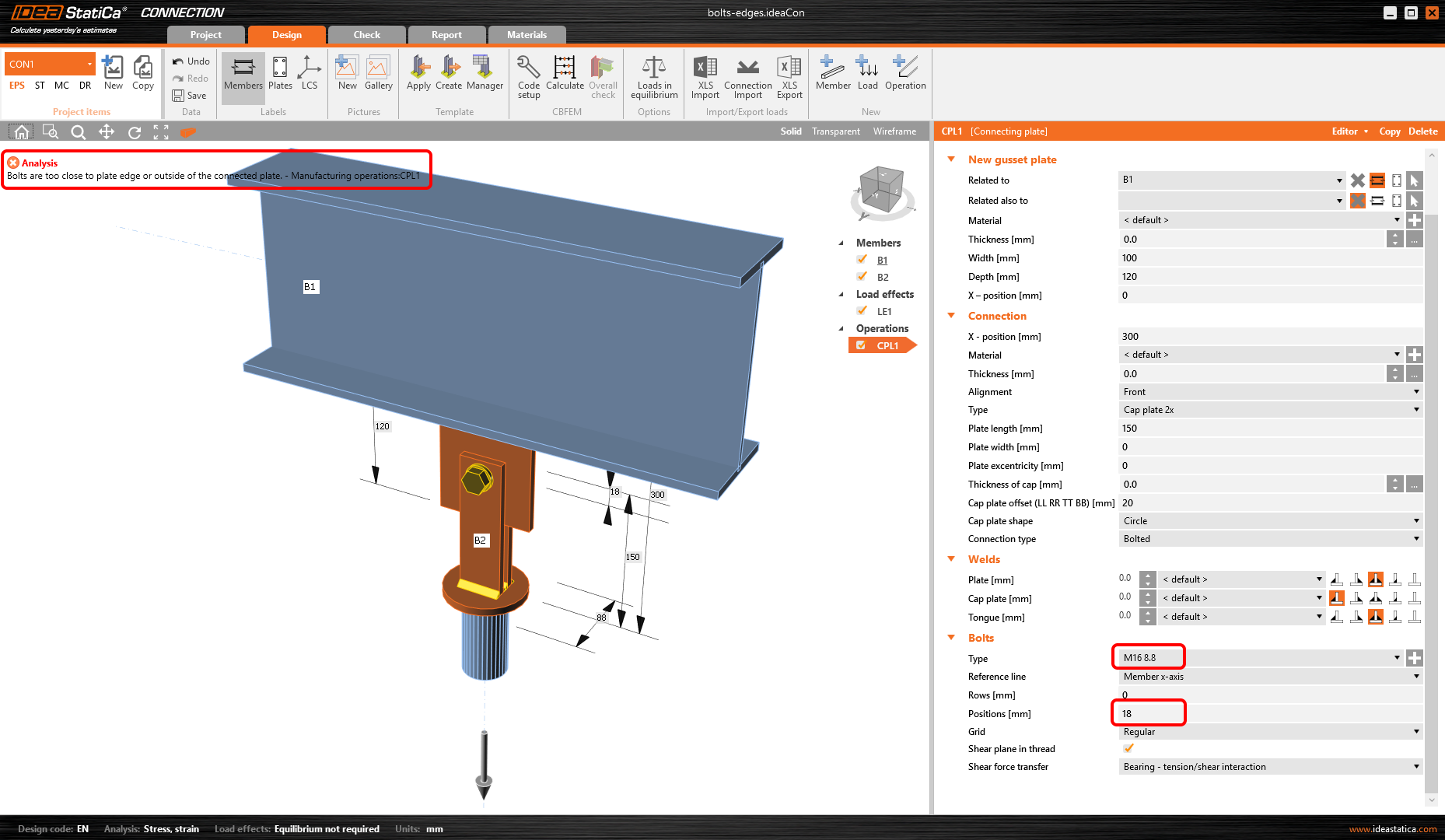
E.g. for bolt size M16, the diameter of the hole d0 is 18 mm, and the position of the bolt must be greater than 18 mm from the edge of any plates that it intersects.
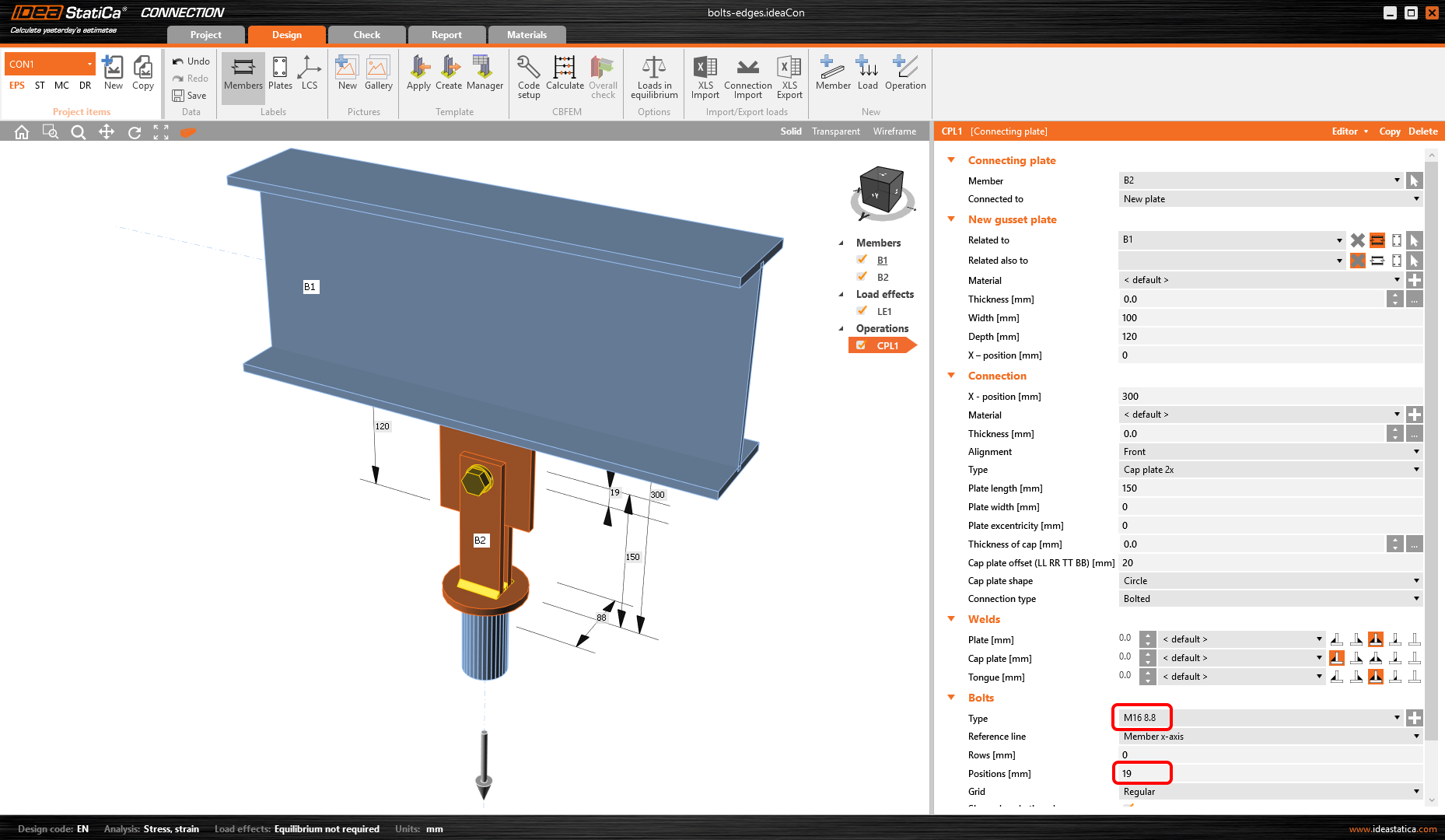
With the increased distance of the bolt from the edge, the calculation can be performed.
Bolts are not associated with the correct plate
Even though the bolts in the following figure may look as correctly placed, the error occurred. The reason is that all 8 bolts cannot be defined in one manufacturing operation, as they are connecting the stiffening plates with two different members. The left quartet connects the stiffening plates with the B1 member while the right quarter of bolts connects the stiffening plates with the B2 member.
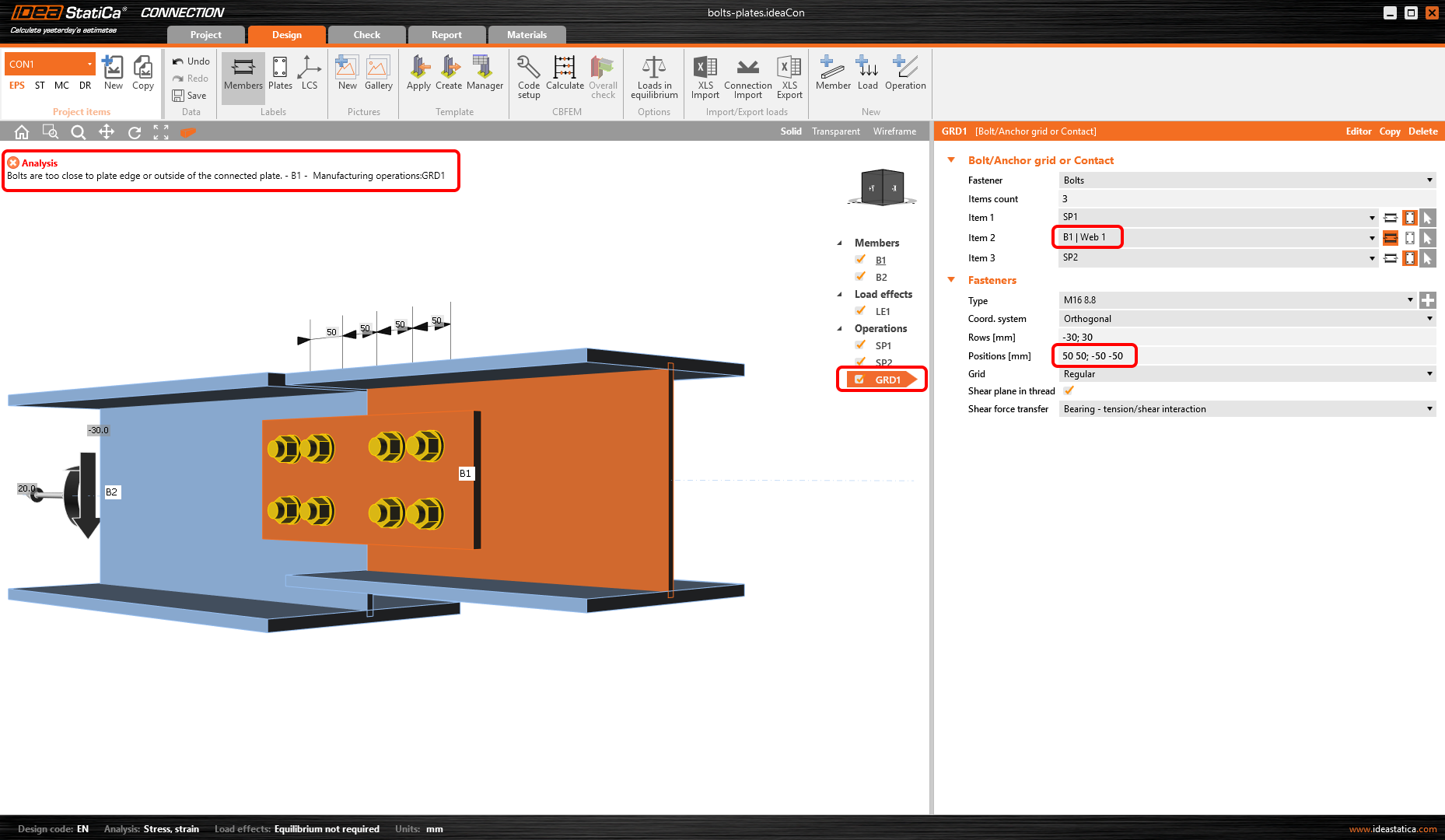
Therefore, it is necessary to separate the bolts into two manufacturing operations. In the first step, define bolt grid GR1 of four bolts for member B1 with the appropriate position of bolts.
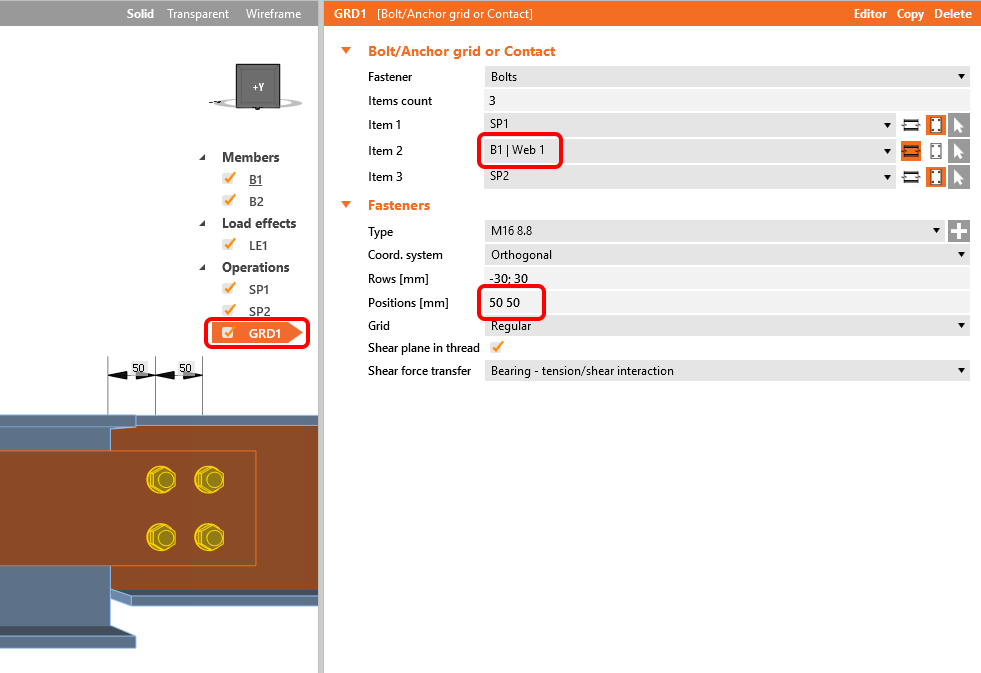
Copy the operation, change Member 2 to B2, and adjust the bolt positions.
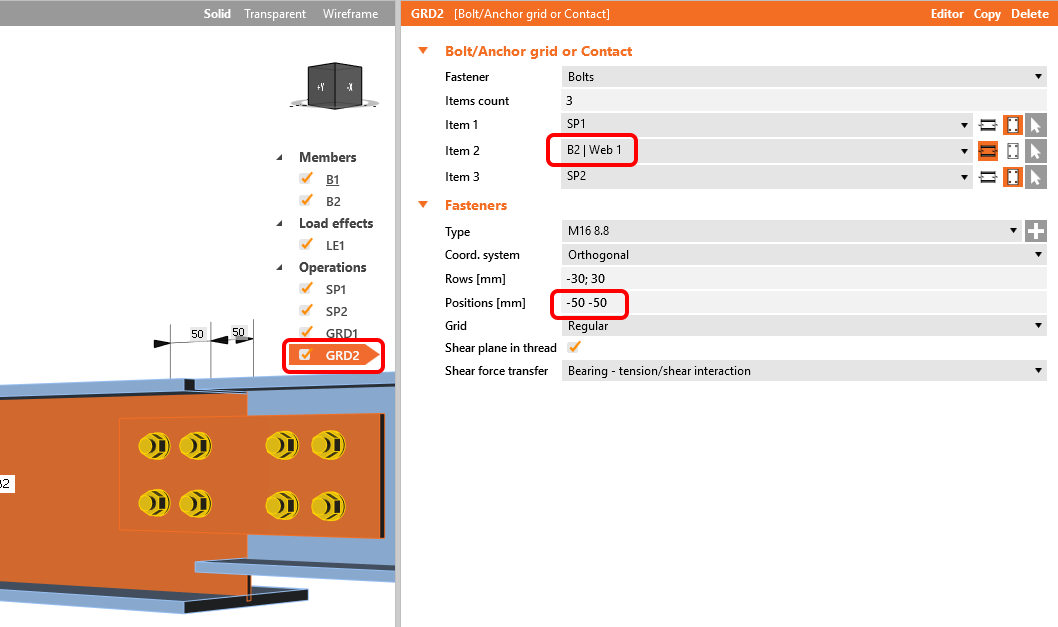
Now, the bolt groups are associated with the correct plates and the calculation can be performed.
Note: To design both-sided splices efficiently, it is better to use the Splice manufacturing operation.
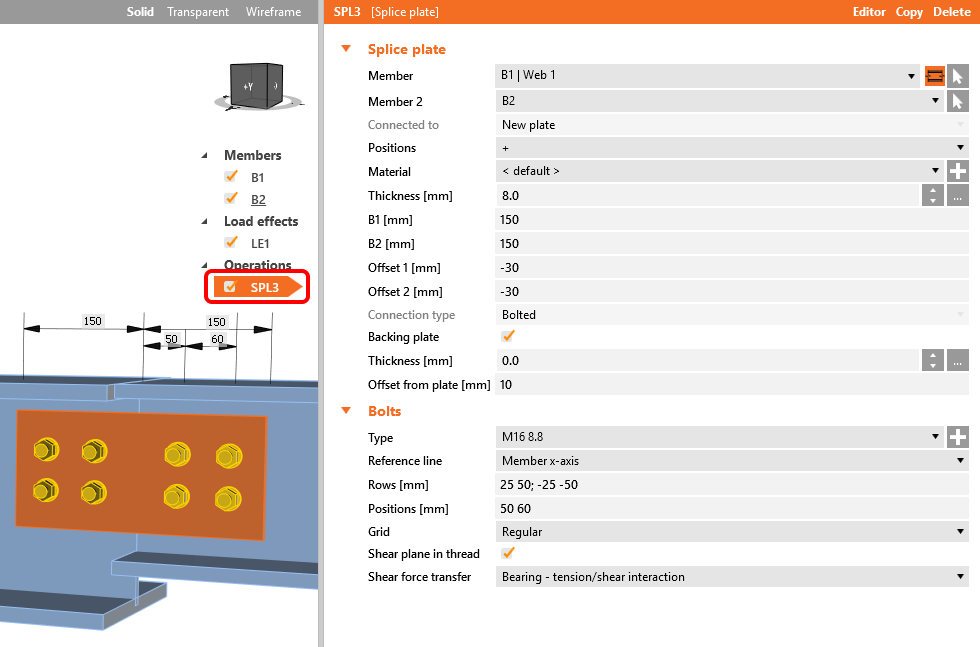
See the video explaining the error "Bolts are too close to plate edge".