Idea Statica
  • Steel
  • Concrete
  • BIM & Workflows
  • Support & Learning
  • Pricing
  • Company
  • Steel overview
  • Connection design
  • Member design
  • Parametric design
  • Steel case studies
  • Concrete overview
  • Walls and D-regions
  • Anchoring design
  • Concrete case studies
  • BIM Overview
  • Supported integrations
  • Checkbot
  • Viewer
  • APIs
  • Support Center
  • E-learning & certification
  • Blog
  • Downloads & Licensing
  • Plans
  • Free community tool
  • Enterprise customers
  • Students & educators
  • How much will you save?
  • About us
  • Contact
  • Research & development
  • Authorized resellers
  • Meet our customers
  • Career
  • Steel
    Steel overviewConnection designMember designParametric designSteel case studies
  • Concrete
    Concrete overviewWalls and D-regionsAnchoring designConcrete case studies
  • BIM & Workflows
    BIM OverviewSupported integrationsCheckbotViewerAPIs
  • Support & Learning
    Support CenterE-learning & certificationBlogDownloads & Licensing
  • Pricing
    PlansFree community toolEnterprise customersStudents & educatorsHow much will you save?
  • Company
    About usContactResearch & developmentAuthorized resellersMeet our customersCareer
14-Day Trial
14-Day Trial
  • Steel
  • Concrete
  • BIM & Workflows
  • Support & Learning
  • Pricing
  • Company

Subscribe to our newsletter

Company

  • About us
  • Partners
  • Careers
  • Patent

Resources

  • Customer projects
  • Case studies
  • Connection Library
  • Verification books

Legal

  • EULA
  • Privacy policy
  • California Privacy
  • TOS Viewer
  • Licensing

Help

  • Contact
  • Quote request
  • Resellers
  • Downloads
FacebookInstagramLinkedInYouTube

© IDEA StatiCa 2009-2026

Trusted and used worldwide by engineers, fabricators & consultants.

BIM & workflowsSupported integrationsSCIA Engineer

SCIA Engineer

Concrete
Compatible versions
SCIA Engineer

Essential links

IDEA StatiCa and SCIA Engineer tutorial

SCIA Engineer to IDEA StatiCa workflow
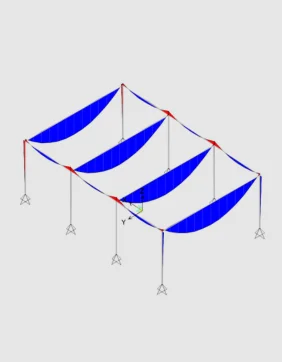
Perform global analysis in your FEA


Share structure and forces with IDEA StatiCa


Design selected members


Code-check and optimize members


Perform global analysis in your FEA


Share structure and forces with IDEA StatiCa


Design selected members


Code-check and optimize members


About the SCIA Engineer plugin

You can select any concrete member or part of the whole SCIA Engineer model and export it to IDEA StatiCa for structural design. All the members, cross-sections, and internal forces are also completely synchronized if the SCIA Engineer model changes. IDEA StatiCa and SCIA Engineer give you an efficient workflow for your structural concrete design that saves time, minimizes errors, and opens up optimization possibilities.

There are two ways to connect IDEA StatiCa and SCIA Engineer. 

SCIA Engineer to IDEA StatiCa BEAM

The first way is to directly connect the selected beam from SCIA Engineer to IDEA StatiCa Beam, where the reinforcement or complex prestressing design, including TDA, is possible. 

SCIA Engineer BIM link video

SCIA Engineer to IDEA StatiCa Checkbot

The second option is to export part of the structure or the whole structure into IDEA StatiCa Member through Checkbot.

The BIM link is managed by Checkbot - an application for the management of BIM workflows. This means:

  • Export and synchronize members easily
  • Complete control over all of your imported members
  • A clear list of all imported items including status checked/not-checked
  • 3D visualization of imported members
  • Conversion table for materials and cross-sections
  • Load combinations management

Read more about How Checkbot works.

How to get started

You do not need anything special to get started - just download and install both applications on the same PC, and activate the BIM link in a few easy steps. And you can start exporting and designing concrete members right away. 

Projects shared in last 12 months

163,353

People using IDEA StatiCa desktop tools over last 12 months

58,130

Companies using IDEA StatiCa

10,012
Start FREE trial

Read more about concrete design

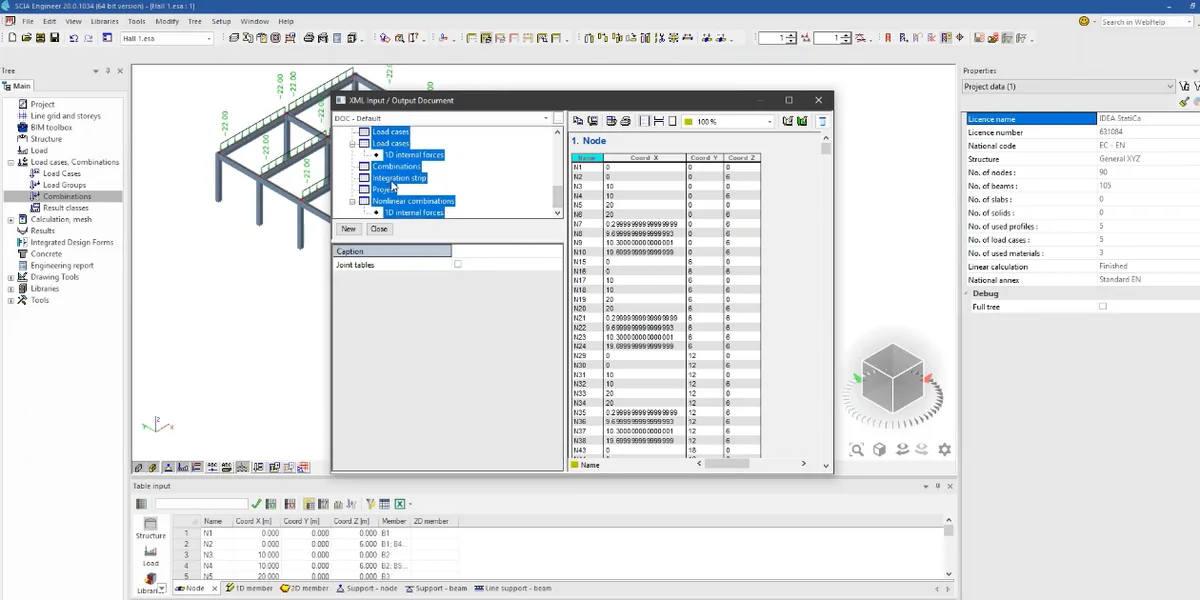
How to create XML file for IDEA StatiCa BIM app
  • Concrete
  • Reinforced concrete
  • Prestressed concrete
  • Knowledge base

How to create XML file for IDEA StatiCa BIM app

Read more
IDEA StatiCa Detail is concrete design software for the structural design and code-check of concrete discontinuity regions. Concrete members stress analysis & concrete wall design.
  • Reinforced concrete
  • Concrete
  • Prestressed concrete
  • Theoretical background

IDEA StatiCa Detail – Structural design of concrete discontinuities

Read more
IDEA StatiCa step-by-step tutorial for the structural concrete design using the BIM link between SCIA Engineer and IDEA StatiCa Beam. Concrete design software for easy and reliable code-checking and structure analysis.
  • Concrete
  • Tutorials

SCIA Engineer BIM link for structural concrete design (EN)

Read more
Bridge load rating – Beam with the import of internal forces (EN)
  • Concrete
  • Reinforced concrete
  • Prestressed concrete
  • Tutorials

Bridge load rating – Beam with the import of internal forces (EN)

Read more